Living-room players
If you play from a sofa or share the screen, start with viewing distance and the space available for a TV. Then check whether the input you plan to use accepts your console’s intended video mode.


Choose a TV for sofa-distance or shared play, especially if the screen will also be used for films and television. A monitor makes more sense for close desk seating or a compact setup shared with a PC. For either, check the exact HDMI input against the modes your console and games can use; a high panel refresh rate alone does not establish console support.
If you play from a sofa or share the screen, start with viewing distance and the space available for a TV. Then check whether the input you plan to use accepts your console’s intended video mode.
A monitor can fit close seating and make it practical to switch between a PC and console. Check its HDMI console modes rather than relying on a refresh rate advertised for PC use.
Check the console model, game mode, cable, display input and settings together. PlayStation confirms PS5 can output 4K at 120Hz; Xbox Support identifies Xbox Series X as a console for 4K gaming at 120 frames per second. The display still has to accept the intended signal.
Choose it when: You play from a sofa, share the screen or also use it for films and television.
Trade-off: A larger screen needs enough room and may be awkward on a shallow desk.
Choose it when: You sit close at a desk, have limited space or regularly switch between console and PC.
Trade-off: A PC-focused refresh-rate claim does not establish which modes work through HDMI with your console.
| Priority | What to check | Your needs |
|---|---|---|
| Console compatibility | Check the exact model’s HDMI inputs, accepted resolution and refresh modes, and VRR support if you want it. PlayStation confirms PS5 supports 4K at 120Hz; Xbox Support identifies Series X for 4K gaming at 120 frames per second. The game must offer a suitable mode too. | I want to use the video mode my console and games offer, not choose a screen solely by its advertised panel refresh rate. |
| Screen size and seating | Measure your normal eye-to-screen distance and available space. Decide whether viewing is close and individual or sofa-based and shared; LG’s TV-size guidance also treats viewing distance as a starting point. | Will the screen fit where I sit, and can other people see it comfortably when we play or watch together? |
| Fast-game features | Look for the intended refresh mode over HDMI. Check VRR and game-mode settings on the exact display rather than assuming every feature described as gaming-related works with your console. | For action or competitive games, I care about responsive play—but only where my console, display and chosen game mode can use those features. |
| Connection path | Start with a direct console-to-display connection and the supplied cable. If you need a longer cable for Xbox Series X high-bandwidth modes, Xbox Support advises a certified Ultra High Speed HDMI cable. | I would rather identify whether the input, setting or cable is limiting my setup before adding an adapter or replacing equipment. |
A high-refresh panel does not by itself establish that the intended mode is accepted through HDMI or offered by the game.
Check the full display model’s HDMI modes before ordering. After setup, inspect the console’s detected-display information and the game’s performance settings.
A large TV can be awkward at a shallow desk, while a smaller screen may not suit shared sofa-distance viewing.
Measure where your eyes will normally be, then assess screen size alongside seating and available space.
The display input, settings or an intermediary device may be limiting the selected video mode. PlayStation advises a direct HDMI connection to the screen when troubleshooting PS5 picture and sound issues.
Test the console directly with its supplied cable and check the selected input and display settings before changing the connection path.
HDMI features need checking against the precise model and input. Sony’s UK compatibility guidance provides feature information by TV model rather than treating a range name as enough.
Record the complete model number and screen size, then check its HDMI feature table and required settings.
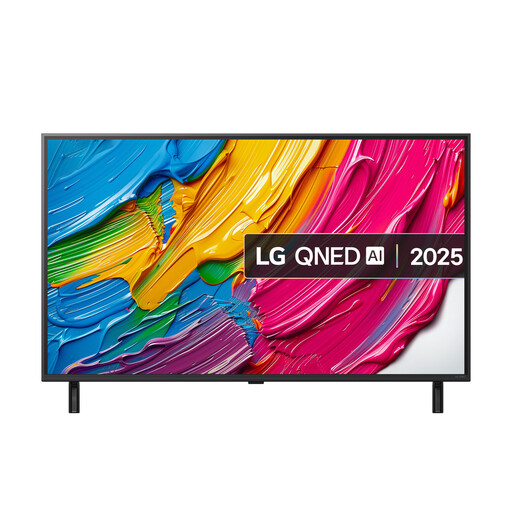
LG’s TV range is relevant to sofa-based console setups, but gaming specifications should be checked by model.
Samsung UK discusses monitors for players switching between a PC and console.
Sony’s BRAVIA compatibility guidance is useful when comparing HDMI gaming features across TV models.
These options include TVs for sofa-based or smaller-room play and a monitor for a closer desk setup. Compare each screen’s stated features with the HDMI modes you need for your console.
 No image available
The 55-inch TV format is worth considering for a living-room setup if it suits your seating distance. The title names a 165Hz Game Mode Ultra feature; check the exact HDMI input and console modes before relying on that figure for play.
 No image available
This 55-inch TV is an option for sofa-based gaming and other shared viewing. Its title names a 288Hz Game Accelerator, while the product description gives different refresh figures; confirm the exact HDMI console modes rather than treating the headline as a 288Hz console-output specification.
 No image available
A 43-inch TV may fit a smaller room where a 55-inch screen would be difficult to place. Its titled 120Hz Game Accelerator is specified for FHD; check the HDMI modes and do not assume it means 4K at 120Hz.
 No image available
The monitor format is an option for close-seated play if its size fits your desk. Its title states 3840 × 2160 resolution and 165Hz refresh; confirm the intended console mode over HDMI rather than assuming the console can use the full panel refresh rate.
 No image available
This 43-inch TV is an option for a compact TV arrangement if the viewing distance works. Its title names VRR and ALLM; the product information specifies a native 60Hz panel, so choose a different display if 120Hz output is a requirement. Confirm its exact 4K modes over HDMI.
No—a 60Hz display remains usable. Choose a display that accepts 120Hz over HDMI if you want to use compatible games and performance modes. PlayStation confirms PS5 can output 4K at 120Hz, while Xbox Support identifies Series X for 4K gaming at 120 frames per second; check the complete connection path for the mode you want.
No. The console and game determine which output modes are available. A higher-refresh monitor can still be a suitable choice, but check its HDMI specifications for your intended console resolution, refresh rate and VRR mode.
Measure the distance from your usual seat to the screen, then account for the room and anyone sharing the view. LG’s TV-size guide estimates a screen size in inches by dividing viewing distance in inches by 1.2 for a 40-degree viewing angle; use that as a planning estimate, not a requirement.
Start with the console’s supplied cable if it reaches. If you need a longer cable for Xbox Series X high-bandwidth modes, Xbox Support advises a certified Ultra High Speed HDMI cable. A replacement cable cannot add a video mode that the display input does not accept.