Which setup suits your household?
The condition of your current screen and the way you watch live TV are useful starting points; controls and accessibility may then determine which platform to examine more closely.
Households keeping a working HDMI television
If the screen still meets your needs but its apps do not, an HDMI streaming stick or box offers another route to those services. Check that the TV has a spare HDMI input, that you can power the device as instructed and that your required apps support the exact model.
Households combining Freeview live TV and catch-up
A Freeview Play TV or set-top device is relevant if you want live channels through the Freeview TV Guide as well as internet catch-up. Freeview says the Guide’s live TV needs a working aerial; catch-up also needs broadband.
Households with specific control or accessibility needs
Compare the exact device and apps for spoken navigation, captions, alternative controls and remote functions. Google documents accessibility features for Google TV, while Amazon lists them for Fire TV and notes that availability can vary by device and language.
What should you check before choosing?
Start with the screen you already have and the services you actually use. Then check the setup at the TV, including its aerial, power and network connection.
| Priority | What to check | Your needs |
|---|
| Keep or replace the screen |
Decide whether the picture and size still suit the room. For a separate stick or box, check for an available HDMI input and the device’s power requirements. |
My current screen is fine; I mainly want another way to use streaming apps. If the screen itself needs replacing, an integrated smart TV is worth considering instead. |
| Required services |
Check each provider’s supported-device list against the exact model and software version. Check plan-specific compatibility where it applies; ITVX and Netflix both describe device-dependent support. |
There are particular apps my household uses, so I need to know they work on the device I choose rather than relying on a general platform label. |
| Live TV and catch-up |
For live TV through the Freeview TV Guide, check that you have a working aerial. Freeview says full Freeview Play use also needs broadband and gives more than 2 Mbps as its catch-up figure. |
I want the familiar Freeview channel guide alongside catch-up. If I only watch on-demand services, that live-TV arrangement may not drive my choice. |
| Picture format |
Check the TV’s supported resolution and HDR formats, the content you intend to watch and the streaming device’s requirements. A 4K/HDR device cannot make an incompatible screen display those formats. |
I want to avoid choosing picture features my existing TV cannot show. The condition of the screen matters more to me than the format named on a streaming device. |
| Connection at the TV |
Test stability where the TV sits, not just near the router. Netflix recommends at least 3 Mbps for HD, 5 Mbps for Full HD and 15 Mbps for 4K UHD; check whether a wired connection is available on the chosen model. |
If programmes buffer on several devices, I would check the home connection before replacing streaming hardware that otherwise meets my needs. |
| Controls and accessibility |
Check remote power and volume compatibility with your TV. Try the required screen reader, captions or alternative controls on the exact device and apps; platform features do not guarantee identical app behaviour. |
People using our main TV need controls they can manage. A feature listed for a platform only helps if it works in the services we use. |
| Software support |
Check current service support and available device or app updates before buying. Netflix notes that some older devices lose support and that some experiences require newer software. |
An ageing TV app system is my reason for considering a separate streamer, so I need the replacement device to run my required services now. |
Brand and platform features to check
These references describe particular devices or platforms, not every product made by each brand. Compare their stated requirements with your TV and the services you use.
Roku
The Streaming Stick 4K is an HDMI option for keeping an existing television.
- Roku says it works with an HDMI TV, including one that cannot display 4K or HDR.
- That TV will not gain 4K or HDR picture quality; Roku recommends mains power for the stick because many TV USB ports supply too little power.
Google
Chromecast with Google TV (4K) is an HDMI streaming route with Google TV accessibility settings.
- Google documents screen-reader, caption and switch-access options for Google TV.
- Google says 4K/HDR viewing needs a compatible TV, content and connection; check accessibility behaviour in the apps you use.
Amazon Fire TV
Fire TV is another stick-based route to examine if its remote and accessibility arrangements suit your household.
- Amazon lists VoiceView, captions and other accessibility settings for Fire TV.
- Amazon says feature and language availability can vary by device; check Ethernet-adapter compatibility against a specific Fire TV model if you want a wired connection.
Apple
Apple TV 4K is a streaming-box route, with a Wi-Fi + Ethernet variant for households considering wired networking.
- Apple specifies Gigabit Ethernet on the Wi-Fi + Ethernet model.
- Apple says the HDMI cable is sold separately and 4K/HDR viewing requires a compatible television.
Freeview Play
Freeview Play is relevant when an aerial-based live-TV guide and internet catch-up both matter.
- Freeview says on-demand players can remain accessible over the internet without an aerial.
- Live TV through the Freeview TV Guide needs a working aerial; broadband is needed for catch-up.
Joybuy streaming-stick and smart-TV options
These options include one stick for a household keeping its TV and four smart TVs for households considering a new screen. Choose between those routes using your current TV, required services and connection rather than treating this product list as a comparison of every connected-TV setup.
 No image available
Roku Streaming Stick 4K
A stick to consider if you want to keep your current TV. Roku says this model works with an HDMI television, but a screen without 4K or HDR support will not show those formats. Check the services you use and arrange power according to the device instructions; Roku recommends mains power.
View on Joybuy
 No image available
TeeView TV70UUW 70-inch QLED 4K HDR smart TV
For a household replacing its screen as well as adding connected-TV functions. The product name identifies a 70-inch QLED 4K HDR TV with Freeview Play. Check that its dimensions suit the room, confirm the HDR formats you need and check current support for your required apps.
View on Joybuy
 No image available
LG LQ6300 32LQ63006LA 32-inch smart TV
A 32-inch screen-replacement option whose product name includes Freeview HD. Confirm the display resolution before choosing it: the supplied product information gives conflicting resolution descriptions. Check the exact model’s required apps and software support separately.
View on Joybuy
 No image available
VISPERA Rx32T1 32-inch HD Ready Roku smart TV
Another 32-inch replacement-TV option, identified as a Roku TV with Freeview HD. If you need to connect other HDMI equipment, confirm the usable port count for this model. Check your required streaming services against the exact TV before buying.
View on Joybuy
 No image available
Haier H50S80GUF 50-inch 4K QLED smart TV
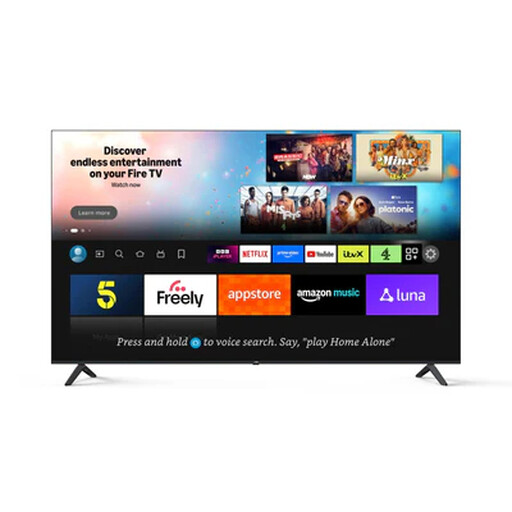
A 50-inch, 4K QLED option if you are replacing the television. Before choosing it for particular services, confirm the exact model’s smart-TV platform, supported apps and update arrangements. Check wired-network compatibility too if Ethernet matters to your setup.
View on Joybuy
Questions about streaming on your TV
Can I add streaming to an older TV instead of replacing it?
Yes, if the television has a working HDMI input and you can meet the chosen device’s power requirements. Roku says its Streaming Stick 4K works with HDMI TVs, but a TV without 4K or HDR support will not display those picture formats.
Should I check Wi-Fi before buying a 4K streamer?
Test the connection at the television first. Netflix recommends a stable connection of at least 15 Mbps for 4K UHD, compared with 5 Mbps for Full HD and 3 Mbps for HD. If the connection is unstable there, address coverage or consider a compatible wired setup before assuming a new device will fix buffering.
Can Freeview Play work without an aerial?
An internet-connected Freeview Play device can access on-demand players without an aerial, according to Freeview. Watching live TV through the Freeview TV Guide does require a working aerial, and catch-up requires broadband.
How do I check whether a required streaming app will work?
Check the service provider’s current supported-device guidance against the exact TV or streamer model and its software version. ITVX lists several supported platform families but also applies model and version conditions, so a platform name alone is not enough.
Are accessibility features the same across streaming apps?
No. Google documents screen-reader, caption and switch-access features for Google TV, while Amazon lists VoiceView and other Fire TV tools. Check both the particular device and the apps your household uses; Amazon says Fire TV feature availability can vary by device and language.


