Joybuy product options
These options cover a streaming stick for keeping a suitable TV and connected TVs for replacing the display. Check each model against the services and access features your household uses.
 No image available
Roku Streaming Stick 4K
Consider this streaming-player route if the existing screen remains suitable. The listing names 4K; check the TV’s available HDMI input, the required UK apps and the player’s access controls before choosing it.
View on Joybuy
 No image available
TCL 65V6C 65-inch 4K HDR Google TV
This is a display-replacement option with Google TV built in. Its title also specifies a 120Hz Game Accelerator for FHD; that is not a stated native 4K refresh rate. Check the exact UK app selection and accessibility controls if they matter to your household.
View on Joybuy
 No image available
TCL 43V6C 43-inch 4K HDR Google TV
This 43-inch V6C variant offers a new screen and built-in Google TV. The listed 120Hz Game Accelerator is qualified as FHD, not native 4K refresh. Confirm the services, software support and access settings required for shared viewing.
View on Joybuy
 No image available
TCL 65Q7C 65-inch QD-Mini LED 4K HDR Google TV
For a household replacing its display, the title specifies QD-Mini LED, up to 2048 local dimming zones and a 144Hz native refresh rate. Those listed features do not establish which UK apps or access controls are available on this exact model; check those separately.
View on Joybuy
 No image available
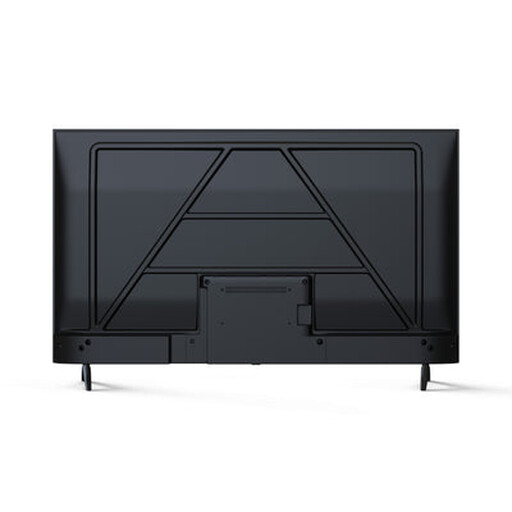
Haier H50K85GUF K85 36200181 50-inch 4K Smart TV
This is a 50-inch display-replacement option. Its title specifies 4K Ultra HD, Direct-LED, 60 Hz, HDR10 and Wi-Fi. Check its smart-TV platform and the exact UK apps and accessibility functions needed at home.
View on Joybuy
Common questions
Can a streaming player take the place of a new TV?
It can be an alternative when the existing display still suits the household and has a working HDMI input. It will not remedy a damaged panel or an unsuitable screen size; check the player’s connection requirements and the apps on the exact UK device.
How can we check UK broadcaster access?
List the services people actually use and check them against the precise UK TV or player model before buying. For a Freely product, also check the selected device and postcode channel list; Freely says some players, content and features may not be available.
What should we check for subtitles or audio description?
Check that the chosen device and services offer the controls your household needs, then try them on the programmes you watch after setup. Ofcom reports on subtitles, audio description and signing across broadcast and on-demand services; provision across services does not establish that every programme or interface meets the same need.
Will a new streaming device let relatives elsewhere use our Netflix account?
A new device does not change Netflix’s household policy. Netflix says an account may not be shared outside the Netflix Household, centred on the main place where it is watched; check the current plan and any available extra-member arrangement for someone living elsewhere.
Does switching to a streaming stick remove the need for a TV Licence?
No, not if you watch or record programmes as they are broadcast, or watch on-demand BBC programmes on iPlayer. GOV.UK states that the UK TV Licence requirement applies whether you use a TV, computer or another device, so changing the hardware does not remove it for those activities.


