Casual local-multiplayer hosts
You mainly connect one console for games with friends or family and want straightforward access to a responsive game setting. LG and Sony both provide guidance on gaming modes, but availability depends on the TV model.


For party games on a connected console, start by checking whether the exact TV model has a documented Game Mode or automatic low-latency mode (ALLM). Prioritise 4K at 120Hz or variable refresh rate (VRR) if the console and games you use support those modes, and check the required HDMI port and cable. If you plan to play without a console, check the TV platform’s controller, account, internet and service requirements instead.
You mainly connect one console for games with friends or family and want straightforward access to a responsive game setting. LG and Sony both provide guidance on gaming modes, but availability depends on the TV model.
You want to use 120Hz or VRR where your games support it. Check the exact TV, HDMI input, cable and console settings together; a gaming feature named in a TV range does not establish what every model can display.
You would rather access supported games through a TV platform than attach a console. Samsung says Gaming Hub requires a compatible controller, a Samsung account and internet access, with an additional gaming-service subscription potentially required.
Decide how the group will play before comparing display modes: a connected console makes Game Mode and HDMI compatibility relevant, while cloud gaming brings platform and service requirements into the decision.
| Concern | What to check | Who this matters to |
|---|---|---|
| Responsive controls | Check the exact model for Game Mode or ALLM and identify the HDMI input used for gaming. | When friends take quick turns on a connected console, I want controller actions to appear promptly on screen; around 40% of consumers would put response first. |
| 120Hz and VRR modes | Confirm the resolution and refresh rate supported by the TV’s relevant HDMI input, plus the console, cable and games you use. | If I also play games that support higher frame rates or VRR, I want those modes to work across my setup; around 30% of consumers would make that capability their primary concern. |
| Shared-room access | Check the connections needed for your devices; for cloud play, confirm the exact TV model, UK service availability and controller and account requirements. | With several people sharing the screen, I want them to reach the games we intend to play without changing the setup each time; roughly 30% of consumers would prioritise easy access. |
ALLM, VRR and 4K at 120Hz vary by model. LG says ALLM is available on select models, while Sony’s gaming guidance directs owners to the HDMI input that supports the required mode.
Read the exact model’s specifications or manual and check the gaming-capable input before choosing.
Xbox Support specifies a compatible TV and Ultra High Speed HDMI cable for Xbox Series X gaming at 4K and 120Hz. PlayStation says 120Hz output also depends on the TV and game supporting it.
Check the games you play, your console’s video-output settings and the cable you will use before making 4K at 120Hz a requirement.
A different cable may be needed if the one used for the planned connection does not meet that mode’s requirements.
Samsung says Gaming Hub needs a compatible controller, Samsung account and internet connection, and some games require an additional service subscription. Content can vary by country.
Check UK availability, controller compatibility and the requirements for the games your group wants to play.
GOV.UK says retailers selling a new household electrical item must provide a way for customers to dispose of an old equivalent item.
Check the seller’s take-back arrangements and any collection conditions before arranging the replacement.
Relevant if you want to check an LG TV’s Game Optimizer and ALLM settings for a connected console.
Relevant if you are considering connected-console play alongside games accessed through a TV platform.
Relevant to PS5 households checking documented BRAVIA gaming settings and HDMI features.
Relevant when comparing the stated gaming features of particular TCL TV series.
These TVs offer different screen sizes to consider for a shared living room with a connected console. Check the exact model’s gaming modes and HDMI inputs against the console and games you intend to use.
 No image available
Consider this 55-inch screen for party games on a connected console. Check the model’s HDMI inputs and supported resolution and refresh-rate combinations for the modes you want to use.
 No image available
If you are considering a 75-inch screen for group play, measure the available space and assess the viewing distance. Check the model’s HDMI inputs and supported resolution and refresh-rate combinations for your console.
 No image available
This 50-inch model is an option if that screen size fits your shared space. Its refresh-rate descriptions differ, so confirm the exact model’s supported resolution, refresh rate and HDMI input before choosing it for a particular console mode.
 No image available
Consider this 55-inch model for connected-console party games. Its named 120Hz Game Accelerator mode is specified at FHD, not 4K; check the manual for the HDMI input and display modes your games require.
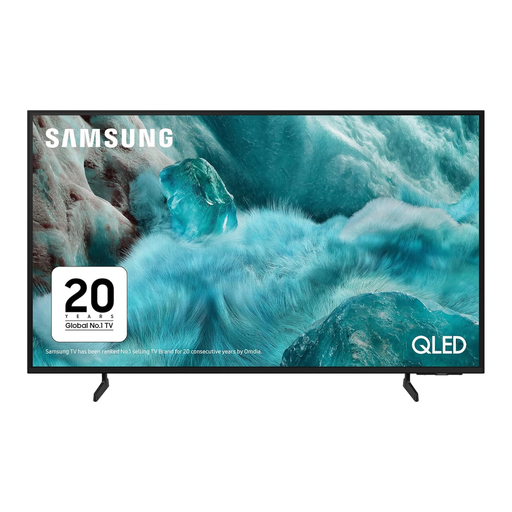 No image available
If you prefer a 43-inch screen for shared-room console play, check that its size works for everyone’s seating position. Confirm VRR or HDMI 2.1 support against the exact model documentation if either feature matters to your games.
Not for every setup: start with the gaming modes your console and games can use. If you specifically want Xbox Series X gaming at 4K and 120Hz, Xbox Support says you need a TV supporting HDMI 2.1 and an Ultra High Speed HDMI cable as well as the console.
Check the PS5’s video-output information and the exact TV model’s supported HDMI modes. PlayStation says 120Hz output is for TVs and games that support it; on PS5, the relevant settings are under Settings, Screen and Video, then Video Output.
Compatible Samsung TVs can access supported games through Gaming Hub without an attached console. Samsung says you still need a compatible controller, Samsung account and internet connection, and may need a gaming-service subscription; check UK availability for the games you want.
Check the seller’s electrical-item take-back arrangements before arranging delivery. GOV.UK says retailers selling a new household electrical item must provide a way for customers to dispose of an old equivalent item; the seller can explain how its service works.