What matters when choosing
Decide whether this is mainly an everyday screen or a setup for planned viewing, then check the services, room and connections that the choice requires.
| Concern |
What to check |
Who this matters to |
| Catch-up and streaming apps |
Confirm BBC iPlayer, ITVX, Channel 4 and your subscription apps on the exact UK TV, projector or streaming-device model. |
If I use catch-up services most days, I need the programmes I watch to open on my chosen device without changing setups. About 31% of consumers put app access first. |
| Picture in a lit room |
For projection, compare the exact model’s brightness specification with your room light and intended image size; plan when you can dim the room. |
When viewing happens with the curtains open, I want a picture that suits those conditions without rearranging the room. Clear everyday viewing is the primary need for about 31% of consumers. |
| Image size and placement |
Measure the usable projector-to-screen distance and consult the model’s throw chart for your desired image size. |
For planned films or sport, I would accept setup work to get a larger image, but it has to fit my space. About 25% of consumers prioritise that combination of size and placement. |
| Sound and connections |
Check the intended audio output; for a TV and soundbar, confirm matching ARC or eARC ports. |
If dialogue or film sound is my main reason to change the setup, I need an audio connection that works with the screen. Sound integration comes first for about 13% of consumers. |
Joybuy devices for home viewing
These choices cover an HDMI streaming device for an existing TV and projectors for planned or movable viewing. Keep the everyday-TV-versus-projector decision in mind when comparing them.
 No image available
Roku Streaming Stick 4K
Consider this if your existing TV still suits the room but you want an external streaming-device route rather than a new screen. The product name specifies 4K; check that the TV has a suitable free HDMI input, that the connection supports the playback quality you want and that this exact model carries your required UK apps.
View on Joybuy
 No image available
Soundcore Nebula Mars 3 Air + Carry Case Bundle
Consider this portable projector bundle for planned viewing in different positions or rooms. Check the image size at your available distance, suitability for the room’s light and access to your required UK apps; plan a power source for sessions that exceed the available battery runtime.
View on Joybuy
 No image available
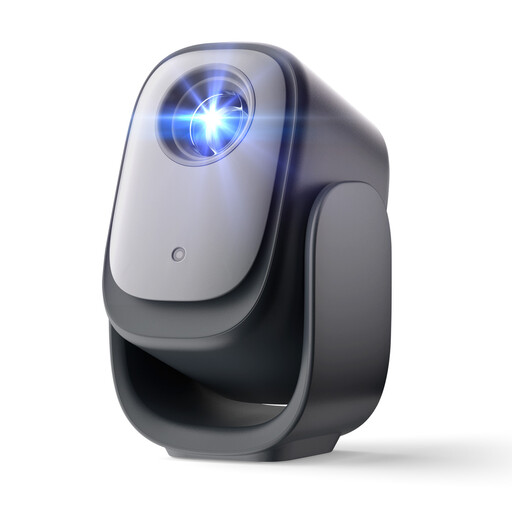
Dangbei N2 Mini 1080p projector
Consider this for occasional projection where you may reposition the device. The product name specifies 1080p, autofocus, automatic keystone correction, Wi-Fi and Bluetooth. Check the throw distance and room-light fit, and confirm each UK catch-up app you need on this model rather than relying on its smart-projector description.
View on Joybuy
 No image available
Magcubic HY350Max native 1080p projector
Consider this for a planned projector position where you can check the intended image size before buying. The product name specifies native 1080p, automatic keystone correction and HDMI connectivity; its separate 8K support wording does not describe the native resolution. Confirm the model-specific throw chart, room-light suitability and required UK apps.
View on Joybuy
 No image available
Wimius K1 1080p projector
Consider this for planned viewing if you intend to connect an external source. The product name specifies 1080p, a stated 1200 ANSI lumens and compatibility with Fire TV Stick; that brightness figure alone does not establish how the image will look in your room. Check placement, audio connections, UK app support on the chosen source and HDMI compatibility.
View on Joybuy
Common questions
Should I choose a smart TV or projector for catch-up apps?
For regular catch-up viewing, a TV-based route is the simpler starting point, but confirm every required app on the exact device. ITV and Channel 4 publish supported-device information; a projector may need a supported built-in platform or an external streamer.
Can I add a streaming device to an older TV?
You can consider one if the TV has a usable HDMI input and the chosen services support the device. Roku says its players connect through HDMI, while Netflix requires HDCP for streaming from a connected device; check the full connection path if other AV equipment sits between the player and TV.
How can I tell whether a projector will fit a small room?
Measure from the planned projector position to the wall or screen, then use that model’s throw chart to find the image size. BenQ defines throw ratio as throw distance divided by image width, so the room’s available distance matters more than an advertised maximum image size.
When is a soundbar worth considering?
Consider one if the chosen screen’s sound does not meet your needs for dialogue, sport or films. For a TV setup, check the labelled ports on both products: Dolby explains that compatible ARC or eARC connections can carry audio over a single HDMI cable.


