Choose around the room’s lighting before choosing a TV brand: an OLED model is worth considering for contrast in a light-controlled cinema, while a TV with documented reflection control deserves closer attention when lamps or daylight face the screen. Then check screen size from the main seats, the exact model’s placement or mounting requirements, and its connections if you use a soundbar or AV receiver. LG’s OLED C5E and Samsung’s QN90F illustrate the two picture-led routes, but their stated features should not be assumed to apply to other models.
Who is this for?
Dark-room cinema viewers
If you normally dim the room for quiz shows and films, contrast and dark-scene detail may matter more to you than reflection-control claims. LG describes pixel-level black levels for its OLED C5E, while noting that display performance varies with the viewing environment.
Mixed-light quiz-night households
If lamps or windows face the screen, reflections can interfere with following questions, scores and other on-screen text. Samsung describes a glare-free treatment on its specified 65-inch QN90F; check that feature on the exact TV you are considering.
Soundbar and AV-system owners
If external audio is part of your cinema setup, check the TV’s HDMI connections alongside its picture features. Sony lists four HDMI inputs and eARC/ARC for the 65-inch BRAVIA 5, but the rest of your audio system must be checked separately for compatibility.
What matters when choosing?
Start with the lighting you normally watch in, rather than assuming one screen technology suits every home cinema. Once you have a picture-led shortlist, measure from the main seats and check how the TV will fit into your audio and installation plans.
OLED for a light-controlled room
Consider it when: Dark-room contrast is a priority for studio scenes and films as well as quiz shows; LG describes pixel-level black levels on its OLED C5E.
Keep in mind: LG says the C5E’s display performance varies with ambient light and the viewing environment, so assess reflections from your usual seats.
A Mini LED model with documented glare control
Consider it when: Lamps or daylight are difficult to control and keeping quiz graphics readable is a priority. Samsung describes its 65-inch QN90F Mini LED model as glare-free.
Keep in mind: That description is Samsung’s claim for the specified model, not a finding about every Mini LED TV or a guarantee for your room.
| Concern |
What to check |
Who this matters to |
| Dark-room contrast |
Compare the exact panel models and consider whether the room can normally be darkened. LG describes pixel-level black levels on the OLED C5E but says performance varies with ambient light. |
I usually watch with the lights down and want studio scenes and films to retain contrast; around 30% of consumers put dark-room contrast first. |
| Reflections and text |
Identify screen-facing windows and lamps, then check reflection-control claims for the exact model. Samsung describes its 65-inch QN90F as glare-free. |
With lights on, I need questions and scores to remain easy to follow; roughly 30% of consumers prioritise glare and text legibility. |
| Dialogue and external audio |
Compare the TV’s HDMI input count and eARC/ARC connection with your soundbar or receiver. Sony lists four HDMI inputs and eARC/ARC for the 65-inch BRAVIA 5. |
I rely on an external audio system to follow the host and contestants, and about 20% of consumers make that connection their primary concern. |
| Size and installation |
Measure the main seating distance and available space; check the exact stand dimensions or wall-mount compatibility. Samsung presents viewing distance divided by two, in inches, as an approximate screen-size guide. |
Everyone sharing the room needs a view of the question board, but the TV must fit where it will stand or hang; around 20% of consumers put size and installation fit first. |
Buying pitfalls
-
Choosing the largest screen before measuring the seats
A large diagonal measurement alone cannot tell you whether the screen suits the main viewing distance, shared sightlines or furniture.
Measure from the usual seats first. Treat Samsung’s viewing-distance calculation as an approximate starting point, then check the TV’s physical dimensions and stand placement.
-
Assuming screen technologies handle reflections alike
Reflection control is a model-specific consideration, particularly if a window or lamp faces the screen. LG notes that OLED C5E performance varies with ambient light; Samsung describes glare-free treatment on its specified QN90F.
Look at the lighting from your normal seats and check claims for the exact model, rather than applying one model’s feature to an entire range.
-
Buying the TV and soundbar without checking their connections
An eARC/ARC label on one device does not establish that the whole setup supports your intended connection or sound formats.
Compare the exact TV and audio-device manuals for the required HDMI ports, connections and setup instructions before ordering.
An incompatible planned connection could require a different cable, adapter or audio device.
-
Assuming a smart TV changes the TV-licensing rule
For a UK household, GOV.UK says a TV Licence is needed to watch or record programmes as they are broadcast and to watch on-demand BBC programmes on iPlayer. The relevant question is what you watch, not whether the TV uses an aerial or an app.
Check that your household is covered before watching a live quiz show or using BBC iPlayer.
Relevant brands to consider
These examples illustrate model-specific approaches to picture and system setup, rather than features shared by every TV from each brand.
LG
LG’s OLED evo C5E range is relevant to a contrast-led choice for a light-controlled cinema room.
- LG describes pixel-level black levels and 4K picture processing for the OLED65C5ELB.
- LG says actual display performance varies with ambient lighting and the viewing environment; assess reflections before choosing for a brighter room.
Samsung
Samsung’s 65-inch QN90F is a Mini LED example to examine when room reflections are a concern.
- Samsung describes the specified QN90F as glare-free and lists Dolby Atmos and Object Tracking Sound+ features.
- Those manufacturer descriptions concern the specified model; check the code and features of any other size or Samsung TV separately.
Sony
Sony’s BRAVIA 5 offers a model to assess for a Mini LED cinema setup with several HDMI devices and external audio.
- Sony specifies a Mini LED LCD panel, four HDMI inputs and eARC/ARC for the K-65XR5.
- Those connections alone do not establish compatibility with every soundbar, receiver or sound format.
Joybuy TVs for this setup
These 65- to 83-inch TVs offer starting points for a home-cinema shortlist. Use the stated screen size and model identity to narrow your options, then check reflection handling, placement and audio connections on the exact TV before deciding.
 No image available
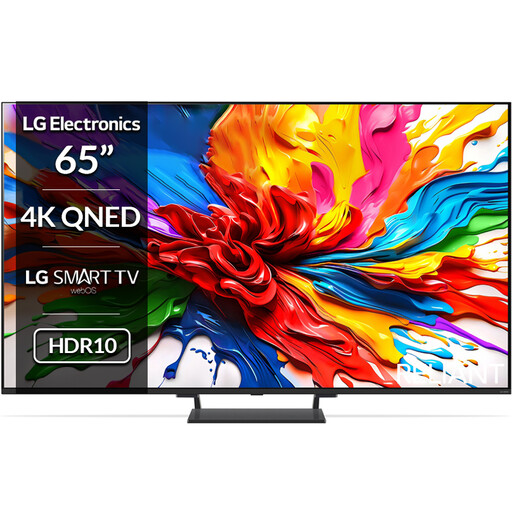
LG 65QNED93A6A 65-inch QNED evo MiniLED TV
Consider this 65-inch screen if it fits your main seating position and furniture. The product name specifies 4K resolution; check the exact model’s reflections, mounting requirements and audio connections for your room.
View on Joybuy
 No image available
Samsung QE75QN80FAU 75-inch 4K Smart TV
Consider the 75-inch size for shared quiz viewing only after measuring the main seating distance and available space. The product name also identifies 4K resolution; check exact-model reflection and audio-connection details for your setup.
View on Joybuy
 No image available
Hisense U7Q Pro 65U7QTUK Pro 65-inch Mini LED TV
This 65-inch option is worth examining if you are considering the built-in subwoofer named in the product title. It is also described as a 4K Mini LED TV with VIDAA OS; check its connections before planning around a separate soundbar or receiver.
Purchase link unavailable
 No image available
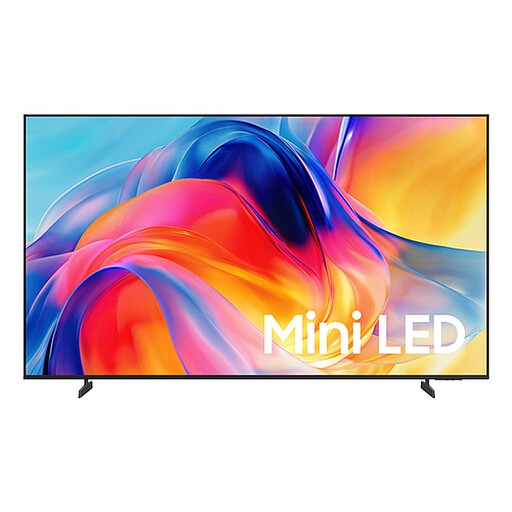
Samsung TU65M70H 65-inch Mini LED 4K Smart TV
Consider this 65-inch model if that screen size suits your seats and installation space. Its product name specifies Mini LED and 4K; check reflection handling and the precise audio connections rather than assuming features from another Samsung model.
View on Joybuy
 No image available
Samsung S85F QE83S85FAE 83-inch 4K Smart TV
Investigate this 83-inch screen if your seating distance and available wall or furniture space can accommodate it. The product name specifies 4K resolution; check exact-model reflection handling, mounting details and audio connections before committing to a cinema layout.
View on Joybuy
Questions about the setup
How do I choose a TV size for home-cinema quiz shows?
Start with the distance from the main seats, then check that the TV physically fits its stand or wall position. Samsung gives viewing distance in inches divided by two as an approximate screen-size guide, not a substitute for checking shared sightlines and your viewing comfort.
Do I need a UK TV Licence to watch a quiz show?
According to GOV.UK, you need a TV Licence if you watch or record a programme as it is broadcast, or watch on-demand BBC programmes on iPlayer. Check that your household is covered for the way you intend to watch; owning a smart TV alone is not the deciding factor.
What should I check before connecting a soundbar?
Check the exact TV and soundbar or receiver manuals for compatible HDMI connections, supported settings and formats. Sony specifies eARC/ARC and four HDMI inputs for the 65-inch BRAVIA 5, but that does not establish compatibility for every connected system.
Can I choose a wall mount by screen size alone?
No: check compatibility with the exact TV model and bracket before ordering. Samsung advises using the TV’s model, size and year of manufacture when selecting a compatible wall mount.


