What matters when choosing a quiz-show TV
Start with the seats people actually use, then consider the room’s light and how you follow speech or captions. A display technology name alone cannot settle all three choices.
| Concern |
What to check |
Who this matters to |
| Readable questions and scores |
Measure the main viewing distance and check the TV’s full dimensions. Use Samsung UK’s broad 4K guidance of roughly 1 to 2.5 times the screen size as a starting point. |
If I struggle to read answer choices or captions from my usual seat, screen size matters more to me than gaming features. Around 40% of consumers put readable on-screen information first. |
| Visibility in a bright room |
Note where windows and lamps reflect, then check the exact model’s screen finish and stated glare-control features in comparable lighting. |
When daylight falls across the TV, I need the question panel to remain visible without changing where I sit. Roughly 30% of consumers put bright-room visibility first. |
| Speech and access services |
Try the TV’s sound controls and check subtitle or audio-description options in the particular channel or app you use. |
If I miss a spoken clue, I need audio I can follow or access services available for that programme. About 20% of consumers put speech and access needs first. |
| Viewing from several seats |
Check the picture from the furthest and most off-centre usual seats, as well as whether the TV fits its intended position. |
When we watch together, I want the questions to remain comfortable to follow from more than one place on the sofa. Around 10% of consumers put shared-seat viewing first. |
Joybuy TVs for quiz-show viewing
These 4K TVs offer different screen sizes and display types to consider for quiz-show viewing. Match each one to your seating distance and room lighting, and check access services in the programmes and apps you use.
 No image available
Hisense 55U7QTUK Pro 55-inch Mini LED 4K TV
Consider this 55-inch option if it fits your seating distance and you want to assess a Mini LED screen for a bright-room setup.
- The product name lists VIDAA OS and a built-in subwoofer.
- Check reflections in your room rather than assuming the display type controls glare.
View on Joybuy
 No image available
TCL 75Q6C 75-inch QD-Mini LED 4K TV
Consider the 75-inch screen if questions and scores need to be visible from your usual seats and the TV fits the room.
- The product name lists Google TV and up to 512 dimming zones.
- Check the full dimensions, delivery access and reflections before choosing this size.
View on Joybuy
 No image available
TCL 65Q7C 65-inch QD-Mini LED 4K TV
This 65-inch model is worth considering if that size suits your seats and you want to examine a QD-Mini LED option for the room.
- The product name lists Google TV and audio by Bang & Olufsen.
- Check placement and screen reflections; the audio branding alone cannot establish dialogue clarity.
View on Joybuy
 No image available
Sony BRAVIA 8 K65XR80BP 65-inch OLED 4K TV
Consider this OLED model if 65 inches fits your viewing distance and most quiz-show viewing is in a dim or controlled-light room.
- The product name lists Google TV and Dolby Vision/Atmos.
- Check the screen under your room lighting if reflections are a concern.
View on Joybuy
 No image available
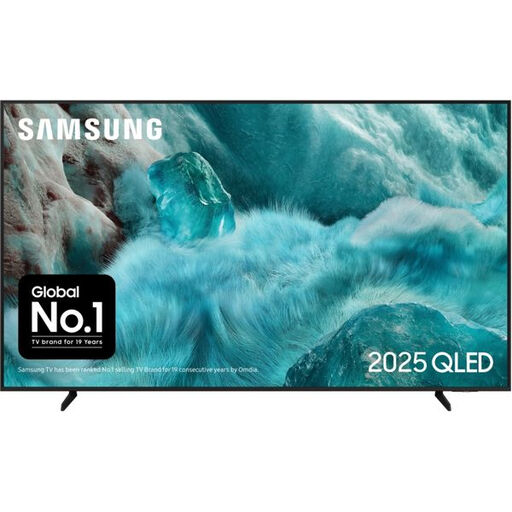
Samsung QE98Q7F 98-inch QLED 4K TV
Consider this 98-inch model only after checking that the viewing distance, intended position and delivery route suit a screen of this size.
- The product name identifies a QLED smart TV.
- Check the exact model’s screen finish if reflections are likely where you watch.
View on Joybuy
Questions about quiz-show TVs
What TV size makes quiz questions easier to read?
Choose a size you can read comfortably from your normal seat, while allowing for the TV’s full dimensions and placement. Samsung UK gives a broad 4K viewing-distance starting point of roughly 1 to 2.5 times the screen size; check the intended position and your own comfort before settling on a diagonal.
Should I choose OLED or Mini LED for quiz shows?
Let the room lighting guide which models you examine, rather than treating either technology as an automatic winner. LG UK positions OLED evo for dim-room viewing and QNED evo MiniLED for brighter rooms, but reflections and screen finishes still need checking on the exact TV.
Does a smart TV guarantee subtitles or audio description?
No: the feature must be available for the programme and service you use, and you must be able to operate it through the TV or app. Ofcom identifies subtitles, signing and audio description as access services and distinguishes between broadcast and on-demand arrangements.
Do I need a TV Licence to watch quiz shows in the UK?
TV Licensing says you need a TV Licence to watch live TV or use BBC iPlayer, whatever device you watch on. If you watch only on-demand programmes outside BBC iPlayer and do not watch live TV, that condition is different; check the services your household actually uses.
Should I add a soundbar for spoken questions?
Try the TV’s own sound controls at your normal listening volume before deciding. If speech is still difficult to follow, check the chosen TV’s audio connections and compare compatible external audio or headphones; subtitles in your usual services may also help you follow the programme.


