Keeping a good existing TV
If you like your current screen, check whether its apps and features meet your needs or whether an HDMI player could fill a specific gap. ITV’s device guidance notes that support can vary by model and software.


Start with the services and live-TV features your household uses, then check the existing television’s apps, HDMI input and aerial or dish connection, along with the internet connection where the TV will sit. An HDMI player can add supported services without replacing a suitable screen; choose a broadcast recorder when you want aerial- or dish-fed recording, or a new television when the screen itself also needs replacing. Support depends on the particular device and software, so check the exact model and connection requirements before choosing.
If you like your current screen, check whether its apps and features meet your needs or whether an HDMI player could fill a specific gap. ITV’s device guidance notes that support can vary by model and software.
Match the home’s aerial, satellite dish or internet connection to the live-TV service and any recording you want. Freeview and Manhattan’s recorder guidance, and Freesat’s box information, describe different connection routes.
Decide whether the screen itself needs replacing or whether online viewing struggles at the TV’s new position. Ofcom’s guidance distinguishes local Wi-Fi coverage from the performance of the underlying broadband service.
| Concern | What to check | Who this matters to |
|---|---|---|
| Essential apps and features | List the services and features you need, then check support for the exact TV or player model and its software. | If I rely on particular apps or live-TV features, I want to know they work on the device I’m considering. Around 33% of consumers put essential app compatibility first. |
| Live reception and recording | Check whether the property has a usable aerial or dish, and whether the exact box supports the recording features you want. | When live channels or recordings matter, I need a box that matches the connection available at home. Around 27% of consumers prioritise live-TV reception and recording. |
| Connection at the TV | Check the internet connection where the TV will sit and whether the device can use your intended connection method. | If online viewing is important, I want it to work reliably in the room where the screen is set up. Around 20% of consumers focus first on the connection at the viewing position. |
| Keeping or replacing the screen | Assess the screen itself, available HDMI inputs and the services supported by the exact model of any replacement TV. | If my current screen still suits the room, I would rather add a compatible device than replace it just for an app; if the screen no longer meets my needs, replacement may make sense. Around 20% of consumers prioritise this screen decision. |
Broadcaster support can vary by device model and software, and live-TV features may have different requirements from on-demand viewing.
Check each essential app and feature against the exact TV or player model before choosing.
Freeview live channels through the TV Guide require an aerial, while the Freesat recorder described by Freesat connects to a satellite dish. Internet-delivered services use a different route.
Identify the connection you can use at the new address, then check that the box supports it and offers the recording features you need.
If the property lacks a suitable aerial or dish connection, additional equipment or installation may be needed.
A compatible HDMI player may add supported services to an existing TV, but it will not address a screen that no longer meets your needs.
Check the screen and its HDMI inputs first; consider a replacement when the display itself also needs changing.
Ofcom says mesh equipment can improve Wi-Fi coverage, but does not increase the performance of the underlying broadband service.
Work out whether the problem is local coverage at the TV or the broadband service before choosing networking equipment.
An HDMI player route for adding supported streaming services to an existing television.
Its T4•R Freeview Play recorder is an aerial-fed route for live viewing and recording; its Aero streamer brings Freely to a TV over Wi-Fi.
A satellite-dish route for households looking for live reception and recording.
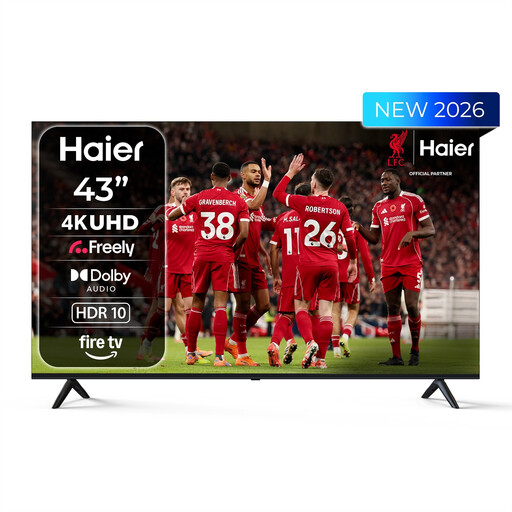
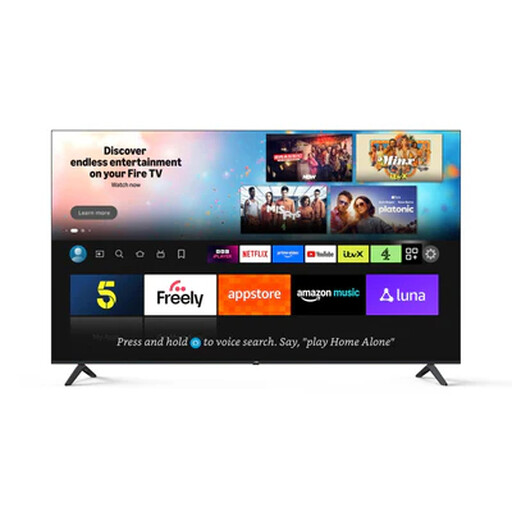
The 43-inch PF650K is an example of a replacement-screen route with Fire TV and Freely listed for the series.
The PLEIO 4K Puck is an HDMI route to Freely on an existing television.
These Joybuy choices cover replacing a screen with a smart TV or adding an HDMI streaming player to a suitable existing television.
 No image available
A screen-replacement option for a household setting up connected viewing with Freely and Fire TV.
The product information lists a 43-inch 4K screen, HDMI, dual-band Wi-Fi and Ethernet. Streaming requires an internet connection, and channel and app availability may change.
 No image available
A replacement-screen option for a household that wants Freely and Fire TV with a 50-inch display.
The product information lists a 4K QLED screen, HDR10+, HDMI, dual-band Wi-Fi and Ethernet. Streaming requires an internet connection, and channel and app availability may change.
 No image available
A larger-screen replacement option for a household setting up Freely and Fire TV viewing.
The product information lists a 65-inch 4K QLED screen, HDR10+, HDMI, dual-band Wi-Fi and Ethernet. Streaming requires an internet connection, and channel and app availability may change.
 No image available
A compact-screen option for a household setting up internet-delivered live and on-demand TV.
The product information lists a 40-inch Full HD screen with 1920 × 1080 resolution, Wi-Fi and LAN connectivity, plus Freely and a TiVo smart platform. A UK TV Licence is required for live television on any channel or streaming service, and for BBC iPlayer, according to TV Licensing.
 No image available
An HDMI player option for adding supported streaming services to a suitable existing TV.
The product information lists 4K Ultra HD, Dolby Vision, HDR10+, an HDMI connection and a voice remote. It requires a suitable HDMI input; check support for your essential apps and features on the exact device.
It can, if the TV has a suitable HDMI input and the chosen player supports the exact app and features you need. The player also needs a usable internet connection; it will not fix a screen that needs replacing or provide aerial-fed recording by itself.
Freeview Play on-demand services can use an internet connection, but live channels through the Freeview TV Guide need an aerial. For internet-delivered live channels, check a Freely-enabled device and its broadband requirements.
If the apps you need are supported but the connection is poor at the TV, investigate Wi-Fi coverage there first. Ofcom says mesh systems can improve coverage, but they do not increase the performance of the underlying broadband service.
TV Licensing says you need to be covered to watch live television on any channel or streaming service, or to watch BBC iPlayer, including on demand. It says on-demand programmes on other services alone do not require a licence. If you have a licence, TV Licensing says to change its address when you move.
Freely describes its own live and on-demand service as available without an additional subscription, but you need a compatible device and broadband. Freely associates extra channels and cloud games on the Netgem PLEIO with a PLEIO subscription, so check the offer and any renewal terms.