What matters when choosing?
Start with the seats and lighting the TV will actually serve, then check its physical fit and the features the household will use. A panel type or 4K label alone cannot settle all of those questions.
| Concern |
Buying checks |
Who this matters to |
| Picture from side seats |
Check the exact model’s viewing-angle features and assess the picture from the widest regularly used seat. |
If I usually sit off-centre, I want to follow food close-ups without relying on the centre seat; around 36% of consumers put picture consistency across seats first. |
| Reflections and daylight |
Note whether windows or lamps appear in the screen. Samsung distinguishes anti-reflection, which softens visible reflections, from anti-glare, which diffuses incoming light; check the model’s stated treatment. |
Daytime viewing becomes frustrating when a window or lamp competes with the programme; for around 27% of consumers, controlling reflections is the primary concern. |
| Room and furniture fit |
Measure eye-to-screen distance and the available unit space, including room for the stand. The listed guidance gives 1.7 m to 3 m as a starting viewing-distance guide for a 50-inch TV. |
I need to see preparation details without choosing a set that overwhelms our room or fails to fit the unit; around 19% of consumers prioritise room fit. |
| Speech at low volume |
Where possible, listen to dialogue at a volume acceptable in the flat; check subtitles and audio-output options if you might add a speaker. |
When others need quiet, I still want to understand spoken instructions; clear dialogue at a considerate volume comes first for around 9% of consumers. |
| Apps and casting |
Confirm the required apps and the household’s preferred casting method on the exact TV. Sony lists Google TV and Google Cast for its BRAVIA 3 range. |
We switch between programmes and videos sent from phones, so getting content onto the shared screen matters most to around 9% of consumers. |
Joybuy TVs for shared viewing
These TVs offer different screen sizes and smart-TV features for a communal room. Measure the seating distance and furniture first, then check the exact model’s viewing angles and reflection treatment if side seats or bright light are important.
 No image available
TCL 43V6C 43-inch Direct LED 4K Google TV
Consider this 43-inch set if the measured room and seating positions suit a smaller screen. Its title lists 4K HDR, Google TV and Dolby Atmos; check the picture from side seats and its handling of reflections before choosing it for a bright room.
Joybuy
 No image available
Samsung QE75QN80FAU 75-inch 4K Smart TV
Consider a 75-inch screen only after checking that the usual seats, TV unit and available space suit it. This model’s title identifies 4K Ultra HD, smart-TV functionality and Wi-Fi; check the exact screen’s viewing-angle and reflection features separately.
Joybuy
 No image available
TCL 55P8K-UK 55-inch QLED 4K Smart TV
This 55-inch option is worth checking if flatmates want casting as well as a screen that fits their measured seating distance. Its title lists Google Cast, Miracast and an ONKYO 2.1 sound system; assess side-seat viewing and reflections for the intended room.
Joybuy
 No image available
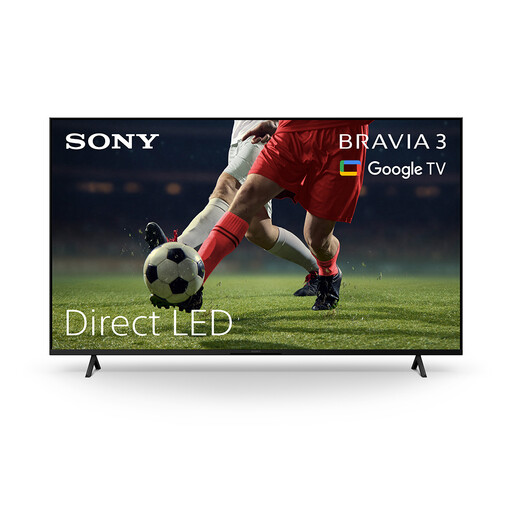
Sony BRAVIA 3 K50S35BP 50-inch 4K Google TV
This 50-inch model suits consideration when the seating distance and shared casting needs align. Its title lists Google Cast, Dolby Vision and Dolby Atmos; the listed guidance gives 1.7 m to 3 m as a starting distance guide for a 50-inch TV. Check the full set dimensions, side-seat picture and reflections against your room.
Joybuy
 No image available
Haier H50S80GUF 50-inch QLED 4K Smart TV
Consider this 50-inch set if its size fits the communal room and Freely and Fire TV suit the household’s viewing plans. Its title also lists HDR10+ and Dolby Audio; check the full set dimensions, side-seat picture and reflection treatment for the exact model.
Joybuy
Frequently asked questions
What TV size works in a shared-flat living room?
Choose a size using the normal seating distance and the space available for the whole TV, including its stand. the listed guidance gives 1.7 m to 3 m as a starting distance guide for a 50-inch screen; the room layout and needs of people using other seats still matter.
Does everyone watching together need an OLED TV?
No: an OLED TV is one route to consider for off-centre viewing, while an LCD or Mini LED model with an explicitly stated wide-viewing-angle feature may also merit comparison. Check the exact model from the seats people use and assess reflections if the room is bright.
Do flatmates each need a TV Licence?
TV Licensing describes one licence per household, rather than one per viewer, but check how its coverage applies to your particular flat-share arrangement. It says a licence is required for live TV and BBC iPlayer use, including viewing on devices other than the shared TV.
What if we only watch on-demand programmes?
TV Licensing distinguishes other on-demand viewing from live TV and BBC iPlayer, which require a licence. Check what everyone actually watches: using BBC iPlayer for on-demand programmes still changes the answer.
Should we add a soundbar for cookery programmes?
Not necessarily: first find out whether speech is understandable at the volume acceptable in the flat and whether subtitles meet your needs. If you may add a soundbar later, check the TV’s audio connections and where the extra speaker would fit.


