Shared-streaming households
Several viewers need an easy-to-use TV for streaming and everyday viewing. Check their required apps, accessibility settings and the update route on the exact model.


Start by measuring the main viewing distance and the space available for the TV, then compare picture quality, sound and ease of use rather than choosing by screen size alone. Check required streaming apps, accessibility controls, HDMI functions and the update route on the exact model. If built-in sound does not meet the household’s needs, consider a soundbar and confirm how it will connect.
Several viewers need an easy-to-use TV for streaming and everyday viewing. Check their required apps, accessibility settings and the update route on the exact model.
A main-room TV needs to fit both its planned position and the usual seating distance. Picture quality matters alongside screen size, particularly for the content and lighting the household uses.
Dialogue clarity, a soundbar, several connected devices or a compatible games console may make particular HDMI ports and audio connections important.
Choose a screen that suits the room and everyday viewing first. Then decide whether its built-in apps and sound are enough, or whether a separately checked streaming device or soundbar would meet a specific need.
| Concern | What to check | Who this matters to |
|---|---|---|
| Streaming and ease of use | Confirm must-have UK apps and accessibility controls on the exact model; find its software-update instructions. | If several people share the remote, I need their services to be easy to find and use. Roughly 33% of consumers would put streaming access and usability first. |
| Room fit and picture | Measure the main viewing distance and available space, then compare model-level picture assessments. | For a main-room TV, I want everyone to see comfortably without choosing a screen that overwhelms its position. Around 25% of consumers would make room fit and picture their primary concern. |
| Dialogue and sound | Assess speech clarity at an ordinary volume; if adding a soundbar, check the connection on both products. | When we watch together, I need dialogue to be clear without turning the volume up for everyone. About 25% of consumers would prioritise sound and dialogue. |
| Devices and gaming | Count the HDMI inputs needed and check which exact ports support the intended soundbar or gaming functions. | With a console and other devices to connect, I need the right inputs available at the same time. Roughly 17% of consumers would put connections or gaming needs first. |
LG UK and Sony UK say app availability can vary by product or region. A platform name alone cannot confirm a household’s required services on a particular TV.
List the services you will use and check each against the exact model before ordering. Check an external streaming device separately if you plan to use one.
The diagonal does not tell you whether the TV, including its stand, fits the intended space or how it will look from the main seat.
Measure the seating distance and placement space, then compare suitable sizes and picture quality.
A soundbar may need the port labelled ARC or eARC, while a desired gaming mode may be available only on particular inputs.
List the devices you will connect and check the exact TV and soundbar port specifications before buying.
GOV.UK television energy-label documentation includes on-mode consumption for SDR viewing in kWh per 1,000 hours, providing a basis for comparing exact models.
Compare the displayed energy labels and product information using the same viewing-mode basis. Actual electricity use also depends on viewing hours and mode.
A brand’s TV platform can help narrow the search, but app access and support should be checked for the individual model.
An option for households looking for model-specific smart-TV support and documented update instructions.
A webOS option for households considering a built-in streaming interface.
A BRAVIA Google TV or Android TV option for households considering its TV app environment.
These built-in smart TVs cover several screen sizes for shared viewing. Check the exact model’s apps, physical fit and connections before deciding whether you also need a streaming device or soundbar.
 Image unavailable
Consider this larger screen if it fits the viewing distance and planned position. The named features include Freely, Fire TV, HDR10+ and Dolby Audio; confirm required apps and soundbar connections on the exact model.
 Image unavailable
Consider this size where a 50-inch screen suits the main seat and available space. Its named features include Freely, Fire TV, HDR10+ and Dolby Audio; check the exact model for your apps and connected devices.
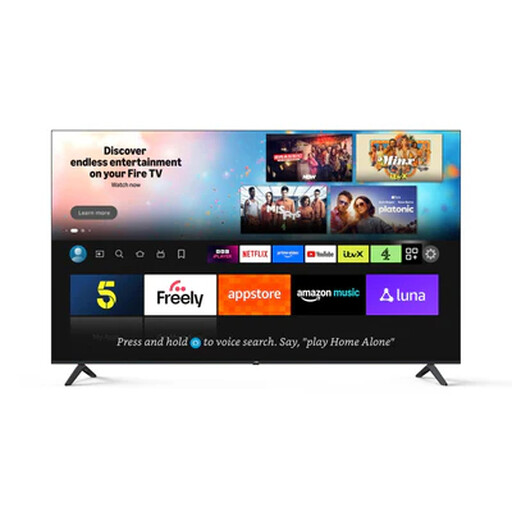 Image unavailable
Consider the 65-inch size if it suits the room and usual viewing position. The named features include Freely, Fire TV, HDR10+ and Dolby Audio; verify the apps and port functions your household needs.
 Image unavailable
Consider this 43-inch model for a space where a smaller screen fits the seating and placement. The name identifies Freely, Fire TV, HDR10 and Dolby Audio; check required apps and connections before ordering.
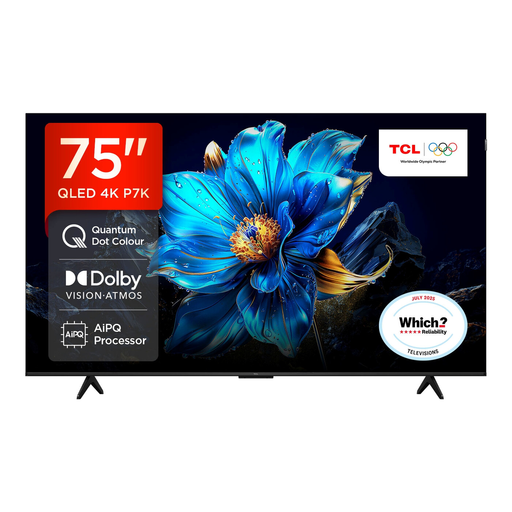 Image unavailable
Consider this 75-inch screen if its size and Google TV interface suit the household. Its named features include Dolby Vision, Dolby Atmos and hands-free voice control; confirm required apps and the precise HDMI functions if connecting gaming or sound equipment.
Check every required service against the exact UK model, not just its brand or operating system. LG UK and Sony UK both note that app availability can vary; if you plan to use an external streaming device, check its apps and leave it a suitable HDMI input.
Check the controls the viewer will actually use, such as subtitles, audio description and access to menus. Ofcom identifies subtitles, signing and audio description as access services, while Which? notes that TV accessibility features vary between models.
Consider a soundbar if the TV’s built-in sound does not give your household the dialogue clarity or fuller sound it wants. For audio from TV apps or connected sources through one HDMI cable, check the intended ARC or eARC arrangement on both the TV and soundbar; the HDMI Licensing Administrator describes eARC’s audio-return function.
Measure the distance from the main seat and the space where the TV will stand or hang. Which? gives around 3.3 m for a 55-inch TV as an illustrative viewing distance, not a rule for every room or viewer; compare picture quality as well as size.
Compare the displayed energy labels and product information for the exact models on the same viewing-mode basis. GOV.UK television energy-label documentation records on-mode SDR consumption in kWh per 1,000 hours; household use will also depend on viewing hours and mode.