Buying priorities
Start with the room and everyday viewing needs, then check sound, accessibility and gaming features against the exact model rather than relying on a TV-range label.
| Priority |
What to check |
Your needs |
| Screen fit and shared picture viewing |
Measure the main seating distance, furniture or wall width, and the TV’s exact outer dimensions. Use viewing-distance guidance as a starting point, then consider viewing angles and comfort. Compare independent picture testing for clarity, colour, contrast and motion where available. |
I want a screen that is comfortable from the usual seats and fits the planned stand or wall position, rather than choosing by diagonal size alone. |
| Dialogue and sound setup |
Look for independent assessment of dialogue clarity and sound balance. Check whether a sound-processing mode works with the intended internal speakers or HDMI audio setup, and confirm eARC or ARC compatibility if separate audio may be added later. |
I need speech to remain understandable during group viewing, including quieter dialogue, without assuming that a named sound mode will solve every room or connection setup. |
| Accessible operation |
Verify spoken menu guidance, captions, audio-description controls and smart-TV navigation on the exact model and operating-system version. Check whether initial setup assistance may be needed. |
The people using the TV need menus and controls they can operate, with suitable support for spoken guidance, captions and audio description where relevant. |
| Console gaming compatibility |
Check the exact model for 4K at 120Hz, VRR, HDMI 2.1 inputs and game-mode support. Confirm which port is required and whether the console and TV settings need changing. |
I want the shared screen to support the console features we will actually use while remaining practical for films, programmes and other viewers. |
Joybuy product options
These Joybuy TV options cover shared 4K viewing, with listed integrated-audio or gaming-related features. Check exact dimensions, accessibility controls and console compatibility against your household’s requirements.
 No image available
TCL 55P8K QLED 4K HDR PRO Smart TV
A 55-inch option for shared films, sport and everyday viewing, with listed console features and integrated audio.
Listed specifications include 4K QLED, Dolby Vision IQ, HDR10+, four HDMI 2.1 ports, VRR, ALLM, FreeSync Premium and a 35W 2.1-channel Onkyo sound system.
Check the exact accessibility menus, dialogue performance in your room, VESA pattern, weight and compatible mount before buying.
Joybuy
 No image available
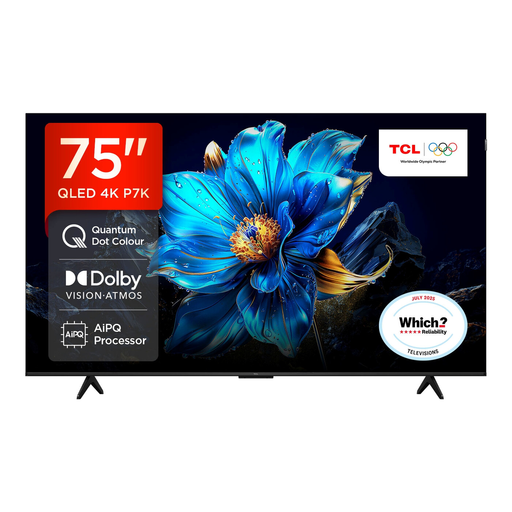
TCL 75P7K 75-inch QLED 4K Google TV
A large-screen option for shared viewing and regular console use where the room can accommodate its physical size.
The listing states 4K QLED, HDR10+, Dolby Vision, Dolby Atmos, Game Master, HDMI 2.1, ALLM, VRR and a 120Hz Full-HD Game Accelerator.
Its Game Accelerator is described as Full HD, so confirm the required console resolution, refresh rate and HDMI-port settings. Check dimensions, weight, VESA details and accessibility controls.
Joybuy
 No image available
TCL 50V6C Direct LED 4K HDR Google TV
A 50-inch option for shared films, programmes and sport alongside console gaming.
The listing includes 4K HDR, HDR10+, Dolby Vision, Motion Clarity, Game Master, HDMI 2.1, ALLM, VRR and a 120Hz Full-HD Game Accelerator.
Do not assume 4K at 120Hz from the Full-HD Game Accelerator. Check audio performance, accessible controls, dimensions and wall-mount compatibility for the exact model.
Joybuy
 No image available
TCL 65V6C Direct LED 4K HDR Google TV
A 65-inch shared main-room TV option with listed picture and gaming-related features.
The listing states 4K UHD HDR, HDR10+, HLG, Dolby Vision, Game Master, HDMI 2.1, ALLM, VRR, Google TV and Dolby Atmos audio.
The 120Hz Game Accelerator is described as Full HD; verify the required console mode, dialogue suitability, accessibility controls, dimensions and mounting specification.
Joybuy
 No image available
TCL 55V6C Direct LED 4K HDR Google TV
A 55-inch option for household programmes, films and console gaming on the same screen.
The listing includes 4K UHD HDR, HDR10+, HLG, Dolby Vision, Game Master, HDMI 2.1, ALLM, VRR, Game Bar and a 120Hz Full-HD Game Accelerator.
Confirm the exact 4K/120Hz, VRR and HDMI-port behaviour for your console, along with dialogue performance, accessible controls, dimensions and mount compatibility.
Joybuy
Frequently asked questions
Is a larger TV always the better choice for a shared living room?
No. Measure the primary seating distance and physical space first. Samsung UK uses screen size multiplied by 1.2 as an immersive-viewing-distance heuristic, but it is not a universal restriction and does not replace checking the exact TV dimensions, viewing angles and room layout.
Can I rely on an advertised sound mode to make dialogue clear?
No. Prefer independent sound and dialogue assessment where available. LG UK states that AI Sound Pro varies with programme genre and requires internal speakers or a compatible HDMI eARC/ARC Sound Share connection.
Do accessible TV settings guarantee subtitles or audio description on every programme?
No. Accessible TV controls can help you find and enable available options, but programme access services depend on the broadcaster or on-demand service. Ofcom states that broadcasters must provide access services on a certain proportion of programming, rather than every programme.
What should I verify before buying a TV for PS5 or Xbox Series X|S gaming?
Check the exact model for 4K at 120Hz, VRR, suitable HDMI inputs and game-mode support. Sony UK says 4K/120Hz may require Enhanced Format on the relevant HDMI port, while VRR requires HDMI 2.1 support and appropriate console settings.
Can any wall mount be used with a TV of the same screen size?
No. Wall-mount compatibility is model-specific. Samsung UK says buyers need the TV model, size and year of manufacture to select a suitable mount; check the TV documentation, mount specification and wall conditions before installation.


