Households watching mixed content
If you share films, broadcast TV or sport across different seats and lighting conditions, assess picture quality and motion using the content you watch rather than choosing by screen size alone.


Choose a TV for the room, seating positions and content your household actually watches, then assess dialogue and ease of use separately from picture quality. Built-in apps can simplify setup if the exact model supports your services; a separate streamer or audio device may address a specific need, but adds connections and setup. Check accessibility and gaming features against the people and devices that will use them.
If you share films, broadcast TV or sport across different seats and lighting conditions, assess picture quality and motion using the content you watch rather than choosing by screen size alone.
If voices need to remain clear at a comfortable volume, consider whether a TV sound setting is enough or whether a separate audio option suits your setup.
If someone relies on accessible remote controls, subtitles, audio description or settings that are easy to restore, check how those features work across the TV and the services they use.
Start with the room, viewing positions and everyday content; then check streaming access, dialogue and controls against your household’s needs. Treat gaming features as a separate requirement if a compatible console will use them.
| Concern | What to check when buying | Who this matters to |
|---|---|---|
| Picture across the room | Check viewing-angle and motion assessments, and look for results using the types of broadcast and streamed content you watch. | If we watch different content from seats across the room, we need a picture that suits those positions. Around 28% of consumers put picture quality across the room and varied content first. |
| Dialogue and listening comfort | Try a dialogue-focused sound mode first. If considering a soundbar, check its speech performance and confirm a usable connection on both devices. | When voices are difficult to follow, we want clear speech without having to turn the overall volume uncomfortably high. Around 22% of consumers prioritise dialogue clarity and comfortable listening. |
| Streaming and setup | Check each required UK service on the exact TV or streamer, the stated software-support policy, available HDMI inputs and privacy settings. | If several people use different streaming services, we need the apps and setup to work for the household. Around 22% of consumers prioritise streaming access, setup and privacy. |
| Accessible controls | Try the remote and relevant app controls, including how subtitles or audio description are enabled and whether settings are easy to restore. | When someone relies on access features, we need controls they can use and settings they can reach in the services they watch. Around 17% of consumers put accessible viewing and operation first. |
| Gaming alongside TV viewing | If a compatible console will use them, check the exact model’s refresh rate, VRR and HDMI capabilities. | If we share the screen for TV and console gaming, we need the TV to suit both uses. Around 11% of consumers prioritise gaming capability alongside household viewing. |
Neither size nor a label such as OLED, QLED or Mini LED tells you how a particular model handles motion, off-centre viewing or the material your household watches.
Check assessments of the exact model using relevant content and seating positions before deciding.
A service may not be available on a TV’s built-in platform, and app access can change over time.
Check each required UK service and the exact model’s software-support information. If the screen otherwise suits you, a compatible external streamer is another option to consider.
An unsuitable soundbar may not improve speech, and mismatched connections or audio settings can complicate setup.
Try the TV’s dialogue setting first. If you compare soundbars, assess speech performance and check that both devices have a suitable shared connection.
A feature may still be difficult to find, and access-service settings can vary between the TV and individual services.
Try the controls and settings in the TV and the services the viewer actually uses.
Samsung’s UK OLED and Neo QLED lines offer different display routes. The QE55S90HAEXXU is an identified OLED model with One UI Tizen.
LG’s OLED evo C6 line is a route to consider if you are comparing OLED sets and the webOS interface; OLED55C6ELB is an identified 55-inch model.
The BRAVIA 5 is a Mini LED option to compare with OLED for films and everyday viewing.
The Hisense 55UR8STUK is a 55-inch 4K LCD model that can be considered alongside OLED and Mini LED options.
These Joybuy choices are smart TVs for household streaming, with several models also listing features relevant to compatible console gaming. Check the exact model’s UK apps, screen fit, controls and connections against your own setup.
 No image available
A smart-TV option for shared streaming; check the listed gaming features against your console and the connections you plan to use.
Listed specifications: 144Hz native refresh rate, up to 512 dimming zones and an Onkyo 2.1 Hi-Fi system.
 No image available
A smart-TV option for shared streaming; check the listed gaming features against your console and the connections you plan to use.
Listed specifications: 144Hz native refresh rate, up to 512 dimming zones and an Onkyo 2.1 Hi-Fi system.
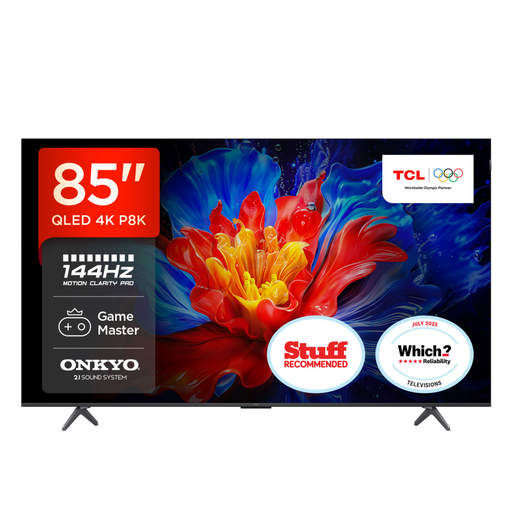 No image available
A smart-TV option for shared viewing; check its listed connections against the streaming and other devices in your setup.
Listed specifications: 144Hz native refresh rate, Onkyo 2.1 sound system and four HDMI 2.1 connections.
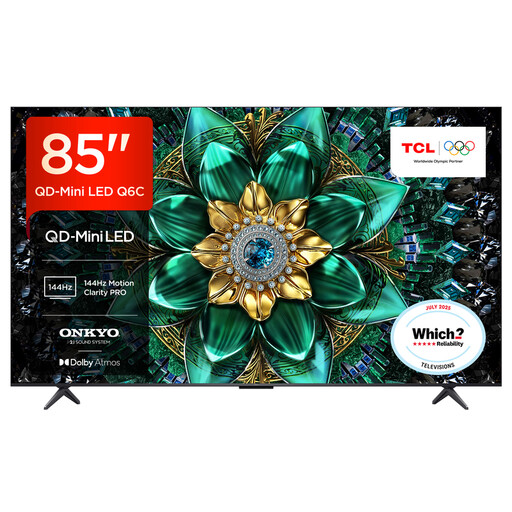 No image available
A smart-TV option for shared streaming; check the listed gaming features against your console and the connections you plan to use.
Listed specifications: 144Hz native refresh rate, up to 512 dimming zones and an Onkyo 2.1 Hi-Fi system.
 No image available
A smart-TV option for streaming; check the listed audio and gaming connections against the devices your household will use.
Listed specifications: OLED display, eARC and VRR.
No. Check the exact UK model for each service your household needs and the available software updates; a smart-TV label does not guarantee every app or continued access. A compatible external streamer may be an option if the screen otherwise suits you.
Not necessarily: try a dialogue-focused sound mode first. If it does not meet your needs, assess a soundbar’s speech performance and confirm that both devices share HDMI ARC/eARC or another supported connection.
Review the TV’s and any companion app’s requested permissions and privacy settings before agreeing to them. Check the specific product’s support information as part of your setup decision.
Do not assume they will. Check the programmes and services you use, and try how the TV and each app enable or retain these settings.
It depends on what you watch, not whether you choose a smart TV or a streamer. GOV.UK says you need a TV Licence to watch or record live TV on any channel or service, or to use BBC iPlayer; check the official guidance for your planned use.