Who is this for?

Dark-room film viewers

If you usually watch short films in the evening or can control the lighting, dark-scene detail and restrained image processing may shape your choice. Filmmaker Mode says it disables processing including motion smoothing and sharpening; check whether the TV and its settings offer the presentation you want.

Bright-living-room streamers

Daytime viewing or strong room lighting makes screen visibility and reflections important. Compare model-specific brightness and glare features in the conditions in which you normally watch, rather than relying on a display-technology label.

Practical first-TV buyers

If you mainly want straightforward access to short films, start with the services you use and a size that fits your seating position. Which? advises measuring the distance from the sofa to the planned TV location before choosing a screen size.

What matters when choosing?

OLED for controlled light

Consider it: If dark-scene presentation and a film-oriented picture mode matter most in a dim room.

Check: Reflection handling and HDR support still depend on the exact model.

Mini LED or RGB LED

Consider it: If daylight makes screen visibility your main difficulty; Sony describes selected BRAVIA lines as high-brightness TVs.

Check: Brightness alone does not tell you whether the film preset or processing controls suit you.

4K LED/LCD smart TV

Consider it: If access to your streaming services and a suitable screen size take priority over specialist picture features.

Check: Film presets and HDR-format support vary by model.

ConcernWhat to checkWho this matters to
Film presentation Check for Filmmaker or Cinema mode and whether unwanted motion smoothing and sharpening can be reduced. When I watch in a dim room, I want films without conspicuous processing and need to judge how dark scenes look. Around 42% of consumers put that presentation need first.
Bright-room visibility Assess model-specific brightness and reflection handling for the room where you watch. Daylight falls across my viewing space, so I need a picture I can see comfortably before I weigh other features. For around 33% of consumers, visibility is the primary need.
Streaming and fit Confirm your required apps and measure seating distance and installation space before choosing a size. I mainly want to reach my short films easily on a screen that fits my room. That practical need comes first for around 25% of consumers.

What should you avoid?

  • Choosing by panel label alone

    OLED, Mini LED and other display labels do not tell you which film settings, HDR formats or apps an individual TV offers.

    Compare the exact model code and specification sheet against the picture controls and streaming services you need.

  • Leaving film processing on by default

    Filmmaker Mode says it disables certain processing, including motion smoothing, sharpening and noise reduction, that can change how a film looks.

    Try Filmmaker Mode where available, or inspect a Cinema or Movie preset and adjust processing to your preference. Check the settings again if you change inputs.

  • Choosing a size before measuring

    A TV must fit both its viewing position and its intended location; screen diagonal alone does not establish either.

    Measure the sofa-to-screen distance and available furniture or wall space. For wall mounting, check the TV and mount for compatibility.

    Wall mounting may also require a suitable bracket or changes to the planned installation.

  • Assuming all streaming has the same TV Licence rules

    According to TV Licensing, the requirement depends on what you watch, not on whether you use a smart TV: watching live TV or using BBC iPlayer requires a TV Licence, while watching only on-demand programmes on other services does not.

    Check the services and types of programme you actually use before relying on an on-demand-only arrangement.

Brands to consider for short-film viewing

LG

LG offers OLED lines with film-oriented features across different screen sizes.

  • LG lists Dolby Vision and FILMMAKER MODE on selected OLED models, including the OLED B6E line.
  • Confirm both features, and any ambient-light adjustment, on the exact model and size; do not assume they apply to every LG TV.

Sony

Sony's BRAVIA lines include OLED, Mini LED and RGB LED options for different viewing conditions.

  • Sony positions selected BRAVIA models around high brightness and picture processing, which makes them relevant to investigate for a bright room.
  • Those descriptions do not establish how a particular model will perform in your room; check its film preset and HDR formats separately.

Samsung

Samsung offers OLED, Neo QLED and other UHD lines with differing approaches to room light and smart-TV features.

  • Samsung lists glare reduction on selected OLED models and describes HDR10+ within its HDR offering.
  • A focus on HDR10+ does not establish Dolby Vision support. Check the exact TV against the formats used by your films and services.

Panasonic

Panasonic has OLED lines with film picture modes and differing smart-TV and HDR options.

  • Panasonic lists Dolby Vision IQ, HDR10+ Adaptive and Filmmaker Mode for the TV-55Z90B.
  • The Z60 line lists a different feature set. Check the precise model rather than extending Z90B specifications across Panasonic TVs.

Joybuy TVs to consider

These TVs provide different screen sizes and display options for watching short films. Use the model-specific picture settings, streaming compatibility and room fit to narrow the choice.
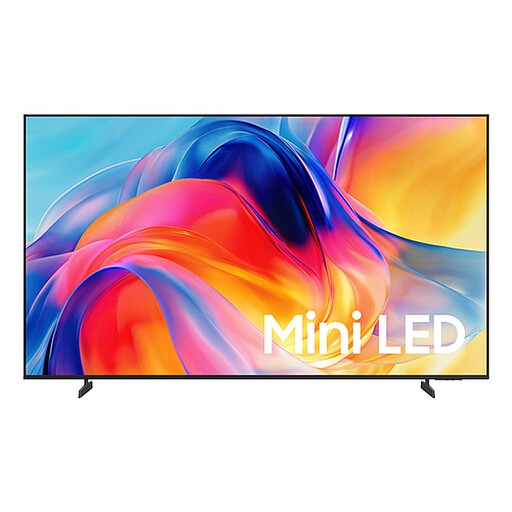
Samsung TU65M70H 65-inch Mini LED 4K smart TV

Samsung TU65M70H 65-inch Mini LED 4K smart TV

If you watch in a bright room, this Mini LED model is one to assess for visibility; confirm its reflection handling in conditions like yours. The 65-inch size also makes seating distance and installation measurements important.

If a film preset, particular HDR format or streaming app is essential, confirm it for the exact model before choosing.

View on Joybuy

Samsung S85F QE83S85FAE 83-inch 4K smart TV

Samsung S85F QE83S85FAE 83-inch 4K smart TV

Consider this 83-inch TV only after checking that the viewing distance, furniture or wall space can accommodate it. Its title identifies a 4K smart TV; confirm the film settings and HDR formats you need on the exact model.

View on Joybuy

Hisense 55U7Q Pro 55U7QTUK Pro 55-inch Mini LED 4K TV

Hisense 55U7Q Pro / 55U7QTUK Pro 55-inch Mini LED 4K TV

This 55-inch Mini LED TV is relevant if room lighting is a priority, but the technology name alone cannot establish how it will handle daylight or reflections. Confirm which of the model identifiers applies to the TV offered and whether its picture settings and VIDAA apps meet your needs.

View on Joybuy
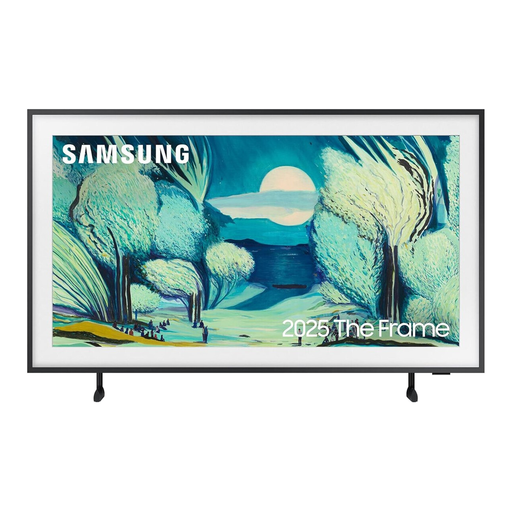
Samsung The Frame QE43LS03FAU 43-inch 4K smart TV

Samsung The Frame QE43LS03FAU 43-inch 4K smart TV

If a 43-inch screen fits your planned viewing position, compare this 4K smart TV's film settings with your needs. Check how the exact model handles reflections in your room, along with support for your streaming apps and HDR formats.

View on Joybuy

Common questions

Should I use Filmmaker Mode for short films?

Filmmaker Mode is a useful starting point if you want less image processing: Filmmaker Mode says it disables features including motion smoothing, sharpening and noise reduction. If the result is difficult to see in your room, assess the lighting and the TV's other film-oriented settings rather than assuming one preset suits every viewing condition.

How do I choose a screen size for short films?

Measure from your usual seat to the intended screen position before choosing a size, as Which? advises. Also check the TV's physical width, stand footprint or proposed wall position; the diagonal measurement alone will not tell you whether it fits.

What should I check on a TV energy label?

Check the energy label and product information for the TV you are considering. GOV.UK says products within the applicable energy-labelling scope must display a label at the point of sale; compare the declared information for TVs of sizes you could actually use, rather than choosing by a letter grade alone.

Do I need a TV Licence to stream short films?

You need a TV Licence if you watch live TV or use BBC iPlayer, according to TV Licensing. Watching only on-demand programmes on other services does not require one, provided you do not also watch live TV or use BBC iPlayer.