Regular side-seat viewers
If your usual chair is well away from the centre of the screen, judge colour and contrast from that chair, not only from a straight-on demonstration.


For a regular side seat, start by assessing an OLED TV from that position: LG UK describes wide viewing angles as an OLED benefit, though the result still depends on the exact set. If lamps or daylight reflect in the screen, check reflection handling too; an LCD alternative needs an explicitly stated wide-angle feature on the model you choose. For older comedies, test familiar programmes rather than treating an upscaling label as a promise that every source will look better.
If your usual chair is well away from the centre of the screen, judge colour and contrast from that chair, not only from a straight-on demonstration.
If you mostly watch older sitcoms or lower-resolution catalogue programmes, check how the exact TV handles familiar material instead of assuming a 4K screen will improve every source equally.
If windows or lamps face the screen, reflections matter alongside the view from your off-centre seat. Assess both under lighting similar to your room.
Check the picture from your intended seat first, then assess reflections and familiar older programmes. Screen size is useful only if the set also fits its planned position.
| Concern | What to check | Who this matters to |
|---|---|---|
| Picture from the side | View the exact TV from your intended seat; for an LCD, check its exact-model wide-angle specification. | If I usually sit off-centre, I want faces and colours to remain comfortable to watch from my chair. Around 36% of consumers would put the side-seat picture first. |
| Reflections | Check any stated glare-reduction feature and view the screen with comparable lamps or daylight. | A window or lamp faces my side seat, so reflections could interrupt what I am watching. Controlling them would be the main concern for around 29% of consumers. |
| Older programmes | Check the exact model's processing features and, if possible, play a familiar lower-resolution programme. | I often watch older comedy episodes and want to judge how their source quality appears on this TV. Around 21% of consumers would make that their primary concern. |
| Room fit and support | Measure the TV and stand against the planned space; check the exact model's support and warranty terms. | My TV needs to fit its furniture and leave a workable view from the side seat. Fit and ownership support would come first for around 14% of consumers. |
Sony UK identifies X-Wide Angle Pro on its BRAVIA 7 II and BRAVIA 9 II models, while its XR-85X90L specifications list X-Wide Angle as unavailable. A shared brand name does not establish a shared feature.
Check the full model number and its viewing-angle specifications, then look at the screen from your planned seat if possible.
Samsung lists 4K AI Upscaling Pro for the S95F, but a named processing feature cannot guarantee the same appearance across older masters and compressed streams.
Try programmes you know. If picture processing makes faces or film grain look unnatural to you, compare the available settings.
The TV's width and stand footprint affect where it can sit and how comfortably you can see it from the side. LG UK's viewing-distance advice is a starting point, not a fixed sizing rule for every room.
Measure the furniture or wall space and assess the screen from the intended side seat before settling on a size.
For UK viewing, TV Licensing says a licence is required for live TV and for BBC iPlayer use; describing a set as a streaming TV does not change those conditions.
Check whether the services and programmes you intend to watch include live TV or BBC iPlayer.
LG's OLED range is relevant if the usual viewing position is off-centre.
Samsung offers OLED and Neo QLED routes to assess when side-seat viewing and room lighting both matter.
Sony's BRAVIA LCD options are worth examining when a specific wide-angle feature is part of the model specification.
These TVs offer OLED options in several sizes and a large Direct LED option for comparison. For any of them, the deciding checks remain the picture from your side seat, reflections in your room and how familiar comedies look on the exact set.
 No image available
Consider this OLED option if the side seat is your main viewing position, but check its picture from that angle rather than assuming a category-wide result.
Compare reflections with your room lighting and confirm the exact UK model and seller's warranty terms before buying.
 No image available
Consider this large-screen option only after checking its footprint and viewing distance against your room and side seat.
Check the picture from off-centre and assess reflections under your usual lighting.
 No image available
This 42-inch OLED option is worth assessing where a larger screen would be difficult to position for your side seat.
Confirm the exact UK model identity, full placement dimensions and reflections in your lighting before choosing it.
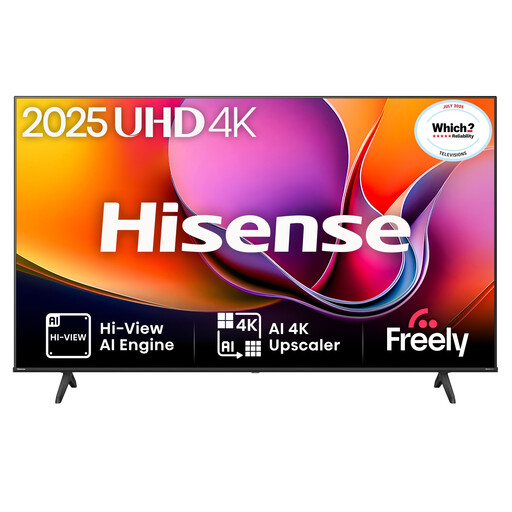 No image available
This large Direct LED option calls for a particularly careful side-seat check; its display type alone does not establish how the picture will look off-centre.
Measure the intended position and check reflections and the exact model's viewing-angle information before deciding.
 No image available
Consider this 65-inch OLED option if that size fits the room and you can assess the screen from the usual side seat.
Check reflections, stand dimensions and support terms for this exact model; play a familiar older programme if source handling matters to you.
Assess it from the side seat you normally use, not just from directly in front. LG UK suggests roughly twice the screen diagonal as a starting distance for its OLED TVs, but room layout, subtitle legibility and your own comfort should determine the final position.
No: a processing feature cannot make every older source look like native 4K. Samsung names 4K AI Upscaling Pro on its S95F, but the result still depends on the original programme and the source you watch; try familiar episodes on the exact TV if possible.
Check the full UK model number, seller's warranty terms, repair route, software-support information and delivery access. Model-specific support pages, such as LG UK's page for OLED65C64LA.AEI, show why it is worth checking the precise set rather than assuming the same arrangements across a brand.
You need a TV Licence if you watch live TV or use BBC iPlayer, according to TV Licensing. If you only watch non-live on-demand programmes through other services, the TV itself does not create that requirement; check the way you intend to watch.