Regular side-seat viewer
If you usually sit noticeably off-centre, pay attention to whether colour and brightness change as you move sideways. RTINGS.com identifies viewing angle as an important distinction between LCD panel types.


Start with how well the picture holds up from your side seat, rather than choosing by resolution or refresh rate alone. OLED is worth considering when dark-scene contrast matters most; in a room with windows or lamps, also consider a TV whose exact model and size specify both a wide viewing angle and an anti-reflection screen. Check model-specific viewing tests and your room lighting before deciding.
If you usually sit noticeably off-centre, pay attention to whether colour and brightness change as you move sideways. RTINGS.com identifies viewing angle as an important distinction between LCD panel types.
If a window or lamp is visible in the screen from your seat, assess reflections separately from viewing angle. A wide-angle feature alone does not tell you how the screen will handle that light.
If astronomy, underwater or night-time footage is a priority, consider black level and contrast alongside the side view. LG describes independently controlled pixels and high contrast for its OLED range; check how the particular TV performs from your seat.
Judge the picture from your usual seat first, then weigh dark-scene contrast against reflections in the room. RTINGS.com says IPS LCD panels generally retain picture accuracy better from the side than VA LCD panels, while VA generally offers higher contrast; a named wide-angle feature on another LCD model needs its own assessment.
| Concern | What to check | Who this matters to |
|---|---|---|
| Side-view picture | Look for viewing-angle tests of the exact model; for an LCD TV, check its panel type or model-specific wide-angle feature. | If I watch from one side most evenings, I want colours and brightness to remain convincing without moving seats. Around 50% of consumers put side-view picture accuracy first. |
| Dark-scene contrast | Compare the exact model’s black-level and contrast results, including how the picture looks off-centre. | When a documentary moves into space or underwater footage, I want to make out detail in dark areas. For around 30% of consumers, dark-scene contrast is the primary concern. |
| Reflections | Check anti-reflection information for the chosen size and assess the screen in lighting similar to your room. | A window or lamp near my side seat can distract from fine detail, even if the viewing angle is acceptable. Glare control comes first for around 20% of consumers. |
Those labels do not, by themselves, establish how an LCD picture looks from the side. RTINGS.com notes that IPS and VA LCD panels differ in their off-axis performance and contrast.
Check the exact model’s panel information where available, its stated viewing-angle features and credible model-specific tests.
Light from a window or lamp creates a separate problem. Samsung specifies a Wide Viewing Angle with Anti-Reflection Screen for its UK QN90D 50-inch model, but that wording should not be extended to every OLED, QLED or Mini LED TV.
Check both features for the precise model and screen size you are considering, then think about where light falls in your room.
Sony describes image retention after a prolonged static image in its OLED A1-series guidance. Documentary apps may leave menus or other fixed elements on screen, so care instructions are worth checking for the TV you choose.
Follow that model’s own screen-care instructions rather than applying another model’s maintenance schedule.
A panel label alone is not a model-level energy comparison. UK government energy-information guidance covers electronic displays, including televisions.
Compare the energy label and product information sheet for the exact TVs on your shortlist.
LG’s UK OLED range is relevant if side-seat viewing and dark-scene contrast are both priorities.
Samsung is relevant to a bright-room comparison when a particular TV specifies both a wide viewing angle and an anti-reflection screen.
Sony’s published model specifications can help narrow an OLED shortlist before checking side-seat performance.
These TVs offer several screen sizes, including Sony OLED models for a dark-scene-focused shortlist. For every option, check how the exact model looks from your side seat and whether reflections will be a problem in your room.
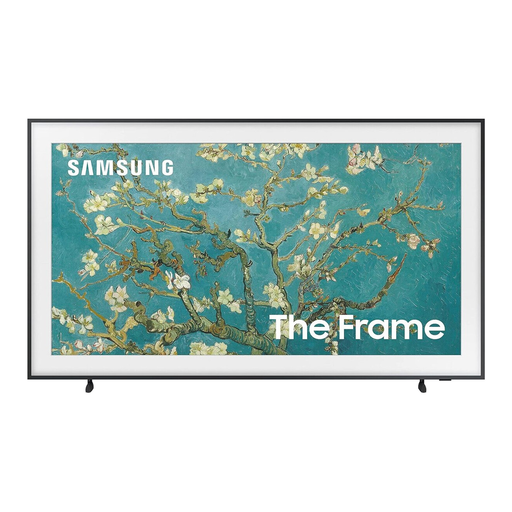 No image available
Consider this size if it fits your seating arrangement, then assess the picture from your usual side seat and check reflections in your room.
The product name specifies a 65-inch 4K Ultra HD smart TV with Wi-Fi and a one-year warranty.
 No image available
For regular side-seat viewing, compare model-specific off-axis tests before relying on a stated wide-angle feature. If a window or lamp faces the screen, check this variant’s reflection handling separately.
The product name specifies a 55-inch 4K Ultra HD smart TV with Wi-Fi.
 No image available
If you are considering a larger screen for a wide seating layout, check that its size suits your viewing distance and compare its side-view picture with other candidates. Assess reflections separately if the room is bright.
The product name specifies a 75-inch 4K Ultra HD smart TV with Wi-Fi.
 No image available
This OLED model is relevant if dark documentary scenes matter to you and a 42-inch screen fits your space. Check viewing-angle tests for this model and assess reflections under your usual room lighting.
The product name specifies a 42-inch 4K OLED TV with HDR and Google TV.
 No image available
Consider this OLED option if you want to compare dark-scene viewing on a 65-inch screen. Use tests of this exact model to judge the side view, and check how it handles light in your room.
The product name specifies a 65-inch 4K OLED TV with HDR and Google TV.
Yes, turning the screen towards your seat can make the viewing position more direct. RTINGS.com notes that this can reduce the need for a wide viewing angle for one viewer, but it will not change the panel’s off-axis behaviour when several people sit in different positions.
Avoid leaving static elements displayed for prolonged periods where possible, and follow the care instructions for your exact TV. Sony describes image retention after prolonged static images in guidance for its OLED A1 series; its maintenance instructions should not be treated as a schedule for every OLED model.
Compare the energy label and product information sheet for each exact model rather than judging by OLED, QLED or Mini LED branding. UK government energy-information guidance covers electronic displays, including televisions.
It depends on how you watch them, not which TV you buy. TV Licensing states that a licence is needed to watch live TV and to use BBC iPlayer, including its on-demand programmes; check the viewing service and whether the programme is live.