What matters when choosing?
Start with the controls that affect how the film is shown, then weigh your preference for dark-room contrast against the space the TV and its stand will occupy.
| Concern |
What to check |
Who this matters to |
| Original framing and motion |
Look for an original-aspect-ratio setting and a way to disable motion smoothing on the exact model. Check how they work with the films or playback app you use. |
If I want an early film’s image shape and cadence retained, I do not want the TV to stretch it or create extra frames. Around 42% of consumers would make faithful framing and motion their primary concern. |
| Contrast in dim viewing |
Compare the exact display technology and picture modes without assuming that a panel description establishes the result you will see. |
When I watch monochrome films with the lights low, distinguishing dark tones matters more to me than gaining screen size. Roughly 33% of consumers would put dark-room contrast first. |
| Physical fit |
Measure the available furniture or wall space; check the TV’s outer dimensions, stand footprint and connection clearance for the exact variant. |
If my cabinet or wall position is tight, the TV has to fit before its other features become useful. About 25% of consumers would treat physical fit as their main concern. |
43-inch TVs on Joybuy
These 43-inch LCD-based TVs are options to measure against a small-room setup. For silent films, check each exact model’s aspect-ratio and motion controls rather than assuming that screen size or a picture-mode name settles the choice.
 No image available
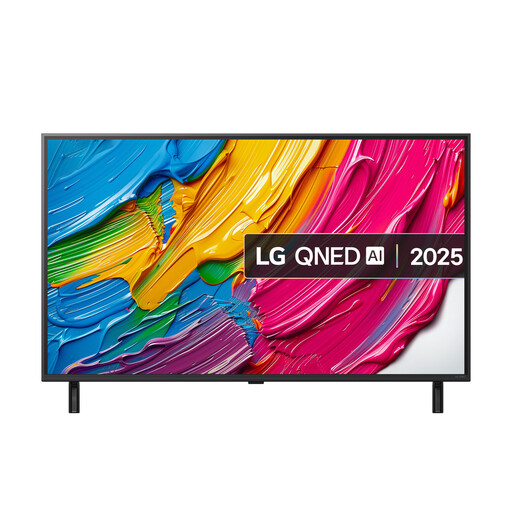
LG 43QNED80A6A 43-inch QNED 4K UHD TV
Consider this 43-inch option if it fits your planned position. Check the exact model’s original-aspect-ratio setting and whether you can turn motion smoothing off for your films.
The product name identifies a QNED display and webOS; measure the space needed for the TV and stand before choosing it.
View on Joybuy
 No image available
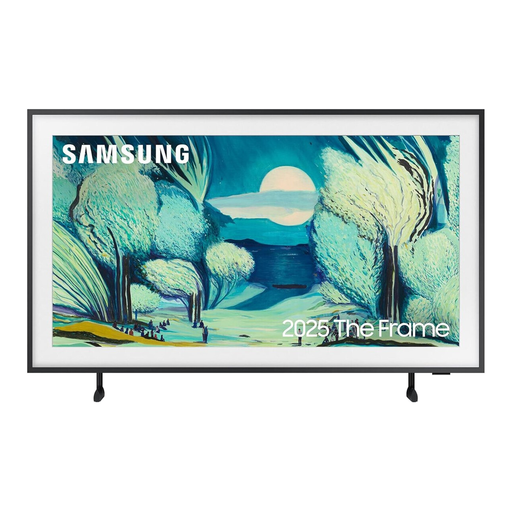
Samsung The Frame QE43LS03FAU 43-inch 4K UHD TV
This is another 43-inch option for a measured cabinet or wall position. Confirm how the exact model handles the film’s original framing and whether motion smoothing can be disabled.
The product name identifies a 4K Ultra HD smart TV with Wi-Fi; check its full footprint and connections against your setup.
View on Joybuy
Frequently asked questions
Why does a silent film have black bars at the sides of my TV?
Side bars can preserve the film’s original shape on a wider TV. The British Film Institute describes 4:3, or 1.33:1, as a common early-cinema frame; check for an original or normal aspect-ratio setting rather than stretching the image to fill a 16:9 screen.
Should I use Filmmaker Mode for silent films?
Use Filmmaker Mode when the exact TV supports it and you want to avoid processing such as motion smoothing. The UHD Alliance describes the mode as preserving aspect ratios and frame rates, but you should still check how your TV handles the particular source.
Does a 120 Hz TV show silent films more faithfully?
A 120 Hz specification alone does not establish faithful film presentation. Frame interpolation is a separate consideration: Sony describes Motionflow on supported models as inserting extra frames, so check the exact TV’s motion controls.
What energy information should I check when buying a TV?
Look for the energy label and product information sheet when comparing energy information. GOV.UK advises dealers to display labels visibly and make the information sheet available; neither tells you whether the TV retains a film’s framing or lets you disable motion smoothing.


