Buying priorities
Start with the programme and TV settings, then check the connection path and the room before deciding how much equipment you need.
| Priority |
What to check |
Your needs |
| Clearer speech |
Look for a documented Speech Enhancement, Voice Enhancement or dialogue-processing control on the exact model. Check whether there is a night mode or loudness setting for evening viewing. |
I want voices to remain understandable when music, effects or quiet scenes make speech harder to follow, without simply raising the overall volume. |
| Connection and control |
Check for HDMI ports labelled ARC or eARC on both devices. If ARC/eARC is absent, confirm whether optical audio is suitable. Enable HDMI-CEC and check streaming-device remote support for the exact equipment. |
I need sound from the TV and streaming device to reach the soundbar reliably, with controls my household can use. Sony UK notes that not every HDMI terminal supports ARC or eARC, while Google Streaming Help notes that some remote functions vary by device model. |
| Room fit |
Measure the available surface or wall space, including soundbar width and speaker clearance. Decide whether a separate subwoofer or rear speakers can be placed and powered comfortably. |
A compact bar suits me if dialogue is the main concern and space is limited. I would consider extra speakers only when fuller film sound is a real priority for the room. |
Joybuy product options
Joybuy soundbar options for households seeking clearer TV and film dialogue, from compact single-bar setups to systems with a separate subwoofer.
 No image available
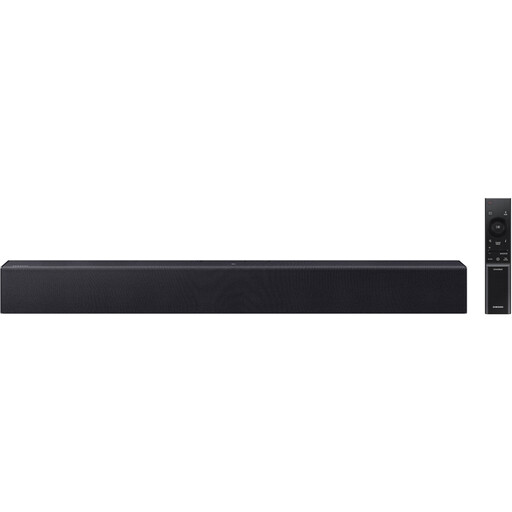
Samsung HW-B400F/XU 2.0ch Compact Soundbar
A compact option for viewers whose TV picture and apps remain suitable but who want a documented Voice Enhancement Mode for dialogue.
Stated features include a 2.0-channel all-in-one format, built-in woofer, four front-firing speakers, HDMI ARC, optical input, CEC-compatible control and Night Mode.
Check that the TV has a labelled ARC/eARC port and that CEC settings work with the household’s streaming device. This single-bar design is not the route for a separate subwoofer or rear-speaker layout.
Joybuy
 No image available
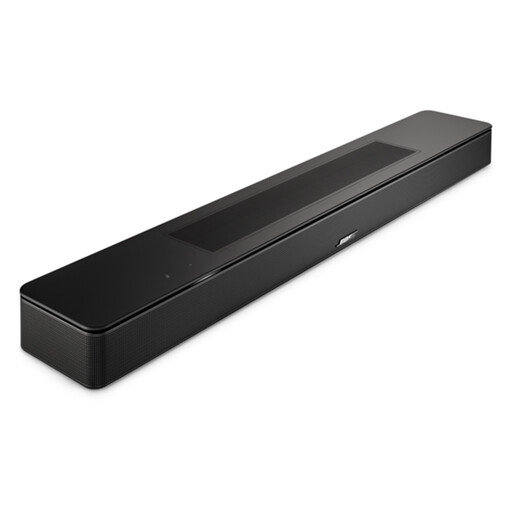
Bose Smart Compact Sound Bar
A low-profile choice for dialogue-heavy films and television where a separate subwoofer is not wanted.
The listing states A.I. Dialogue Mode, HDMI eARC, optical input, HDMI-CEC TV-remote synchronisation and a 69.4 cm soundbar width.
Confirm the existing TV’s ARC/eARC connection and the intended CEC behaviour with the streaming device. The listing does not establish how its dialogue mode will compare in a particular room.
Joybuy
 No image available
Bose Smart Ultra Soundbar Arctic White
This option suits rooms where dialogue is obscured by busy soundtracks and room calibration is also a consideration.
The listing states A.I. Dialogue Mode, HDMI eARC, optical input, HDMI-CEC control, an included ADAPTiQ calibration headset, a 104.5 cm width and a 5.8 kg unit weight.
Check the TV’s ARC/eARC terminal and CEC behaviour, then allow suitable placement space and clearance for the upward-firing speakers.
Joybuy
 No image available
TCL Q75 Series 5.1.2 Soundbar
A home-cinema option for film viewers who want dialogue support alongside a wider multi-speaker setup and have room for a subwoofer.
The listing states a 5.1.2 layout, dedicated centre channel, wireless subwoofer, HDMI eARC 2.1 support and AI Sonic-Adaptation room adjustment.
Confirm HDMI eARC support on the current TV and plan space for the wireless subwoofer. The larger configuration may be unnecessary when dialogue is the only concern.
Joybuy
 No image available
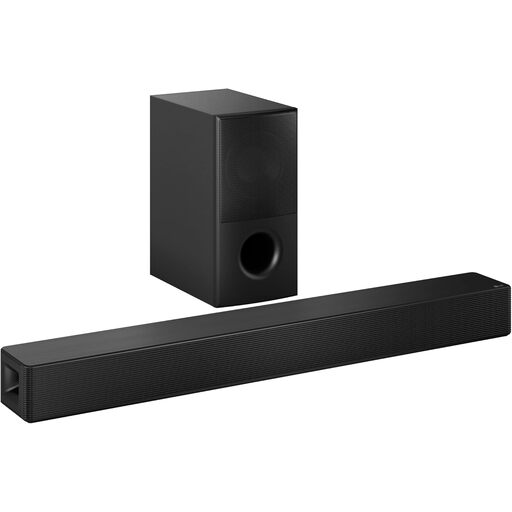
LG SH5A 2.1-Channel Soundbar with Wireless Subwoofer
A choice for viewers who want vocal-focused sound control with fuller film bass and can accommodate a separate subwoofer.
The listing states Adaptive Sound Control for vocals, HDMI ARC, optical input and a wireless subwoofer.
Check the TV’s labelled ARC port and expected remote-control behaviour. The subwoofer needs floor space and power, which may not suit a compact setup.
Joybuy
Frequently asked questions
Should I buy a new TV before trying a soundbar for unclear dialogue?
Not necessarily. If the current screen, apps and picture are satisfactory, first check the programme audio option, subtitles and TV audio-output setting. A soundbar is the more focused hardware route for speech clarity; replacing the TV makes more sense when the television itself also needs updating or you want a coordinated TV-and-audio setup.
How do I check whether my TV can connect properly to a soundbar?
Look for an HDMI terminal labelled ARC or eARC on the TV and a TV OUT ARC/eARC terminal on the soundbar, then connect those labelled ports and select the TV’s external audio-system output where required. Sony UK notes that optical audio can be an alternative when ARC/eARC is absent, but check the exact soundbar inputs and the functions available with that connection.
Will my streaming-device remote control the soundbar?
It may, but it is not guaranteed. Google Streaming Help says Chromecast and Google TV remotes can be configured for TV, receiver or soundbar controls, while some device models cannot be controlled for particular functions. Enable HDMI-CEC and test volume, input and power control with the exact devices.
What does HDMI-CEC change in a TV-and-soundbar setup?
CEC can allow connected HDMI devices to share some remote-control behaviour and switch inputs. Manufacturers use different names for CEC, and Google Streaming Help advises that it must be enabled, so check the TV, soundbar and streaming-device documentation rather than assuming every control will work together.
Are subtitles a useful alternative while deciding whether to upgrade audio?
Yes. Ofcom identifies subtitling as a television access service that helps consumers access TV content. It can help immediately while you check whether the issue is related to programme mixing, settings, room acoustics or the current hardware.


