
24/7 Customer Support

Free returns

Same-day & Next-day Delivery

Quality Guaranteed

Unlock Your Welcome Offers: FREE Delivery | Up to 80% OFF | Free 30-day JoyPlus trial
Download the APP
A television stand can change the layout of a room, improve cable management and make a large screen easier to position. However, choosing between a mobile TV stand, TV art stand, freestanding TV stand or modern TV cabinet involves more than matching the screen size.
Marketing photographs can hide important details such as load limits, wheel quality, VESA compatibility and the need for wall restraints. Before buying a stand for a living room, office, hospitality space or rented property, check the specifications that affect safety and everyday usability.
A stand marked for a 32-90 inch TV is not automatically suitable for every television in that range. Screen size refers to the diagonal measurement, while the actual television width, weight and mounting-hole pattern can vary considerably.
Check:
A VESA-compatible TV stand should still be checked against the exact measurements in your television manual.
A wheeled TV stand is useful for flexible layouts, meeting rooms and hospitality settings, but wheels can introduce movement when the television is being used. Look for locking brakes on every caster and engage them before mounting or operating the TV.
Do not move a large television over thick carpet, thresholds, cables or uneven flooring. A mobile TV stand should be positioned on a flat, level surface, with the screen centred on the frame.
A white TV unit, LED TV unit or high-gloss modern TV cabinet may suit your décor, but visual styling does not indicate load capacity. Open shelves may also leave consoles, cables and accessories visible, while glass shelving requires careful handling.
Before purchasing, check whether the furniture needs an anti-tip restraint. Some freestanding furniture must be secured to the wall even when the television itself is not wall-mounted.
The stated maximum load is a practical limit, not a suggestion. Keep the television within the mount’s specified capacity and avoid placing heavy equipment on shelves that are designed for lighter items.
For example, the CNTSLNB mobile stand has a stated maximum limit that must not exceed 100 kg/220 lbs, but buyers should still refer to the product label and instructions before installation. Keep heavier equipment centrally positioned and avoid leaning on shelves.
Measure the distance between the mounting holes on the back of your TV. Compare those measurements with the stand’s supported VESA patterns. Also check the screw type and length recommended by the television manufacturer.
A stand may support a broad screen range but still be unsuitable if the VESA pattern or weight is incompatible. This is one of the most important checks when comparing TV stands for 32-90 inch TVs.
Measure the available floor area, including space for cables, sockets and ventilation. A taller adjustable TV stand can improve viewing height, while a low TV stand for a living room may work better beneath a window or in front of a media wall.
If you need to store games consoles, remotes or media players, compare shelf dimensions rather than relying on product photographs. A TV stand with storage can help reduce visible clutter, while integrated lighting may require an accessible power socket.
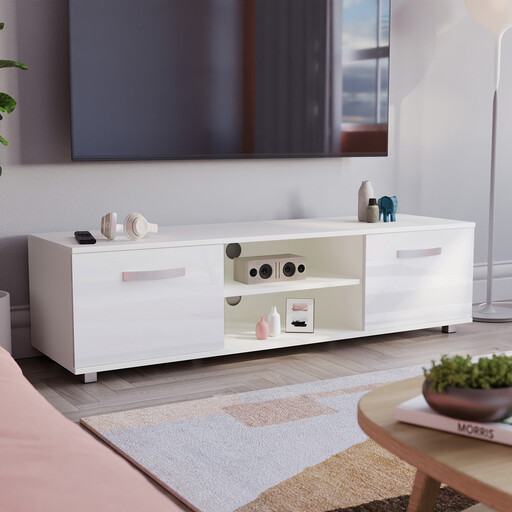
Why This Fits Their Persona: A suitable option for shoppers wanting a conventional white TV unit with enclosed storage and a contemporary appearance for a living room. It is designed for TVs up to 60 inches.
Its stated load limits make the capacity easier to assess: 25 kg on the top surface and 5 kg on the glass shelf. The supplied anti-tip restraint should be used as directed.
Two high-gloss doors provide concealed storage, while the central glass shelf and integrated LED lighting add display space and ambient illumination.
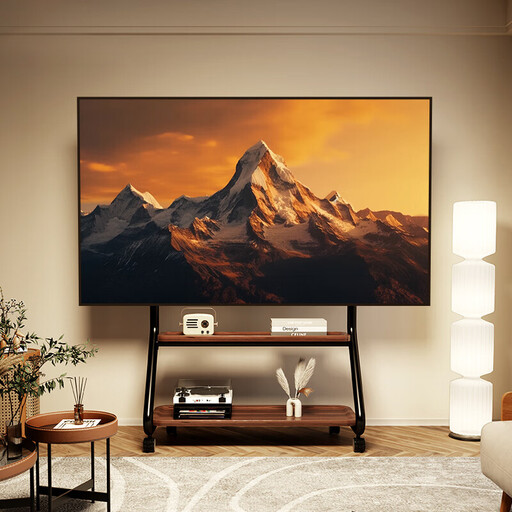
Why This Fits Their Persona: A practical match for homeowners, renters and managers who want a freestanding display that can be repositioned without wall mounting.
The four 360° rotating wheels include locking brakes. Engage every brake before use, keep the frame level and follow the stated TV and shelf load limits.
The alloy steel frame has a powder-coated black finish, curved side supports and a wooden shelf. It supports 32-75 inch TVs, subject to VESA and weight checks.
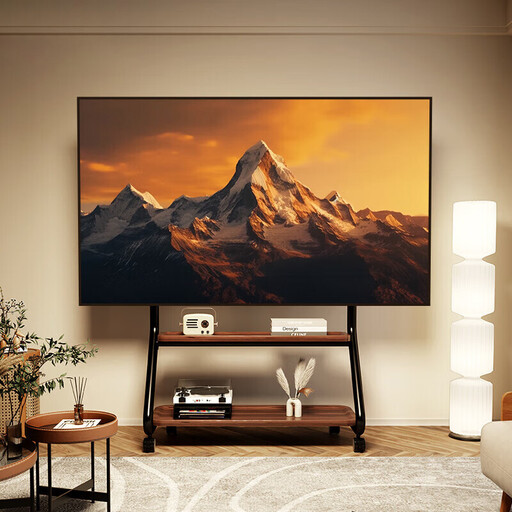
Why This Fits Their Persona: Intended for people comparing mobile display solutions for larger televisions, including flexible meeting areas, hospitality environments and spacious open-plan rooms.
The larger screen range should be treated as a starting point, not a complete compatibility guarantee. Confirm the TV’s VESA pattern, weight, frame dimensions and the product label before purchase.
Its 50-90 inch positioning targets larger displays and provides a mobile TV stand format for layouts that need to change between uses.
We have compiled a complete, real-time list of products that fully satisfy these strict selection criteria and UK safety regulations.
It may, but the advertised screen range is only one part of the decision. Confirm the television’s weight, VESA pattern, width and the stand’s stated load limit. For a large screen, avoid uneven flooring and have at least two people complete the installation.
They can be useful where wall mounting is unsuitable or not permitted. A mobile or freestanding TV stand avoids drilling into the wall, but it still needs to be placed on a stable surface with brakes engaged. Furniture supplied with an anti-tip restraint should be secured according to its instructions.
The LED lighting in a TV unit normally requires a separate power connection. Running cost depends on the light’s wattage and how long it remains switched on. Check the product information for the lighting specification and disconnect it before cleaning the unit.