What should you check before buying?
Decide whether the screen, app platform, sound or controls actually need changing, then check how the chosen equipment will work together.
| Priority | What to check | Your needs |
|---|
| App access |
Check each priority service’s supported devices, exact model and required OS or firmware version. Compare any stated platform-update programme with the model’s eligibility and launch date; it is not an app-support guarantee. |
I want the household’s broadcaster and subscription apps to work on the device we choose, including after the hardware change. |
| Keeping the TV |
Check for an available HDMI input and the streamer’s power and network requirements. Match 4K or HDR expectations to both the display and the content. |
The existing screen still works for us; I would rather change its streaming platform than replace the whole TV. |
| Shared control |
Check the included remote’s documented TV, soundbar or receiver functions. Confirm IR or HDMI-CEC compatibility for the exact equipment and setup. |
Different people use this room, so power, volume and switching devices need to be straightforward. |
| TV audio |
Check for matching ARC or eARC ports on the TV and soundbar. For a particular audio format, confirm the source, programme, connection path and audio equipment all support it. |
I want to change the sound without losing audio from the TV’s own apps or an attached streamer. |
Brand and platform references
These platform details can guide model-specific checks; a brand’s programme or feature does not establish support for every app or every product it sells.
Samsung
Consider eligible One UI Tizen TVs when replacing the display and comparing stated platform-maintenance periods.
- Samsung states that One UI Tizen supports Tizen OS upgrades for up to seven years and guarantees at least three years of security software updates from product launch.
- Check the exact TV’s eligibility and each required app separately; an OS upgrade period is not an app-availability promise.
LG
Compare the exact webOS TV model if its update programme matters alongside screen choice.
- LG describes up to five annual OS upgrades for selected TVs in its webOS Re:New programme. LG UK’s separate policy states at least annual software and security updates for a minimum of two years after launch.
- Programme eligibility and the household’s required apps need model-specific checks.
Apple
Apple TV 4K is a media-player option for an HDMI TV where wired-network choice or compatible TV and receiver control matters.
- Apple lists HDMI 2.1, Wi-Fi 6 and Siri Remote control of a TV or receiver through IR or CEC; Gigabit Ethernet belongs to the Wi-Fi + Ethernet model.
- Apple specifies a compatible TV for 4K/HDR and an HDMI cable sold separately. ITV Help lists ITVX support on tvOS 18 or later.
Roku
The Streaming Stick 4K model 3820 illustrates a stick route for retaining an HDMI TV.
- Roku says model 3820 works with an HDMI TV even when that TV cannot display the stick’s 4K or HDR formats.
- Check the exact stick’s power arrangement and software. ITV Help specifies Roku firmware v15.1 for future ITVX app updates.
Amazon Fire TV
Fire TV sticks are an HDMI route to consider when the household’s services and preferred voice-remote controls align with the selected generation.
- ITV Help lists Amazon Fire as an ITVX platform, while Amazon’s UK Fire TV Stick 4K Max listing describes remote control of TV power and volume.
- Confirm the exact generation, apps and connected equipment. Amazon conditions 4K and Dolby Atmos on compatible equipment and content.
Google
Google TV Streamer is a media-player route where control of connected TV or audio equipment is a priority.
- Google says its Streamer Voice Remote can control a TV, soundbar or receiver. Channel 4 lists its app for Google TV Streamer.
- Google specifies a compatible mobile device and Google Home app for setup; its 4K guidance calls for a 4K display and at least 20 Mbps internet.
Joybuy options for the viewing setup
These options address different parts of a shared-room setup: adding a streaming stick to an existing TV, changing the TV audio, or replacing the screen. Check how each would connect to the equipment you plan to keep.
 No image available
Roku Streaming Stick 4KPlus
A streaming-stick option for keeping the existing TV. The product description lists 4K streaming and a remote with TV power and volume controls, a remote finder and private listening. Check the exact model and firmware against the household’s apps, as well as the TV’s HDMI input and the stick’s power requirements.
View on Joybuy
 No image available
Bose Smart Ultra Soundbar, Arctic White
A soundbar option when TV audio and shared volume control are the priorities. Its product description lists HDMI eARC, Dolby Atmos, Wi-Fi and Bluetooth, and describes CEC volume control through a compatible TV connection. Check that the TV’s connection suits the planned setup; the described setup also uses the Bose app and Wi-Fi.
View on Joybuy
 No image available
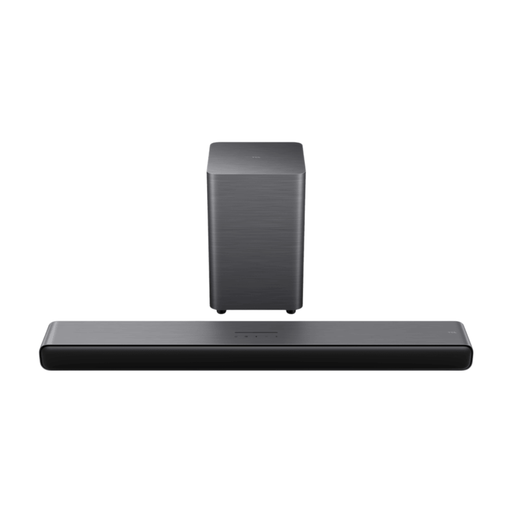
TCL S55H S Class 2.1-channel soundbar
For adding TV audio with a wireless subwoofer, the product description specifies a 2.1-channel setup, HDMI eARC, Dolby Atmos and DTS Virtual:X. Its stated one-remote support concerns TCL TVs; check the exact TV port and audio path rather than assuming the same control arrangement with another brand.
View on Joybuy
 No image available
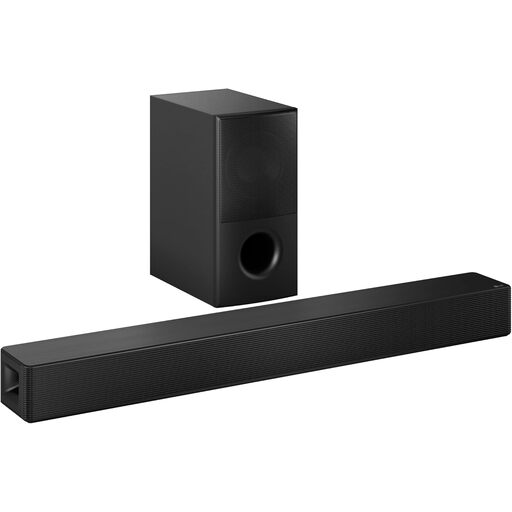
LG SH5A 320W 2.1-channel soundbar with wireless subwoofer
A TV-audio option with a wireless subwoofer. The product description lists HDMI ARC and an optical input alongside its 2.1-channel configuration. Check the TV’s ports for the intended connection and the available placement space; the listing describes a fit with TVs of 43 inches and larger.
View on Joybuy
 No image available
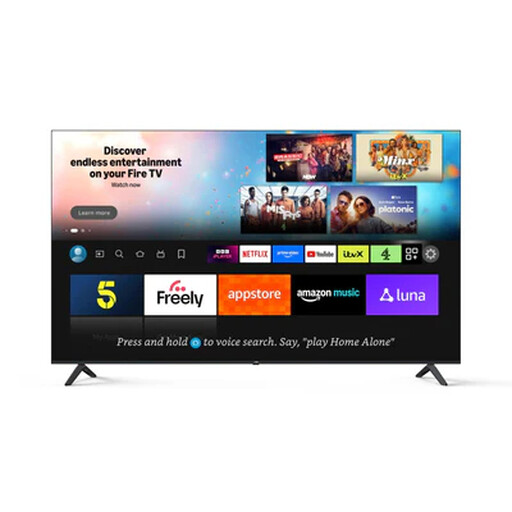
Haier H50S80GUF 50-inch 4K QLED smart TV, Black
For replacing the screen as well as its built-in viewing platform, the listing describes a 50-inch (127 cm) 4K QLED smart TV with Wi-Fi, HDR10 and three HDMI ports. Confirm the exact model’s priority apps and update policy before buying. Follow the product safety instruction to anchor the TV to a wall or sturdy stand to prevent tipping.
View on Joybuy
Common questions
How do I keep ITVX and Channel 4 when changing hardware?
Check both services’ current support pages against the exact TV or streamer before buying. ITV Help lists model-year and software conditions, including tvOS 18 or later for Apple TV and firmware v15.1 for future ITVX updates on Roku and NOW devices. Channel 4 says certain older Freeview and YouView devices lost app support in April and May 2026 because they could not support required updates.
Can I add streaming to an older TV instead of replacing it?
An HDMI streamer can be an option if the TV has a working, suitable HDMI input and the device’s other setup requirements are met. Roku says its Streaming Stick 4K model 3820 works with HDMI TVs that cannot display 4K or HDR, but those formats will not appear on such a screen; check power and app requirements for the exact stick you choose.
Will a soundbar play audio from TV apps and an attached streamer?
It can when the TV and soundbar support a suitable connection. Dolby describes matching ARC or eARC HDMI ports as a way to return audio from the TV’s own apps and devices connected to it over one cable; check the exact ports and format requirements of the equipment.
Does using a streaming device change whether I need a UK TV Licence?
No: TV Licensing bases the requirement on what you watch, not whether you use a smart TV or a separate streamer. It says a licence is needed to watch or record live TV on any service, or to watch or download BBC iPlayer. TV Licensing says other services’ on-demand programmes alone do not require one.
Can one remote control the TV, streamer and soundbar?
Some included remotes can control connected equipment, but the exact functions depend on compatibility and setup. Apple documents Siri Remote control of a TV or receiver through IR or CEC; Google says its Google TV Streamer Voice Remote can control a TV, soundbar or receiver. Check each connected model before relying on one remote.


