Who is each setup for?

Households keeping an HDMI-equipped TV

If the screen still suits the room, a player or stick can provide a different streaming interface without replacing the display. Check for a free HDMI input, a suitable power arrangement and the picture formats the TV can actually show.

Households with buffering at the TV

If streaming works elsewhere but struggles in the living room, check the connection where the TV sits before changing devices. Ofcom's home Wi-Fi testing found that the wireless link can become a bottleneck as devices move farther from the router.

Households refreshing the whole room

If the display itself, its connections or the room layout no longer works for shared viewing, assess a replacement TV. Treat audio equipment and wall mounting as separate choices that must fit the new setup.

What matters before you choose?

Replace the TV

Consider it when: The existing screen, its picture capability or its available connections limit shared viewing.

Bear in mind: Replacing the display also means checking its fit, audio connections and any mounting arrangement; it will not by itself fix weak Wi-Fi at the TV.

Add a player or stick

Consider it when: The TV still suits the room and has a usable HDMI input, but you want a different streaming interface.

Bear in mind: The TV retains its existing picture limits; a stick also needs suitable port clearance and power, while a separate player needs space for its own placement.

Priority What to check Your needs
Programme access Check that the TV or streamer offers the broadcaster and on-demand services your household uses. Check whether its remote can handle the TV controls you want to use. I want everyone to reach the programmes they watch without switching between awkward controls.
Picture compatibility Confirm a free HDMI input and the TV's supported resolution and HDR formats. Roku says its players work with HDMI-equipped TVs, but 4K and HDR require a compatible display. If our current picture is satisfactory, I would rather change the streaming interface than replace the screen for a format it cannot display.
Connection at the TV Test streaming at the viewing position, not just near the router. If considering Ethernet, check the exact streamer and adapter combination and whether a cable can reach it. Streaming needs to work where the TV is installed, even if the Wi-Fi signal differs from elsewhere in the home.
Audio connections If listening is a problem, compare the TV's audio outputs with the soundbar's inputs and check how volume will be controlled. Dialogue is difficult to follow at a comfortable volume, so I want to establish whether an audio addition fits our TV.
Mounting and access Compare the TV and mount instructions for mounting pattern, weight and suitable wall fixings. Allow access to HDMI ports, cables and any streaming stick. I want the screen positioned for the room without losing access to connections or overlooking the installation requirements.

Setup mistakes to avoid

  • Assuming a 4K streamer upgrades an HD screen

    A player cannot make an incompatible TV display 4K or HDR. Roku and Google both condition those formats on compatible television hardware; content and connection conditions matter too.

    Check the TV model, the intended HDMI input and the formats supported by the content and streaming device before choosing 4K or HDR equipment.

  • Judging Wi-Fi only by the connection near the router

    Ofcom's home Wi-Fi testing found that the wireless link can limit performance and that speeds can fall with distance from the router. Changing the streamer may leave a connection problem at the TV unchanged.

    Test playback at the TV. If a cable run is practical, confirm Ethernet support for the exact streaming device before choosing an adapter.

  • Assuming the TV's USB port will power a stick

    Streaming sticks have device-specific power arrangements, so an available USB port alone does not establish that the proposed setup is suitable.

    Follow the power instructions for the exact stick and plan where its supplied equipment will connect.

  • Treating a VESA pattern as the whole mounting check

    VESA's mounting-interface standard addresses the interface, not the suitability of every TV, mount, wall and fixing combination.

    Compare the TV and mount manuals, including weight and installation requirements. Seek qualified installation help if the wall or fixings are uncertain.

    Suitable fixings or professional installation may be needed, and mounting can make future access to cables and ports harder.

Brand and device references

Roku

Roku offers streaming players for HDMI-equipped televisions, including stick options with different stated picture formats.

  • Roku says its streaming players work with TVs that have HDMI.
  • A Roku player cannot provide 4K or HDR viewing unless the television also supports the relevant format.

Google

Google's Chromecast and Google TV devices offer streaming through a TV's HDMI connection, with power and network arrangements that vary by device.

  • Google specifies an Ethernet power adaptor option for Chromecast with Google TV (4K).
  • Google says 4K and HDR viewing requires a compatible 4K TV, content and high-speed internet; do not assume every device has the same Ethernet arrangement.

Amazon Fire TV

Fire TV sticks provide another interface for an HDMI-equipped TV, with wired-network accessories for specified devices.

  • Amazon lists an Ethernet Adapter for particular Fire TV Stick and Fire TV Cube models.
  • Check the exact Fire TV generation against Amazon's adapter compatibility list; support is not universal.

Joybuy options for the living room

These options cover streaming sticks for keeping an HDMI-equipped TV and soundbars for a separate listening need. A soundbar does not replace a streaming device or update the TV's apps.

Roku Streaming Stick 4K Doly Vision

Roku Streaming Stick 4K Doly Vision

An add-on streaming option if the existing TV still suits the room and has a free HDMI input. Its 4K designation does not change the TV's native picture capability; check display compatibility, port clearance and power before buying.

View on Joybuy

Roku Streaming Stick 4KPlus

Roku Streaming Stick 4KPlus

A streaming-stick route for keeping a TV whose display still meets the household's needs. Roku says its players require HDMI; check the available input and the TV's picture formats before choosing this 4KPlus variant.

View on Joybuy
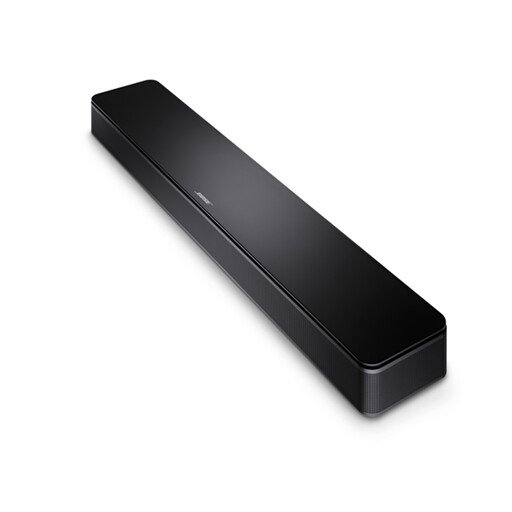
BOSE TV Speaker

BOSE TV Speaker

Consider this TV speaker for a separate listening need, not for adding streaming access. Check the TV's audio output and the speaker's connection options before choosing it.

View on Joybuy
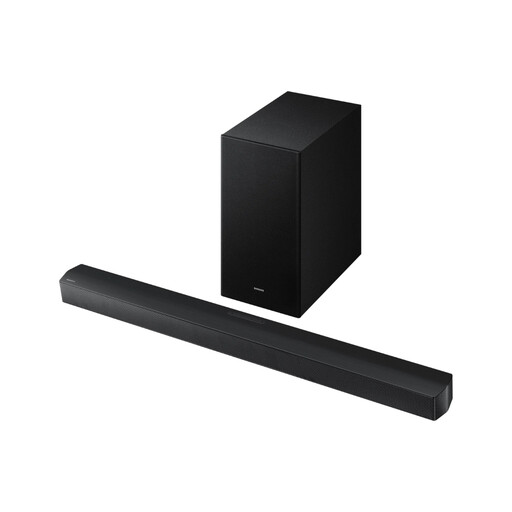
SAMSUNG HW-B650F/XU 3.1ch soundbar with wireless subwoofer

SAMSUNG HW-B650F/XU 3.1ch soundbar with wireless subwoofer

An audio addition to consider if the household wants to change its TV listening setup; it does not add streaming services. The named configuration is 3.1ch with a wireless subwoofer. Check compatible TV audio connections and space for both components.

View on Joybuy
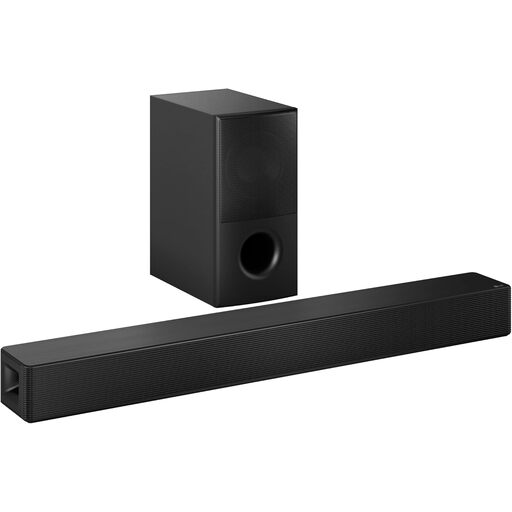
LG SH5A 320W 2.1-channel soundbar with wireless subwoofer

LG SH5A 320W 2.1-channel soundbar with wireless subwoofer

An audio option for a room with a specific listening need, rather than a way to update streaming apps. Its named configuration is 320W and 2.1-channel with a wireless subwoofer. Check the TV connection and where the components will sit.

View on Joybuy

Living-room streaming questions

When should I add a streamer instead of replacing the TV?

Add a streamer when the existing TV has a usable HDMI input and its screen still suits the room; consider a new TV when the display or its connections are the limitation. Roku says its players work with HDMI-equipped TVs, although picture formats remain limited by compatible TV hardware and content.

Will a 4K stick make an HD television display 4K?

No. Roku says 4K viewing requires a compatible 4K TV, and Google also specifies compatible content and a high-speed internet connection for 4K or HDR viewing.

What if streaming buffers only in the living room?

Check the connection at the TV location before replacing streaming hardware. Ofcom's home Wi-Fi testing found that the wireless link can become a bottleneck as distance from the router increases; if wiring is practical, check whether the exact streamer supports a compatible Ethernet accessory.

What connection speed does Netflix recommend for HD and 4K?

Netflix recommends a stable connection of at least 3 Mbps for 720p HD, 5 Mbps for 1080p Full HD and 15 Mbps for 4K UHD. These are Netflix playback recommendations, not a guarantee that every app or in-home Wi-Fi setup will perform the same way.

Is a VESA-compatible wall mount enough to ensure a suitable installation?

No. VESA defines a mounting interface, but you still need to match the TV's mounting pattern and weight to the mount and follow the instructions for the wall and fixings. Plan cable and HDMI access before installation, and seek qualified help if fixing suitability is uncertain.