Keeping a working screen
If you like your current picture but need particular streaming or catch-up apps, check support for those apps before replacing the screen. Which? also recommends checking app support for the exact TV model.


Keep your existing screen if its picture and connections still suit the room: check its apps or an HDMI-connected player against the UK services you use. Choose a Freely-enabled box when an integrated internet-delivered live-TV guide is the priority, and consider a new smart TV when the screen itself needs changing; check the exact model, power, network and any 4K or HDCP requirements before buying.
If you like your current picture but need particular streaming or catch-up apps, check support for those apps before replacing the screen. Which? also recommends checking app support for the exact TV model.
If you want UK live channels and catch-up over broadband, compare the individual apps you need with a Freely-enabled guide. Freely’s device information sets requirements for broadband viewing, and TV Licensing rules depend on what you watch.
If the screen, available connections, network arrangement or controls also need attention, weigh those needs alongside app access. Check the exact device instructions and screen specifications before choosing an add-on or replacement.
For a room with an existing screen, decide whether the screen itself needs changing, then check the services and connection path required for the viewing you want.
Choose when: The screen and an existing app, console or other compatible device already provide the services and features you need.
Trade-off: App support can depend on the exact TV model or software version, so a platform listing alone may not settle compatibility.
Choose when: You want to keep a satisfactory screen with a usable HDMI input and add a separate app interface.
Trade-off: The player needs power, internet and support for your required apps; a 4K player cannot make an HD-only screen display 4K.
Choose when: You want an integrated UK live-TV guide and catch-up over broadband on an existing HDMI screen.
Trade-off: Confirm the exact device and services; Freely specifies at least 10 Mbps broadband for live internet channels or on-demand viewing.
Choose when: The screen’s size, picture, condition or connections also need changing, or a particular built-in interface suits the room.
Trade-off: Check the replacement model’s specific app support and features; a smart-TV label alone does not confirm that it has every service you want.
| Concern | What to check when buying | Who this matters to |
|---|---|---|
| Essential apps and features | List the services and features you need, then check the exact device and software requirements with each provider. | If I rely on particular broadcaster or subscription apps, I want them to work on the exact model I choose. Consumers whose primary concern is access to essential apps account for around 33%. |
| Integrated live channels | Check whether the exact TV or box is Freely-enabled, which channels and players it provides, and the broadband requirement for your intended viewing. | If I want a familiar UK live-TV guide and catch-up over broadband, I would compare that with opening separate apps. Consumers prioritising an integrated broadcaster guide account for around 27%. |
| Screen and connection compatibility | Check for a usable HDMI input, suitable power and internet access; for intended 4K viewing, check the full device, screen and HDCP path. | If I am keeping my screen, I need the add-on to connect and receive power in this room. Consumers chiefly concerned with screen and connection compatibility account for around 20%. |
| Whether to replace the screen | Decide whether the current picture, size, condition and inputs still meet your needs; check apps on the exact replacement model. | If the display itself no longer suits the room, I need a replacement as well as internet TV; missing apps alone may call for a different solution. Consumers focused on changing the screen account for around 13%. |
| Remote and account setup | Check the exact remote’s TV-control functions, voice support and any account needed for setup. | If several people share the room, I want controls and setup that work for the household. Consumers whose main concern is the remote or account arrangement account for around 7%. |
Which? notes that app availability can vary by TV model. A replacement screen may not resolve the issue unless its exact model supports the service you need.
Check whether the app can be restored, then compare a compatible external player before deciding to replace the screen.
Freely distinguishes enabled TVs and streaming devices from general app players, so separate broadcaster apps may not provide the guide you want.
Check that the exact TV or box is Freely-enabled and confirm its channels and players. Freely specifies at least 10 Mbps broadband for live internet channels or on-demand viewing.
The screen, input and connection path affect whether intended 4K viewing is available. Netflix specifies an HDMI port supporting HDCP 2.2 or later for 4K playback through a connected player.
Check the screen, port, cable and power instructions for the exact device before choosing higher-resolution hardware.
A cable or power adapter may be needed for some setups; Google specifies that a certified HDMI 2.1 cable for its TV Streamer (4K) is sold separately.
TV Licensing says its rules depend on what you watch, not whether you use an aerial or streaming device. Live TV and BBC iPlayer viewing have specific licence requirements.
Check TV Licensing’s guidance for the programmes and services you intend to watch, and check whether any optional service has a separate charge.
HD and 4K HDMI players for adding a separate app interface to a screen you want to keep.
Streaming players in HD and 4K formats for adding an app interface to an existing screen.
The Aero 4K TV Streamer is an HDMI-connected Freely-enabled box for internet-delivered UK live channels and catch-up on an existing TV.
Google TV Streamer (4K) is a separate HDMI player for rooms where its controls or a wired network connection may suit the setup.
A smart-TV option when replacing the screen is part of the decision; Freely identifies participating Hisense models with the service built in.
These products cover HDMI streaming sticks for an existing screen and smart TVs for shoppers who also want to replace the display.
 No image available
For adding a streaming player while keeping a screen with a usable HDMI input and internet access.
4K; check that the screen supports the resolution you want.
 No image available
For adding a streaming player to an existing screen with a usable HDMI input and internet access.
4K; check the screen and the apps you need against the exact model.
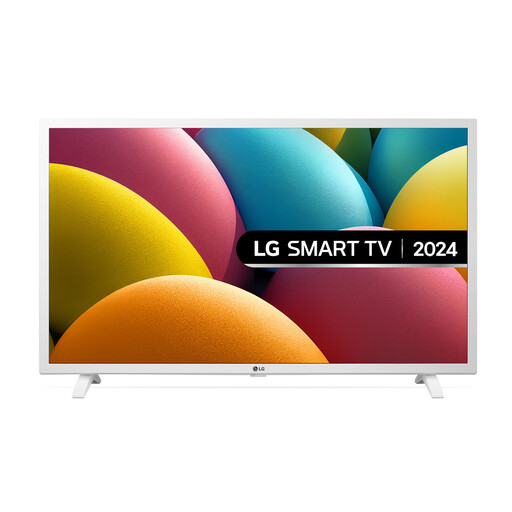 No image available
For replacing a screen while adding built-in internet TV; this is a television, not an HDMI add-on for keeping the existing screen.
32-inch; Full HD.
 No image available
For replacing a screen when you want Freely and Fire TV built into the television; it is not an add-on for keeping the existing screen.
50-inch; 4K Ultra HD; LED. Freely specifies at least 10 Mbps broadband for live internet channels or on-demand viewing.
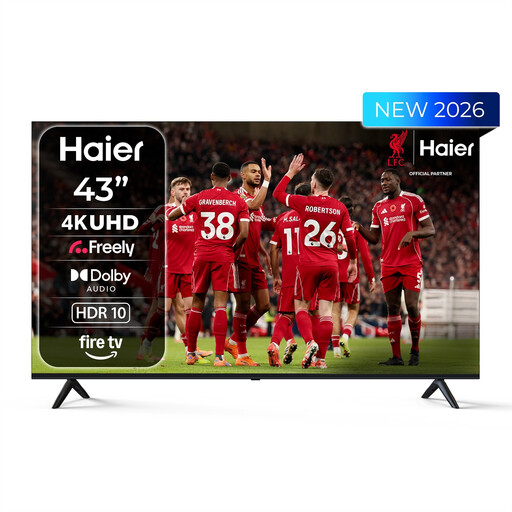 No image available
For replacing a screen in a room where you want Freely and Fire TV built into the television; it is not an HDMI add-on.
43-inch; 4K Ultra HD; LED. Freely specifies at least 10 Mbps broadband for live internet channels or on-demand viewing.
No. Check each provider’s support information against the exact device and software version. ITV lists supported platforms and a firmware requirement for ITVX on Roku and NOW sticks or boxes; Channel 4 also lists supported platforms.
Check for a usable HDMI input, suitable power, internet access at the screen and any account required for setup. Fire TV Stick HD (2nd generation) instructions explain what to do if power from the TV’s USB port is insufficient; other models may have different requirements.
No. The screen must support the resolution you want. For Netflix 4K through a connected player, Netflix also specifies a compatible HDMI port supporting HDCP 2.2 or later, an eligible plan and sufficient connection speed.
Freely says its broadcaster service does not require a subscription, but suitable equipment and at least 10 Mbps broadband are required for live internet channels or on-demand viewing. Netgem distinguishes free Freely access on PLEIO from its optional paid gaming and extra-channel subscription; other services may also have charges.
TV Licensing says you must be covered to watch live TV on any channel or streaming service, or to watch or download BBC iPlayer, regardless of device. Its guidance says a licence is not required for on-demand programmes on other services if you do not watch live TV or use BBC iPlayer.