What should you check before buying?
Start with the apps, features and screen you already have; then decide whether the problem calls for a new platform, a connection change or audio equipment.
Keep the TV platform
Choose it when: Your TV runs the required apps and features and remains comfortable to use.
Trade-off: Continued access depends on the TV model, its software and each app provider's support.
Add a streaming stick
Choose it when: The screen is suitable, a working HDMI input is available and you want a separate app platform.
Trade-off: A stick does not change the TV's display capabilities or guarantee every broadcaster feature.
Add a set-top box
Choose it when: You need a particular supported platform or a model with a built-in wired connection.
Trade-off: Connections vary by configuration: Apple lists Gigabit Ethernet for the Wi-Fi + Ethernet Apple TV 4K model.
| Priority | What to check | Your needs |
|---|
| Apps and features |
Check each service's current UK device list, the exact model and software version. Confirm live, regional and accessibility features separately; ITV and Channel 4 describe platform-specific differences. |
I want the programmes and features my household actually uses, not merely an app icon on the screen. |
| Sign-in and controls |
Check how accounts are linked on the chosen device, whether required profiles work there and whether its remote can control the TV as intended. |
Entering details and finding programmes should be manageable for everyone who uses the main TV. |
| TV and HDMI fit |
Confirm a working HDMI input and the TV's display capabilities. Apple states that 4K and HDR streaming on Apple TV 4K requires a 4K and HDR television. |
If my screen still suits me, I would rather assess an add-on platform before replacing the television. |
| Network connection |
Identify whether Wi-Fi is causing the disruption; check the exact device for built-in Ethernet or adapter compatibility. Amazon says Wi-Fi 6 use requires a compatible router. |
Playback is unreliable in the TV room, so I need to address the connection rather than assume a new app interface will fix it. |
| TV audio |
Check the TV and soundbar's labelled audio connections. HDMI Licensing Administrator describes eARC as a path for sending TV audio to compatible audio equipment through HDMI. |
The picture and apps suit me, but I want to change how the television's sound is played. |
| Cables and switches |
Check the required HDMI cable and available inputs. For a switch, confirm exact-model support for any required video and ARC/eARC functions rather than assuming they pass through. |
I need a connection arrangement that accommodates the equipment already attached to my TV. |
Platform and brand references
These platform examples help narrow compatibility checks; a brand name alone does not establish support for every model or app feature.
Amazon Fire TV
A streaming-stick platform to check when adding an HDMI device to a usable TV. ITV lists Amazon Fire among its ITVX-supported platforms.
- Amazon says Wi-Fi 6 use on Fire TV Stick 4K Max requires a compatible router.
- Amazon lists particular Fire TV models for its Ethernet Adapter; check the exact device before planning a wired setup.
Apple
Apple TV 4K is a set-top-box option where its platform or a wired connection is relevant. ITV lists Apple TV support for tvOS 18 or later.
- Apple specifies Gigabit Ethernet for the Wi-Fi + Ethernet Apple TV 4K configuration.
- Apple states that 4K and HDR streaming requires a suitable TV and that an HDMI cable is sold separately.
Samsung
An existing Samsung smart TV may remain the main streaming interface if its exact model supports the required services.
- Disney+ lists most Samsung smart TVs from 2016 onward that use Tizen as supported models.
- ITV lists Samsung smart TVs from 2017 onward for ITVX. Check each service's model and feature requirements separately.
Roku
A streaming-player platform to examine when UK broadcaster access and accessibility features matter.
- ITV lists Roku among ITVX platforms, and Channel 4 lists Roku for Audio Description support.
- Confirm the exact device, its software and the feature you need with each app provider before purchase.
Joybuy options for streaming and TV audio
These options cover an add-on streaming stick and soundbars for households changing how their main TV plays audio. Check your TV and required services before choosing between those different jobs.
 No image available
Roku Streaming Stick 4K
Consider this streaming stick if your TV screen still suits you but you want a separate app platform. Confirm a working HDMI input and check your required UK apps, features and software requirements for the exact Roku device.
View on Joybuy
 No image available
Bose Smart Ultra Soundbar, Arctic White
This soundbar is an audio option, not a way to add TV apps or change the picture. Check its connections against your television and the audio setup you intend to use.
View on Joybuy
 No image available
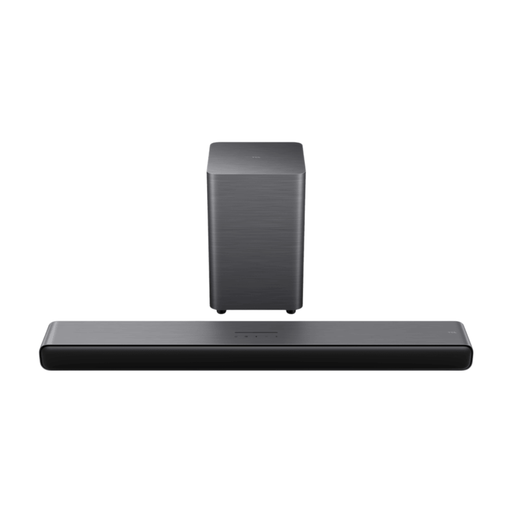
TCL S55H S Class 2.1-channel soundbar
The stated 2.1-channel configuration makes this an option to examine if TV audio is your concern. Check the exact TV-to-soundbar connection and available space; it will not replace a streaming platform.
View on Joybuy
 No image available
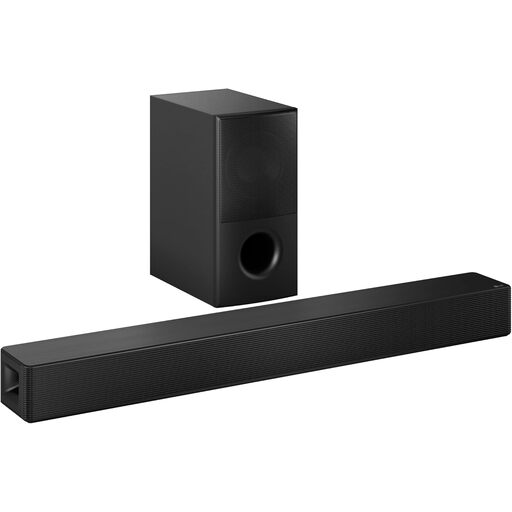
LG SH5A 320W 2.1-channel soundbar with wireless subwoofer
For a TV-audio change, this model is identified as a 2.1-channel soundbar with a wireless subwoofer and a stated 320W rating. Check its connection against your TV and allow space for the subwoofer; it does not add streaming apps.
View on Joybuy
 No image available
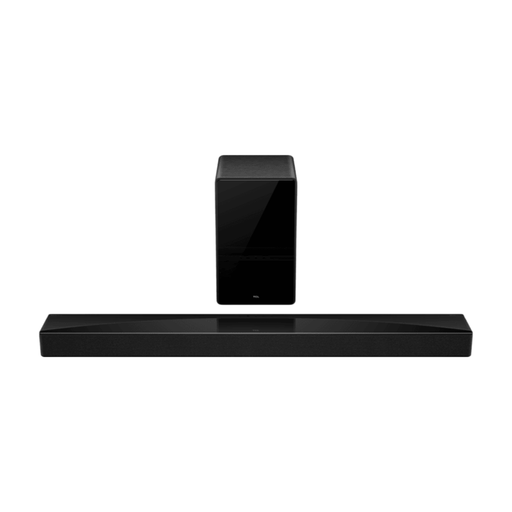
TCL Q75 Series 5.1.2 soundbar
This 5.1.2 soundbar belongs to the TV-audio route rather than the app-platform route. Check the exact model's connections and package contents against your television and planned placement.
View on Joybuy
Frequently asked questions
Should I check apps before buying a streamer or smart TV?
Yes. Check every service you rely on against its current UK device information, including the exact model and software requirements. ITV's ITVX support information, for example, distinguishes between TV and streaming platforms rather than treating every device with an app store alike.
Does installing an app mean all its viewing features will work?
No. ITV says live regional ITVX content is unavailable on some platforms, while Channel 4 lists Audio Description support for particular platforms. Check the specific live, regional, profile or accessibility feature you need on the device you plan to use.
When is Ethernet worth considering for streaming?
Consider a wired connection when you have identified the local Wi-Fi link as the problem and your streaming device has a suitable port or compatible adapter. Amazon lists particular Fire TV models for its Ethernet Adapter; wiring the device will not resolve an unsupported app or account problem.
Will a soundbar add streaming apps or improve the TV picture?
No. A soundbar changes the audio setup, not the television's app platform or display. HDMI Licensing Administrator describes eARC as a way to send TV audio to compatible audio equipment through an HDMI connection, so check both devices' ports if that is how you intend to connect them.


