Households missing favourite TV apps
If your current screen still suits the room but lacks an app or viewing feature, check the exact TV model and the device you might add. ITVX's guidance includes model-specific support differences.


Keep a satisfactory TV and add a compatible HDMI streaming device if the problem is access to its built-in apps; replace the TV when the screen itself no longer meets your needs. Check essential services on the exact model and confirm the inputs, power, network and audio connections before choosing. ITVX's device guidance illustrates why app support can vary by model.
If your current screen still suits the room but lacks an app or viewing feature, check the exact TV model and the device you might add. ITVX's guidance includes model-specific support differences.
If the screen itself needs replacing, compare its display and built-in platform together, then check app support for the exact model. Samsung UK's model details and ITVX's compatibility guidance illustrate why both checks matter.
If you want broadcaster viewing without an aerial or dish, check that the chosen route works with your TV and internet connection. Freely says its streaming device needs a TV with HDMI and a Wi-Fi connection.
When it fits: The screen still suits your needs, has a usable HDMI input and the chosen device supports your essential services.
Trade-off: The added device needs its own connection and power, and uses an HDMI input.
When it fits: You need a different main screen as well as a connected interface.
Trade-off: A new screen also means checking its built-in platform and the app support of the exact model; ITVX lists model-specific differences.
For a UK household choosing a main-screen setup, start with the problem to solve: app access, the screen, broadcaster reception or equipment connections.
| Concern | What to check when buying | Who this matters to |
|---|---|---|
| Service and feature access | Check each essential app against the exact TV or streamer model and the features you need; ITVX lists model-specific distinctions. | If the apps I rely on are missing, I would check the exact model and required features before changing the screen. Around 36% of consumers put access to essential services first. |
| Whether the screen needs replacing | Assess the current screen first. A streamer changes the content source, not the TV panel's native resolution, as Google TV Help explains. | If the screen itself no longer suits the room, I would compare replacement TVs rather than adding a player alone. Around 29% of consumers prioritise replacing the screen. |
| Broadcaster viewing route | Distinguish internet-delivered Freely from Freeview Play equipment, and check the required HDMI and internet connections; Freely and Freeview describe separate routes. | If I need a particular way to watch UK broadcaster programmes, I would check which equipment and connection that route requires. Around 21% of consumers prioritise broadcaster access. |
| Audio and physical connections | Check ports, cable contents and audio connections on the exact equipment. Google says the HDMI cable for Google TV Streamer (4K) is sold separately. | If my player, TV and audio equipment need to work together, I would check the ports and included cables before choosing an accessory. Around 14% of consumers prioritise connection and audio fit. |
Service support can vary by model or software, and ITVX distinguishes between some devices and viewing features.
Check the complete model and the specific live or on-demand features you need against the service's current device guidance.
Netflix identifies an HDMI-connected streaming device as one possible way to access Netflix when it is no longer available on an existing device.
Before replacing the TV, check whether a compatible external player supports the app and whether the TV has a usable HDMI input.
Freeview says Freeview Play requires compatible equipment, while Freely describes an internet-connected streaming route.
Decide which service you want and check the exact device and connection requirements before buying.
Google says the displayed resolution is limited by both the TV and the Google TV Streamer (4K). Google also says the streamer's HDMI cable is sold separately.
Check what the TV can display and what the chosen device includes before buying a player or extra cable.
A connected-TV option to consider when replacing the main screen. The QE65S83HAEXXU is a specific 65-inch OLED example, not a description of every Samsung TV.
The Aero 4K TV Streamer with Freely is an external option for keeping an HDMI-equipped screen while using an internet-delivered broadcaster route.
Google TV Streamer (4K) is an HDMI-connected box for keeping an existing screen; Google specifies built-in Ethernet.
These Joybuy listings cover adding a streaming stick to an existing TV and connecting HDMI equipment. Match the device and cable to your screen, ports and required connection length.
 No image available
A streaming-stick option for adding an external player to a TV rather than replacing the screen.
The product name specifies 4K and Doly Vision; check that the connected TV supports the formats you want.
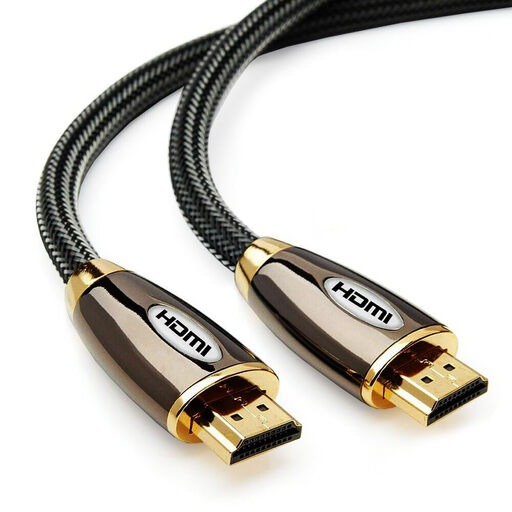 No image available
A 5-metre HDMI cable for connecting a TV and set-top box when the equipment needs extra reach.
The product name lists HDMI 2.0, 4K 2160p and Ethernet support.
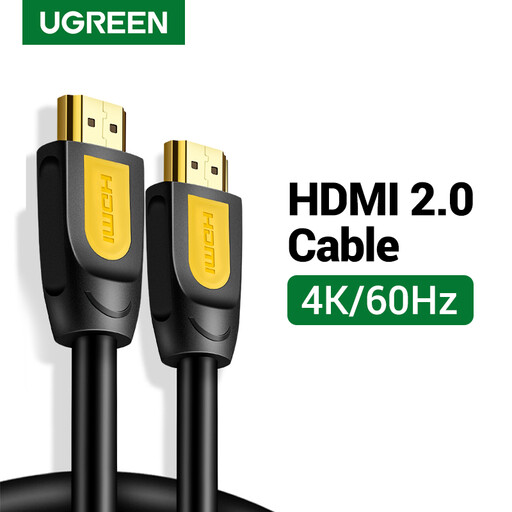 No image available
A 2-metre male-to-male HDMI cable for connecting HDMI equipment in a TV setup.
The product name specifies 4K at 60Hz; check that the connected equipment supports the format you want.
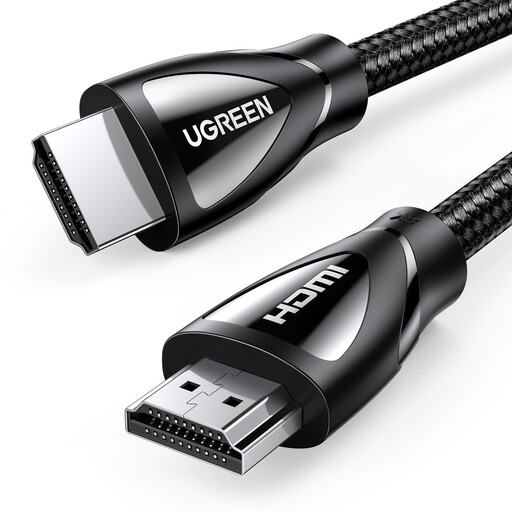 No image available
A 2-metre HDMI cable for connecting a TV with compatible source equipment.
The product name specifies HDMI 2.1 and 8K; check the requirements and capabilities of both connected devices.
No. Check each essential service against the exact TV model and software. ITVX lists platform and model exceptions, including a difference between on-demand support on 2016 Samsung models and support on later models.
No. Freeview says Freeview Play requires compatible equipment rather than a downloadable service; it identifies a Freeview Play recorder as one way to add the route to an existing TV. A Freely-enabled HDMI streamer is a separate route with different equipment requirements.
Check the ports on the TV, box and sound equipment, along with the box contents. Google says the HDMI cable for Google TV Streamer (4K) is sold separately, so confirm whether the required cable is included with the product you choose.
TV Licensing says you need a TV Licence to watch or record live TV on any TV or streaming service, or to watch or download BBC iPlayer programmes, including on demand. It says a licence is not needed solely for on-demand programmes on other services such as Netflix or ITVX if you do not otherwise watch live TV or use BBC iPlayer. The device you choose does not change those viewing-based rules.
Freely says its supported streaming devices provide its broadcaster service without an aerial, dish or monthly subscription; separately chosen paid services may have their own terms. For the Aero specifically, Manhattan advertises a two-year warranty. Check the current terms for the exact product.