Short-film app and casting users
If you find films through a particular app or on your phone, check whether that service has a TV app or supports casting to the device. Google lists casting from compatible apps for Google TV Streamer.


Choose a streaming device only after confirming that your short-film service has a compatible TV app or casting route; the device alone does not provide a particular film catalogue. A compact stick suits a simple TV setup, while casting needs or unreliable Wi-Fi may make a device with built-in Ethernet more relevant. For 4K viewing, the TV, film, service plan and connection must also support the quality you want.
If you find films through a particular app or on your phone, check whether that service has a TV app or supports casting to the device. Google lists casting from compatible apps for Google TV Streamer.
If you are adding streaming to another TV and want few visible cables, a compact HDMI stick may suit you. Roku says its Streaming Stick Plus plugs directly into HDMI and can draw power from the TV.
If Wi-Fi is unreliable where the TV sits, compare connection options as well as picture-format support. Google lists built-in Ethernet for Google TV Streamer, while Apple says 4K and HDR viewing requires a compatible TV.
Check access to your chosen short-film service before comparing setup, picture quality and controls. A device feature is useful only when the rest of your viewing setup supports it.
| Concern | What to check | Who this matters to |
|---|---|---|
| Service access | Check for your exact short-film app or a compatible casting route, then confirm access to the films you want. | If I follow films through one service, I need to know I can actually watch them on the TV. Around 36% of consumers would put service or casting access first. |
| Simple setup | Confirm a free HDMI input, the device’s power requirements and whether a cable is needed. | For a second TV, I want to get started without adding more cables than necessary; around 29% of consumers would prioritise straightforward setup. |
| Picture and connection | Match 4K or HDR support to the TV, film and plan; consider Ethernet if Wi-Fi is unreliable at the TV. | If playback drops in quality or pauses, the connection matters more to me than a longer feature list. Around 21% of consumers would put reliable playback first. |
| Accessible viewing | Check device navigation and the specific app and film for subtitles, audio description or signing. | I need controls I can use and films with the access services I rely on; around 14% of consumers would make accessible control and viewing their primary concern. |
A 4K-capable player cannot make a film, TV or service plan support a format it does not offer. Netflix notes that connection quality can also affect playback quality.
Check the TV specification, the film’s quality label and your service plan before choosing a device for 4K or HDR.
Hardware compatibility does not establish that your chosen app supports the device or that a particular film is in its catalogue.
Check the UK app or casting route and the film’s availability. Confirm any subscription, rental or account requirements with the service.
Google and Apple state that an HDMI cable is sold separately for their relevant streaming devices. Network needs also vary with playback quality.
Check the exact device’s box contents, the available HDMI input and your broadband allowance before ordering.
If you need a cable that is not included, allow for that additional accessory. Netflix lists up to 7 GB per hour per device for Ultra HD at its High data-use setting.
The streaming device does not determine whether viewing requires a UK TV Licence. GOV.UK distinguishes on-demand streaming from watching or recording live TV and using BBC iPlayer.
Check GOV.UK’s rules against the services and programmes you actually watch rather than assuming all streaming is treated alike.
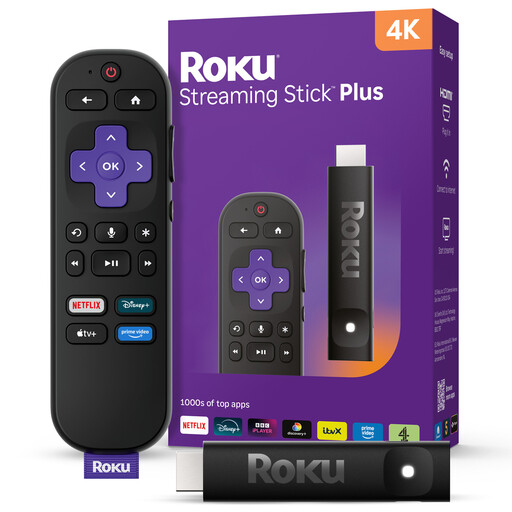
Roku Streaming Stick Plus is a compact HDMI option for a straightforward TV setup.
Fire TV Stick 4K Max is relevant if you want the Fire TV interface and a voice remote.
Google TV Streamer (4K) suits consideration when casting from compatible apps or a wired network connection matters.
Apple TV 4K is a set-top-box option for people using Apple services or considering a Wi-Fi + Ethernet configuration.
These Roku sticks are options for adding short-film streaming to a TV. Check your chosen service and the installation requirements for the exact model before deciding.
 No image available
Consider this compact stick for short films on a TV if your chosen service has a compatible Roku app. Check the TV connection, power requirements and box contents for this model before ordering.
 No image available
Consider this stick if your TV setup has a free HDMI input and your short-film service supports Roku. For 4K or Dolby Vision viewing, check the TV, film, plan and connection; confirm the device’s power requirements and box contents too.
Not for on-demand services such as Netflix or Disney Plus, according to GOV.UK. You do need a TV Licence to watch or record live TV on any channel or service, or to use BBC iPlayer; check the rules against your actual viewing.
No. The TV and individual film must support the format, and the service plan and connection can affect the quality available. Apple specifies a compatible TV for 4K and HDR, while Netflix notes that a slow or unstable connection can lower playback quality.
Start with a free HDMI input, internet access and the exact model’s power and cable requirements. For Google TV Streamer, Google also lists a Google Account and Google Home setup; its HDMI cable is sold separately.
Ethernet is worth considering if Wi-Fi is unreliable at the TV and you can run a cable there. Google TV Streamer has a built-in Ethernet port; a stable Wi-Fi connection may be sufficient without one.
No. Check the device controls and the specific app and film. Ofcom identifies subtitles, audio description and signing as access services, but their availability depends on the service and programme.