Households keeping a satisfactory TV
If the screen still suits you, check its HDMI inputs, the proposed player’s power needs and the apps you use before considering a replacement television.


Keep a television you are happy with if it has a usable HDMI input and an external device supports the apps your household needs. Consider replacing the TV when the screen, connections or built-in software are the problem. If live terrestrial channels and catch-up in one guide matter most, check whether a Freeview Play TV or recorder meets those needs.
If the screen still suits you, check its HDMI inputs, the proposed player’s power needs and the apps you use before considering a replacement television.
If you want terrestrial channels and catch-up in a shared guide, check aerial access for live viewing and an internet connection for on-demand programmes. Recording also calls for a suitable recorder model.
When several people use the TV, inspect the remote, captions, account sign-in and any child-profile settings on the exact device. Feature availability can depend on the platform and model.
Decide whether the existing screen and connections still work for your household before choosing an app platform; then consider how everyone will navigate it.
Consider it when: The existing HDMI television still meets your picture and sound needs, but you want a different app interface.
Trade-off: You will use a separate HDMI input and need to provide the player with suitable power and internet access.
Consider it when: You want terrestrial channels and catch-up together in a TV guide, or recording from a suitable recorder.
Trade-off: Freeview says live channels through its guide need an aerial, while catch-up needs internet access.
Consider it when: The existing screen or its connections need replacing, not just its streaming interface.
Trade-off: Built-in apps still need checking against the precise TV model and software version.
| Concern | What to check | Who this matters to |
|---|---|---|
| Required apps | Check each essential service against the exact UK TV or player model and its current software. ITV Support lists model- and version-specific conditions for ITVX. | If our regular catch-up or streaming service will not run on the new setup, the interface is little use to us. Around 36% of consumers put access to their required apps first. |
| Shared controls and accessibility | Inspect the remote’s TV controls, caption settings and available profiles; confirm accessibility features on the exact device. | Everyone using our living-room TV needs to find programmes and manage their own viewing without a confusing handover. For around 29% of consumers, shared navigation and access are the primary concern. |
| Keeping the current TV | Check HDMI availability, player power and network access. If 4K or HDR matters, check the display and connection chain too. | Our screen still suits us, so I would rather solve a connection or streaming problem than replace it. Around 21% of consumers chiefly want to extend the TV they already have. |
| Live TV and recording | Check aerial access for terrestrial channels and whether the chosen Freeview Play device is a recorder. Freeview states at least 2 Mbps for catch-up and on-demand viewing. | We want live channels in a familiar guide, with recording if we will use it. For around 14% of consumers, that integration takes priority. |
ITV Support lists conditions that vary by device and software version, so a general platform listing does not establish support for every model.
Check each essential app against the precise TV or player and its current UK software before buying.
Roku says some TV USB ports cannot supply enough power for its players.
Check the chosen player’s power instructions and whether a suitable mains socket is available.
The setup may need a compatible mains-power arrangement.
Freeview says live channels through its TV Guide need an aerial; internet access serves its catch-up content instead.
Check reception and the aerial socket before choosing a Freeview Play TV or recorder for live viewing.
A household without a usable aerial connection may need installation, repair or a cable run.
Roku says its Streaming Stick 4K works with an HDMI television, but a non-4K or non-HDR display will not gain those picture capabilities.
Check the TV’s display specifications and the HDMI connection chain before choosing a device for 4K or HDR viewing.
Roku’s Streaming Stick 4K (model 3820) is an HDMI-player option for keeping an existing television.
Google TV Streamer (4K) is a standalone player with a built-in Ethernet port, according to Google.
Amazon Fire TV Stick 4K Plus is a compact HDMI player with an Alexa voice remote and Wi-Fi 6 support, according to Amazon.
Apple TV 4K is a set-top player with Wi-Fi 6; Apple specifies Gigabit Ethernet for the Wi-Fi + Ethernet model.
Freeview Play brings live television and supported catch-up players together in the guide on compatible TVs or recorders, according to Freeview.
These televisions are options if you have decided to replace the screen and want built-in internet viewing. If your current TV still suits you, compare the cost and practical setup of keeping it with an external player instead; check essential apps on the exact model before choosing either route.
 No image available
Consider this model if you are replacing the television and want Freely and Fire TV built in.
The product name specifies HDR10 and an Alexa voice remote. Confirm your essential apps on this model and its current software; streaming requires internet access.
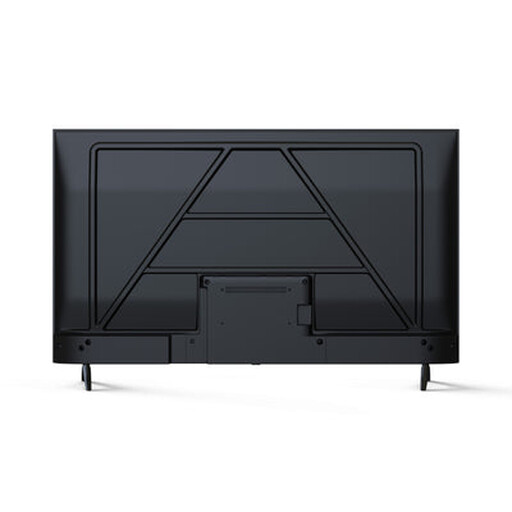 No image available
Consider this smaller-screen replacement if a 43-inch television fits the room and you want built-in internet viewing.
The product name specifies HDR10 and an Alexa voice remote. Check your required apps against this model and its current software; streaming requires internet access.
 No image available
Consider this replacement if you want a 50-inch television with built-in Freely and Fire TV and the listed QLED display.
The product name specifies HDR10+ and an Alexa voice remote. Confirm essential apps for this exact model and software version; streaming requires internet access.
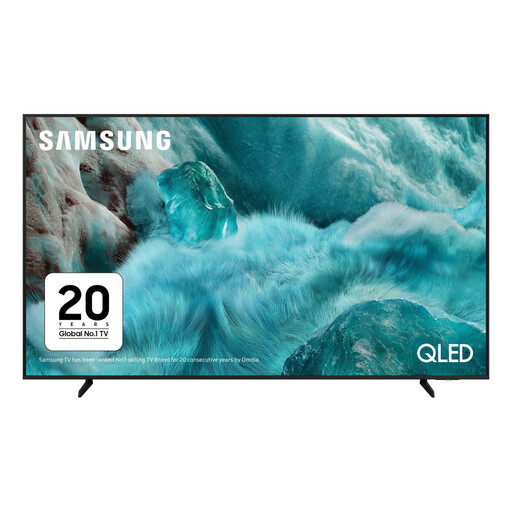 No image available
Consider this replacement if a 75-inch screen suits your room and you want a smart TV with built-in internet viewing.
Check the intended placement and confirm your essential apps on the exact model and current software before buying.
Yes, if the TV has a usable HDMI input and the chosen player can be powered and connected to the internet. Roku says its Streaming Stick 4K works with HDMI televisions, but an older screen will not gain 4K or HDR picture capability simply by adding the stick. Check the apps you need on the exact player.
Check every essential app against the precise UK model and its current software version, not just the platform name. ITV Support lists device-specific requirements for ITVX, while Channel 4 says TV viewing needs its app on a compatible smart TV or connected player.
You need an aerial for live channels through the Freeview TV Guide, according to Freeview. Catch-up and on-demand viewing instead need an internet connection; Freeview states a minimum of 2 Mbps for those services. Choose a recorder model if recording live television is important.
Choose controls and sign-in arrangements that everyone who uses the TV can manage. Check caption availability, the remote and each service’s account setup on the chosen device; Google says children’s profiles are available on some Google TV devices and in some regions, so confirm that feature before relying on it.
The device alone does not determine whether you need one. GOV.UK says a TV Licence is required to watch or record programmes as they are broadcast, or to watch on-demand BBC programmes on iPlayer. Check your intended viewing rather than assuming the rule changes with the hardware.