What matters when choosing?
Start with the room and the services you actually watch, then decide whether built-in apps or a separate streaming device make more sense for daily use. Treat Freeview Play as a specific catch-up option to check on the exact set, not as a substitute for checking every essential app.
| Concern | What to check | Who this matters to |
|---|
| Essential apps |
Check each service's current support for the exact TV or streaming device, including any model-year or software conditions. |
If I rely on several streaming and catch-up services, I need my essential apps to work on the device I choose. Roughly 36% of consumers would put app compatibility first. |
| Live TV and catch-up |
Check whether the exact set offers Freeview Play, which players it provides and how each player is accessed and signed into. |
Moving from a live programme to catch-up without searching several apps is my main priority; about 29% of consumers would put that navigation first. |
| Access and dialogue |
Try the required subtitles, audio description, controls and dialogue settings on the intended TV and apps; assess separate audio if needed. |
If I depend on access features or struggle to follow speech, a usable picture alone will not settle the choice. Around 21% of consumers would make access or dialogue their primary concern. |
| Room and setup fit |
Measure the intended space and check the TV's dimensions, stand and connections against any planned devices. |
Where the screen and any companion equipment must fit a particular space, placement drives my decision. Roughly 14% of consumers would prioritise room and setup fit. |
Joybuy TV choices
These televisions offer different screen sizes and built-in smart platforms for home viewing. Compare their fit in your room, then check current support for your essential catch-up and streaming services on the exact model; these TV choices do not replace a separate streaming-device or audio comparison.
 No image available
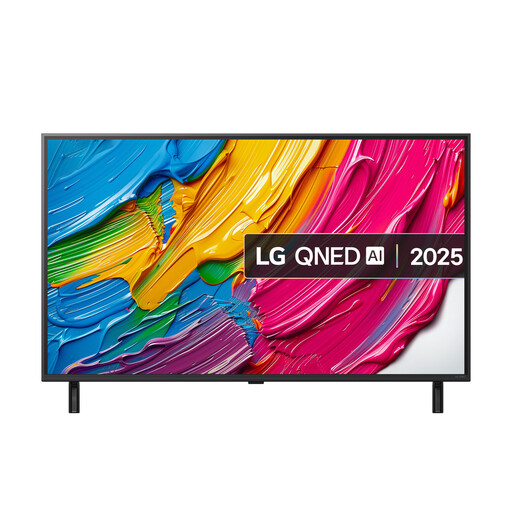
LG 43QNED80A6A 43-inch QNED 4K smart TV
Consider this 43-inch set if that screen size suits your viewing space and you want to assess LG's built-in smart platform. The product name specifies 4K UHD, an α7 AI Processor, AI Magic Remote, VRR, ALLM and eARC; check the exact model for the catch-up apps you need and try its dialogue settings if speech clarity matters.
View on Joybuy
 No image available
LG 32LQ63006LA 32-inch smart TV
This 32-inch set is worth checking where a smaller screen is needed. Its product name lists webOS, Freeview HD and AI Sound, but the title's HD Ready wording conflicts with a Full HD resolution stated elsewhere in the product information; confirm the exact resolution and the apps you need before deciding.
View on Joybuy
 No image available
Coocaa 40CTQH38ZUK 40-inch QLED Freely TV
Consider this 40-inch model if its stated Freely setup interests you for live and on-demand viewing. The product name lists Full HD, HDR10, Dolby Audio and TiVo; check which services and sign-ins are available on the exact model. Freely should not be assumed to provide the same setup as Freeview Play, and Dolby Audio alone does not establish dialogue clarity.
View on Joybuy
 No image available
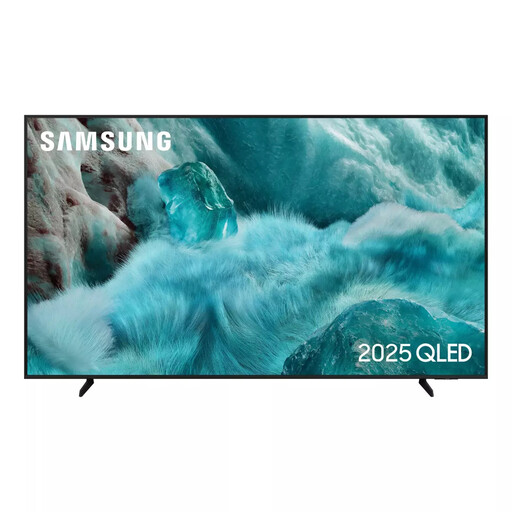
Samsung Q7F QE55Q7FAAU 55-inch 4K smart TV
This 55-inch model is an option to assess if a larger screen fits your room. Its product name specifies 4K Ultra HD and Wi-Fi; check the exact model for your essential UK catch-up and streaming apps rather than treating smart-TV capability as confirmation of support.
View on Joybuy
 No image available
TCL 55P8K-UK 55-inch QLED 4K Google TV
Consider this 55-inch set if its screen size and Google TV platform suit the setup you want. The product name lists HDR PRO, an ONKYO 2.1 sound system, Miracast and Google Cast; check essential apps on the exact model and assess dialogue separately if it is a priority. Confirm the gaming specification if you also intend to use the TV for gaming.
View on Joybuy
Common questions
Do I need a TV Licence if I stream programmes?
UK TV Licensing says you need TV Licence cover to watch live TV on any service, or to watch or download BBC iPlayer programmes. If you only watch other on-demand content, check your actual viewing against TV Licensing guidance rather than assuming that using the internet determines the answer.
Will Freeview Play catch-up work without setting up accounts?
No: Freeview says each on-demand player requires an account sign-in. Freeview also states a minimum broadband speed of 2 Mbps for catch-up and on-demand use; check the exact TV or box and the players your household wants.
Can I assume ITVX works on any new smart TV?
No. ITVX lists supported platforms with model conditions, including LG Smart TVs from 2016 onward and Samsung Smart TVs from 2017 onward. Check its current guidance against the exact model before buying.
When is a separate streaming device worth considering?
Consider one when an essential app is not confirmed for the TV, or when you want an alternative to its built-in software. Check every essential service against the exact external device and its software requirements; adding a device also adds setup and another control path.
When should I compare external audio equipment?
Compare it separately if dialogue is difficult to follow on the TV in the intended room or if the viewer's access needs are not met by the TV and apps. Ofcom identifies dialogue audibility alongside subtitles, audio description and signing as an accessibility consideration; a listed speaker feature alone cannot establish suitability for an individual listener.


