What to check before choosing
Keep the existing smart TV
Consider it: when its current software provides the apps and features you need and playback is reliable.
Trade-off: app support can depend on the exact model and software, so a platform listing alone may not settle compatibility.
Add an HDMI stick or player
Consider it: when the screen is satisfactory, has a suitable HDMI input and the player supports the missing services.
Trade-off: the player’s picture formats do not upgrade the TV’s display, and Wi-Fi still affects streaming.
Add a connected set-top box
Consider it: when a box-style interface or a service such as Freely suits the existing HDMI-equipped TV.
Trade-off: check the box’s individual apps and features; a streaming box is not automatically a programme recorder.
Replace the smart TV
Consider it: when the screen’s size, condition or display also needs changing and the exact new model has the services you want.
Trade-off: replacing the whole screen may be unnecessary if a compatible external player would address the app gap.
Ofcom’s connected-TV report describes smart TVs, set-top boxes and streaming devices as different ways to access online TV. For UK consumers choosing a main-TV setup, confirm app access first, then decide whether to keep the screen and check connection and equipment compatibility.
| Concern |
What to check when buying |
Who this matters to |
| Required apps and features |
Check each essential app and feature against the exact TV or player model and its software. |
If a particular catch-up service or feature is essential, I want confirmation for my exact device, not just its platform name. About 36% of consumers put access to required apps and features first. |
| Keep or replace the screen |
Decide whether the display itself needs changing; if keeping it, check for a free HDMI input. |
If the picture still suits me, I would rather compare an add-on before replacing the whole TV; if not, I need to assess the screen as well as its smart features. About 28% of consumers prioritise whether to keep or replace the television. |
| Reliable playback |
Check connectivity where the TV is used and distinguish local Wi-Fi trouble from a broadband issue. For Freely, its guidance recommends a minimum broadband speed of 10 Mbps. |
When apps are available but playback falters, I want to identify whether the problem is the connection near my TV before changing devices. About 18% of consumers put stable playback first. |
| Ports, picture and live viewing |
Check HDMI and power arrangements, the TV’s supported picture formats, and whether the live-channel guide uses an aerial or internet delivery. |
If I am choosing an add-on, I need it to connect to my TV and suit the picture it can display; I also need the right live-viewing method. About 18% of consumers prioritise equipment compatibility. |
These percentages describe a scenario-based allocation of consumers’ primary concerns, not measured UK survey results. The four groups are separated by their main purchasing priority; use the checks themselves to decide what applies to your household.
Joybuy smart TV options
These Joybuy options are smart TVs for households considering a replacement screen, with built-in online viewing features. Check app availability for the exact model and consider whether the display itself needs changing before choosing.
 No image available
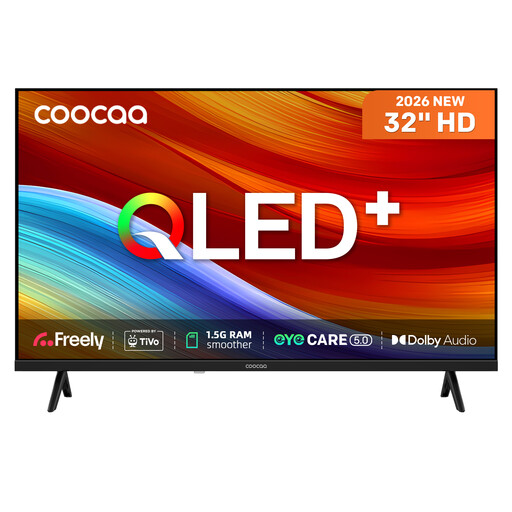
Coocaa 32CTQH38ZUK QLED smart TV with Freely and Tivo
For a household considering a replacement screen with built-in Freely and streaming apps.
32-inch QLED; HD; HDR10; Dolby Audio. The description lists HDMI, Wi-Fi and LAN, plus USB recording and time-shift features.
View on Joybuy
 No image available
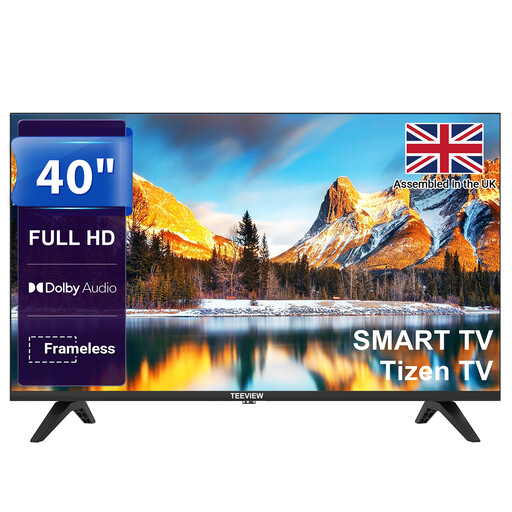
TeeView 40NFT0UK Full HD smart Tizen TV with Freeview Play
For a household considering a 40-inch replacement TV with built-in apps and catch-up viewing.
The product information lists Wi-Fi, Bluetooth and multiple HDMI ports, as well as Netflix, Disney+, Prime Video, BBC iPlayer and YouTube. Check the apps and features you need for this model.
View on Joybuy
 No image available
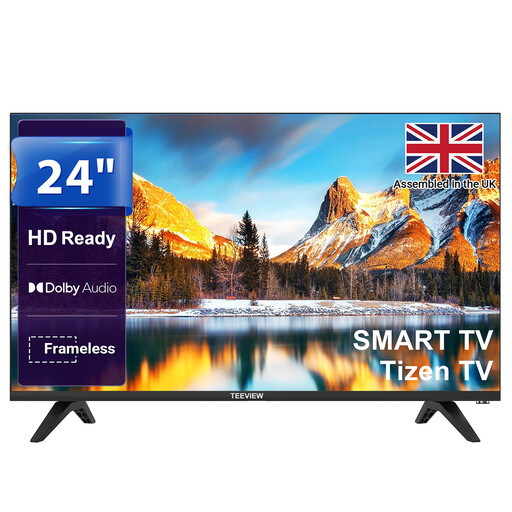
TeeView 24NFT0UK HD Ready smart Tizen TV with Freeview Play
For a household considering a compact 24-inch replacement TV with streaming apps.
The product information lists Wi-Fi, Bluetooth, HDMI and USB, plus Netflix, Disney+ and Prime Video. The title identifies Freeview Play; check the exact app features you need.
View on Joybuy
 No image available
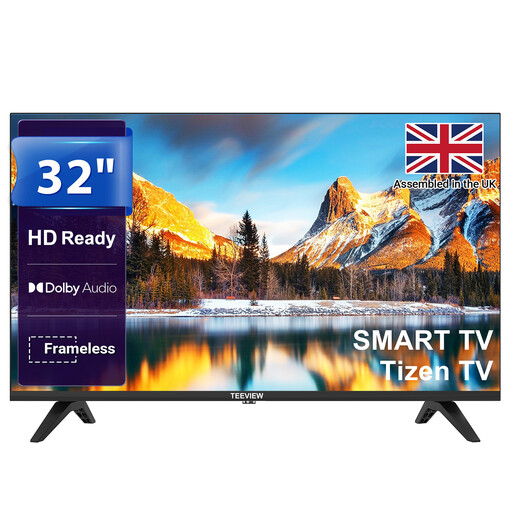
TeeView 32NFT0UK HD Ready smart Tizen TV with Freeview Play
For a household considering a 32-inch replacement TV with built-in viewing features and apps.
The product information lists Wi-Fi, Bluetooth, three HDMI ports and two USB ports, along with Netflix, Disney+, Prime Video, BBC iPlayer and YouTube. Check app availability for the exact model.
View on Joybuy
 No image available
LG 32LQ63006LA HD Ready smart webOS TV with Freeview Play
For a household considering a 32-inch replacement TV with built-in catch-up and streaming features.
The product information lists Wi-Fi, Ethernet, HDMI and USB, along with Netflix, Prime Video, Disney+ and Apple TV+. It also identifies Freeview Play and a seven-day guide.
View on Joybuy
Frequently asked questions
How do I check whether the apps I want will work?
Compare the current support information with the exact TV or player model and its software. ITVX notes that some models are not supported, and Channel 4 documents feature differences between platforms, so check the specific functions you use as well as the app name.
Do I need an aerial for catch-up or live channels?
Catch-up apps use the internet, while the viewing method for live channels depends on the service. Freeview says an aerial is needed for live channels through its TV Guide; Freely provides an internet-delivered route, with service and channel availability to check for your device.
What should I try before buying another device to fix buffering?
Check the connection where the TV is used and investigate local Wi-Fi coverage before changing hardware. Ofcom discusses router placement and mesh coverage, while Netflix notes that a slow or unstable internet connection can lower playback quality; a different player alone does not establish that the connection will improve.
What should I check for the rest of my setup?
Check whether the particular device needs an HDMI cable, a suitable power supply, an Ethernet cable or changes to home networking. Streaming-service subscriptions may be separate from the hardware, so check what is included and review the seller’s stated warranty and returns terms.
What UK product-marking and online cancellation rules apply?
The applicable product-marking requirements depend on where the electrical equipment is placed on the market. GOV.UK’s March 2026 table lists UKCA or CE for electrical equipment in Great Britain, and CE or UKNI together with CE in Northern Ireland. For qualifying online goods purchases, GOV.UK says consumers can notify the seller of cancellation within 14 days of receiving the item and then have another 14 days to return it. These general rules do not establish the status of any particular product.


