What matters when choosing
For a main TV used for UK catch-up and subscription streaming, establish which apps must work, then decide whether the limitation lies with the TV platform, the shared viewing arrangement or the connection.
| Concern |
What to check |
Who this matters to |
| Required apps |
Check each essential service against the exact TV or player model and its software version. |
If a catch-up app disappears, the main screen no longer serves its purpose for me. Around 33% of consumers put required-app compatibility first. |
| Keeping the screen |
Check for a usable HDMI input and whether a compatible player supports the picture format you need. |
My current picture is satisfactory, so I would rather address outdated apps than change the display. Roughly 27% of consumers prioritise keeping a suitable screen. |
| Shared viewing |
Check profiles, sign-in steps and remote arrangements for the services everyone uses. |
Several people use our main TV, and moving between their programmes and accounts needs to be manageable. Around 20% of consumers make shared viewing their primary concern. |
| Connection reliability |
Test playback at the TV during busy periods; check the service’s speed guidance and whether a wired connection is practical. |
My apps are available, but buffering interrupts what I watch, especially at higher picture quality. About 20% of consumers put connection reliability first. |
Joybuy products for these setups
These televisions provide built-in streaming platforms for households considering a new display; the Roku stick is a separate-player option for a suitable existing TV. Decide which change your current setup needs before comparing the models.
 No image available
Haier H43S80GUF 43-inch 4K QLED TV with Freely and Fire TV
Consider this model if you need a new main screen and want Freely and Fire TV built into the television.
The product name specifies a 43-inch 4K QLED display, HDR10+ and an Alexa voice remote. Check your essential apps against the exact model and ensure the internet connection suits your viewing.
View on Joybuy
 No image available
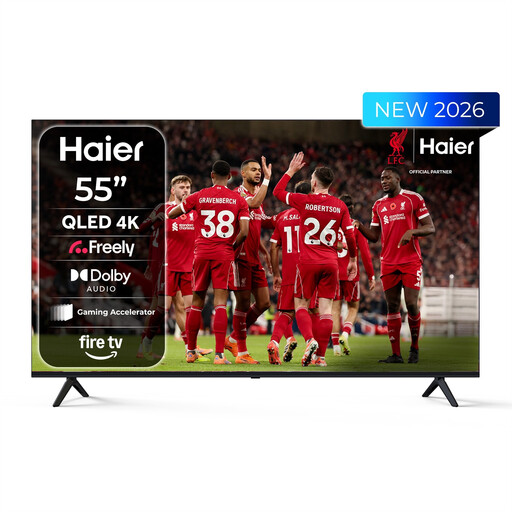
Haier H55S80GUF 55-inch 4K QLED TV with Freely and Fire TV
Consider this 55-inch model if you are changing the display and want Freely and Fire TV in the same television.
Its product name specifies 4K QLED, HDR10+ and an Alexa voice remote. Confirm app support for the H55S80GUF itself rather than assuming it matches another Fire TV model.
View on Joybuy
 No image available
Coocaa 40CTQH38ZUK 40-inch Full HD QLED TV with Freely and TiVo
This is a built-in Freely option if a 40-inch Full HD screen meets your display needs.
The product name also specifies TiVo, QLED and HDR10. Full HD is not 4K; check the exact model’s support for every broadcaster app you need.
View on Joybuy
 No image available
Roku Streaming Stick 4K
Consider a separate player if your existing TV has a usable HDMI input but its built-in streaming interface no longer meets your needs.
This is a 4K streaming stick. Check the current BBC iPlayer, ITVX, Channel 4 and subscription-app requirements for this exact device generation before buying.
View on Joybuy
 No image available
TCL 55V6C 55-inch 4K Google TV
This Google TV model is relevant if you intend to replace the display as well as its streaming platform.
The product name specifies a 55-inch 4K screen. Check broadcaster-app support for the exact 55V6C model; its stated 120Hz Game Accelerator is specified for Full HD, not as a 4K panel refresh rate.
View on Joybuy
Frequently asked questions
Can I add a streaming player to an older smart TV?
Yes, if the TV has a usable HDMI input and the chosen player supports your required services. Check each app for the exact player generation: a working television does not mean its older built-in apps will remain supported.
Does Freely need a TV aerial?
Freely says its internet-delivered live and on-demand service works over Wi-Fi without an aerial or dish. Check that the television or device includes Freely and that your connection is suitable.
Will ITVX profiles work on every TV platform?
No. ITV lists profile support on particular platforms, including Amazon Fire TV, Roku, Sky Q and Sky Glass. If separate profiles matter, check ITVX support for the device you intend to use.
What connection speed does 4K streaming need?
Netflix recommends a stable connection of at least 15 Mbps for its 4K streams, compared with 3 Mbps for HD and 5 Mbps for Full HD. Test the connection at the main TV, particularly when other household devices are in use.
Do I need a TV Licence with a streaming stick or smart TV?
The device does not determine the requirement. TV Licensing says UK viewers must be covered by a TV Licence to watch or download BBC iPlayer or to watch live TV through any service; watching other services solely on demand does not, by itself, require one.


