What to prioritise before buying
Identify whether the obstacle is app support, playback, controls or the television itself; each points to a different purchase or check.
| Concern |
What to check when buying |
Who this matters to |
| Required apps and support |
Check the exact UK TV or device model, firmware and required services. ITVX and Channel 5 publish support information that can vary by model or generation. |
If a particular catch-up or streaming app is essential, you will want to confirm it works on the exact setup before choosing a device. About 29% of consumers put app access and support first. |
| Playback at the TV |
Test the connection where you watch, then compare it with the guidance for the specific service and resolution. Consider Wi-Fi coverage or a wired connection where practical. |
If playback falters at the shared TV, you will want to identify whether the local connection is the problem before replacing hardware. Around 23% of consumers prioritise playback stability. |
| TV inputs and power |
Check available HDMI inputs, the power arrangement and whether the TV supports the resolution you intend to use. Roku’s setup guidance requires an HDMI input and notes that some TV USB ports may not provide enough power. |
If you are fitting a device to an existing screen, the available inputs, power and useful resolution shape the choice. About 18% of consumers prioritise physical fit and connection requirements. |
| Shared controls and accessibility |
Check the specific functions needed, such as TV volume controls, a remote finder or spoken menu guidance. Confirm operation in the menus and apps the household uses. |
If viewers share the TV or need a particular way to navigate it, you will want to check that exact function rather than assume voice search is spoken menu guidance. Around 18% of consumers put shared controls or accessibility first. |
| Avoiding unnecessary replacement |
Identify which part fails your requirements before buying. Check whether the issue is the screen, app support, controls or network, and whether the required accessories are included. |
If your current screen still works for you, you may prefer to change only the component causing the problem. About 12% of consumers prioritise avoiding unnecessary replacement and extra purchases. |
Joybuy products for streaming and home Wi-Fi
These Joybuy options cover home-network upgrades and a streaming player for an existing TV. A router may help with a diagnosed Wi-Fi coverage issue, but it does not add broadcaster apps; check app support separately for any streaming device.
 No image available
NETGEAR Orbi 370 RBE373 WiFi 7 Mesh System, 3-Pack
Consider this mesh system if the issue is Wi-Fi coverage around the home rather than missing TV applications.
The product description specifies Wi-Fi 7, Dual-Band BE3600 and a three-unit system, with Ethernet ports. It requires an existing modem or gateway; stated coverage and wireless performance depend on installation and network conditions.
Joybuy
 No image available
TP-Link Deco BE22 BE3600 Whole Home Mesh Wi-Fi 7 System, 3-Pack
Consider this three-unit mesh option when Wi-Fi coverage is the diagnosed issue and you are comfortable setting it up through an app.
The product description specifies Wi-Fi 7, dual-band operation, Ethernet ports and wired or wireless backhaul. Setup is described as using the TP-Link Deco app.
Joybuy
 No image available
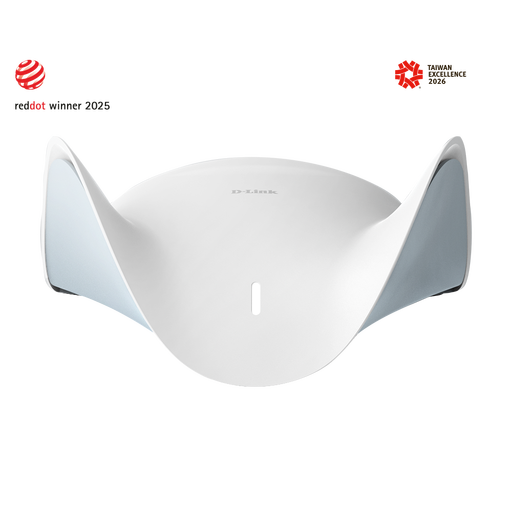
D-Link BE9500 Wi-Fi 7 Smart Mesh Router M95
Consider this router if you are researching a home-network upgrade for a connection-limited viewing setup.
The product description identifies tri-band Wi-Fi 7 with MLO, a 2.5-Gigabit WAN port and three 2.5-Gigabit LAN ports. Check whether its connection and mesh setup suit your existing network.
Joybuy
 No image available
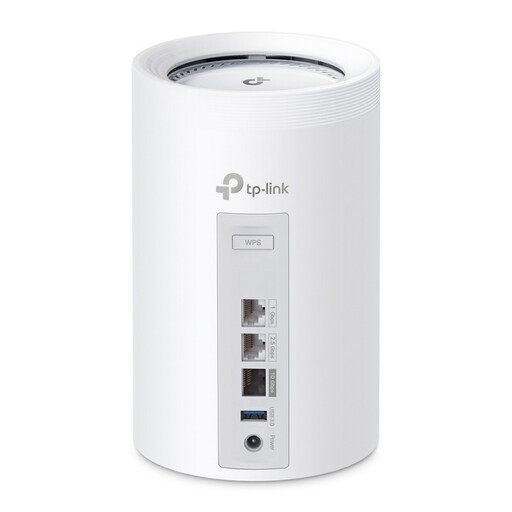
TP-Link Deco BE65 BE9300 Tri-Band Wi-Fi 7 Whole Home Mesh System, 3-Pack
Consider this three-unit mesh system when you are looking to improve the home network for viewing in different areas.
The product description specifies tri-band Wi-Fi 7 and Gigabit Ethernet. Check that the system’s connection options match the diagnosed network issue.
Joybuy
 No image available
Roku Streaming Stick 4KPlus
Consider a streaming stick if you want to add a player to an existing TV rather than replace a satisfactory screen.
The product description lists 4K streaming, TV power and volume controls, and a remote finder. Check the available HDMI input and confirm support for your required UK apps on the exact model and firmware.
Joybuy
Frequently asked questions
What should I check before buying for BBC iPlayer, ITVX, Channel 4 and 5?
Check the exact UK device or TV model, firmware and required viewing functions rather than relying on the platform name. ITVX and Channel 5 publish model or generation support information; Channel 4 describes viewing through its app on a smart TV or connected device. For Roku or NOW devices, check ITVX’s current firmware notice as well.
Will I need accounts to use broadcaster catch-up apps?
Plan for account setup as part of installation. The BBC describes pairing a TV with a BBC account, ITVX requires registration, Channel 4 provides a sign-in or registration flow, and 5 instructs viewers to sign in or register on a TV or streaming device.
How fast does my internet connection need to be?
Test the connection at the TV and use the guidance for the service you watch. Netflix recommends a stable connection of at least 3 Mbps for 720p, 5 Mbps for 1080p and 15 Mbps for 4K; these are Netflix recommendations, not universal thresholds for every service or household.
What should I do if a Roku stick reports insufficient power?
Follow Roku’s setup guidance and use the supplied USB cable. Roku says some TV USB ports cannot power the device adequately; if the warning appears, its instructions specify a 5 V, 1 A USB adaptor connected to a wall outlet.
Do security-update commitments guarantee that streaming apps will keep working?
No: a security-update commitment does not guarantee continued support from individual apps or broadcasters. Google lists five years of security updates for Google TV Streamer, while Amazon UK describes a conditional minimum of four years for eligible new purchases sold by Amazon on Amazon.co.uk, or the listed date if later. Check broadcaster support separately for the exact model.


