Households with an older but usable TV
If the picture and screen size still suit you but the TV apps do not, check whether an HDMI streaming device can provide the services you use before replacing the display.


If your television still meets your screen needs but its broadcaster apps do not, consider a compatible streaming device before replacing the TV. Replace the display when the screen itself or an integrated viewing setup needs to change; if sound is the problem, check the TV-to-soundbar connection instead. For UK live and catch-up viewing, confirm app support for the exact device and distinguish Wi-Fi-only channels from an aerial-backed line-up.
If the picture and screen size still suit you but the TV apps do not, check whether an HDMI streaming device can provide the services you use before replacing the display.
Households combining live channels, recordings and broadcaster apps need to check both device compatibility and how their chosen setup receives channels. Wi-Fi-only and aerial-backed viewing can offer different line-ups.
A soundbar choice depends on the TV’s audio connections. If subtitles, audio description or spoken navigation matter, check how the exact TV or streaming device provides those features.
Start with what is not working in the current arrangement: the screen, access to programmes, sound or reception. The answer determines whether a new TV, a streaming device, a soundbar or a connection change addresses the problem.
| Priority | What to check | Your needs |
|---|---|---|
| Broadcaster apps | Check each required app against the exact TV or streamer model and software version. ITV lists platform and firmware conditions for ITVX; Channel 4 publishes its own supported-platform list. | I watch live and catch-up programmes from particular broadcasters, so those services need to work on the device I choose. |
| TV or add-on | If keeping the TV, confirm a usable HDMI input and the streaming device’s network and power requirements. Consider replacing the TV when the screen or integrated viewing arrangement also needs to change. | My screen still suits the room; I mainly need another way to reach programmes. Or I need a different display as well. |
| Live channels | Check whether the wanted channels are available over Wi-Fi alone or need an aerial. Freely says its Wi-Fi-and-aerial setup has a wider, location-dependent line-up than Wi-Fi-only viewing. | I want to know which live channels this room can receive before relying on a streaming-only setup. |
| TV audio | Identify the TV’s labelled HDMI ARC/eARC port and the soundbar’s matching connection, or check another supported path. HDMI Licensing Administrator describes eARC as an audio-return connection; a port on just one device does not complete the setup. | Speech or shared listening is the issue, while the current picture and programme access are still suitable. |
| Accessibility | Check subtitles, audio description, guide indicators and navigation on the exact platform. Freely describes these features for its platform, including support that varies by device. | I need to find accessible programmes and use the TV guide comfortably, not just confirm that an app launches. |
ITV’s ITVX guidance includes model and firmware conditions, while Channel 4 maintains a separate platform list. A general smart-TV label does not establish support for either service on a particular model.
Check the exact model and software version against the support pages for every broadcaster app you intend to use.
Audio return over HDMI needs the appropriate labelled TV and soundbar ports and a compatible connection path. An eARC label on one component alone does not establish that the intended setup will work.
Note the TV’s port labels, then compare them with the soundbar’s connections and any HDMI passthrough arrangement.
A different cable or additional installation work may be needed if the planned connection cannot be made.
Freely says Wi-Fi-only viewing provides over 24 live channels, while a Wi-Fi-and-aerial connection offers a wider line-up that varies by location and transmitter.
Check the channels your household uses before disconnecting an existing aerial or choosing a Wi-Fi-only arrangement.
Using the wider aerial-backed line-up may involve aerial cabling or installation work.
For UK viewing, TV Licensing says a TV Licence is needed to watch live TV on any channel or streaming service, and to use BBC iPlayer on any device.
Check the household’s intended viewing against TV Licensing guidance; the device used does not remove those requirements.
These platform references can help narrow a device search, but support for a named service still needs checking on the exact model and software version.
A streaming-device platform to consider when retaining a TV with an HDMI input.
A streaming-stick and Roku OS TV platform for households considering an app-based add-on or integrated TV.
The Netgem PLEIO is a plug-in Freely device for adding that platform to an existing television.
The Manhattan Aero is a plug-in option for households considering Freely on an existing TV.
These options cover a streaming stick for an existing TV and soundbars for households keeping their screen but changing its audio setup. Check the TV’s ports and the services or connections you need against each exact product before buying.
 No image available
If the current TV still suits you but its audio does not, check which TV audio output can connect to this soundbar and whether the intended setup works with your other devices.
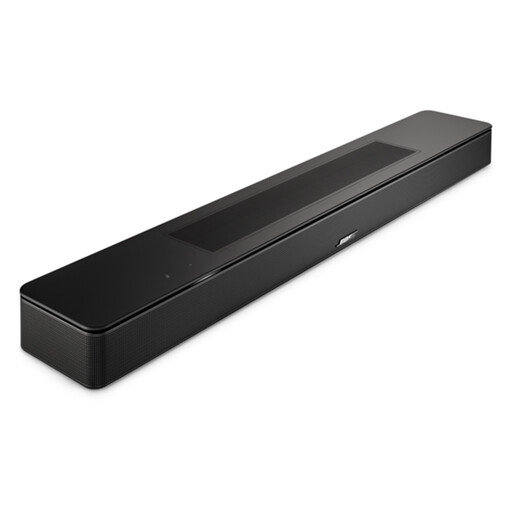 No image available
For a soundbar alongside an existing television, check the available space and confirm a compatible audio connection between this model and your TV.
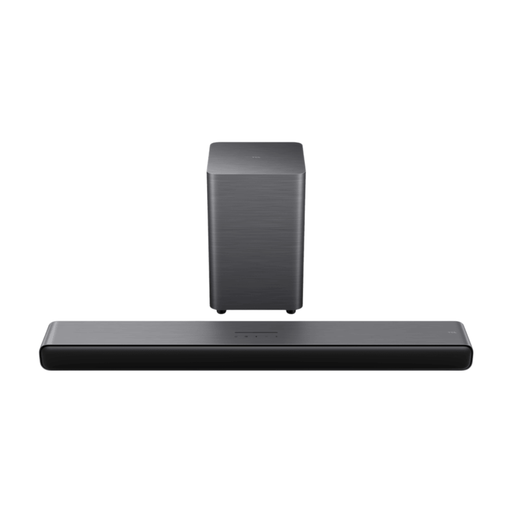 No image available
If you are adding TV audio rather than changing the display, confirm the S55H’s intended connection against your TV’s labelled ports and the space available for the setup.
 No image available
For adding streaming to a TV you plan to keep, confirm a free HDMI input and suitable network connection. Check ITVX and Channel 4 support for this exact Roku model and its firmware before relying on either app.
No. ITV sets platform, model and software conditions for ITVX, while Channel 4 publishes its own supported-platform list. Check both services against the exact TV or streaming device before buying.
Not for Freely’s Wi-Fi streaming route. Freely says Wi-Fi-only viewing provides over 24 live channels, while adding an aerial gives a wider line-up that varies by location and transmitter. Check the channels you want before deciding which connection to use.
Check the TV and soundbar for compatible, labelled HDMI ARC or eARC ports and confirm the intended cable and source-device arrangement. Dolby also describes HDMI passthrough as another connection path; the capabilities of the whole setup matter if a particular audio format is required.
Check subtitles, audio description, sign-language indicators and how the programme guide is navigated on the exact device. Freely describes guide icons, a high-contrast theme and voice guidance on supported devices, but those features should not be assumed on every TV platform.
No. For UK viewing, TV Licensing says you need a TV Licence to watch live TV on any channel or streaming service, or to use BBC iPlayer on any device. It says watching on-demand programmes on other services does not, by itself, require one.