Households replacing the main screen
If the current display is too small, awkwardly placed or otherwise unsatisfactory for watching together, assess the new screen against the room and seating layout as well as the apps you use.


Replace the smart TV if the shared screen itself no longer suits the room; add a streaming player if an HDMI-equipped display still works but its apps do not meet your needs. A soundbar addresses TV audio rather than app or picture limitations, while a projector calls for suitable space, placement and light control. Check the exact devices against your required services, connections and accessibility needs before buying.
If the current display is too small, awkwardly placed or otherwise unsatisfactory for watching together, assess the new screen against the room and seating layout as well as the apps you use.
An HDMI-equipped TV or projector with an ageing smart interface may be paired with a separate streaming player. Confirm that the player supports your required services and works with the display.
Where dialogue, subtitles or audio description affect whether everyone can follow a programme, check the relevant services and playback controls. A soundbar may address a TV-audio concern, but it does not supply programme access features.
Start with the part of shared viewing that needs to change: the screen, app platform, sound or room arrangement. More than one addition may make sense, but each must work with the display and services you intend to use.
Choose when: the existing screen needs replacing and you want apps built into the new display.
Bear in mind: a smart-TV label does not establish support for a particular app on the exact model.
Choose when: an HDMI-equipped screen still suits the room, but its streaming interface needs refreshing.
Bear in mind: the player cannot give the display picture capabilities it does not have.
Choose when: TV sound is the concern and the existing display otherwise meets the household’s needs.
Bear in mind: audio connections and any shared-control features depend on the exact models.
Choose when: a large image is the priority and the room can accommodate the screen and projector.
Bear in mind: placement distance and viewing conditions vary by model and room light.
| Concern | What to check | Who this matters to |
|---|---|---|
| Access to required apps | Check each service’s current device list against the exact TV or player model and software version. ITV Support notes that some models within supported TV categories cannot use ITVX. | If the screen still works, I would rather refresh its apps than replace it just to watch our usual services. Around 33% of consumers put app continuity first. |
| Sound and accessible viewing | Check the TV’s audio connection before adding a soundbar, and find out how your services provide subtitles, audio description and viewing profiles. | When several of us watch together, being able to follow dialogue or use the access features we need matters more than an audio-format badge. For around 27% of consumers, this is the primary concern. |
| Screen and room fit | Measure the proposed screen location and seating distance. If keeping a display, check its HDMI inputs and whether it can show any 4K or HDR formats you intend to use. | We need a permanent screen that works from our usual seats; a new streaming interface alone would not change that. Screen and room fit comes first for around 27% of consumers. |
| Dedicated large-image viewing | Check wall or screen space, seating distance, room light and the chosen projector’s specified placement distance for the intended image size. | I would make space for projection because a large image is our main aim, provided the room can accommodate it. Around 13% of consumers prioritise that dedicated setup. |
App support can depend on the platform, model and software version. ITV Support lists exceptions within some otherwise supported device families.
List the services your household uses, then check each provider’s current guidance for the exact TV or streaming-player model before ordering.
Roku and Apple state that 4K and HDR viewing require a compatible display. Amazon says Dolby Atmos availability depends on selected services and compatible equipment.
Check the content, service, player, connections, display and audio equipment together rather than judging one device in isolation.
Using a format may also call for a compatible display, sound system or cable, depending on the equipment already in place.
Epson’s guidance ties image size and placement to the room, lens and projector model; some projectors need a dark room for optimal viewing.
Measure the available space and consult the prospective model’s placement guidance. Consider the light in the room at the times you normally watch.
You may also need a suitable screen or wall, a practical installation position and separate audio equipment.
TV Licensing says the requirement depends on what you watch, not whether the picture comes from a conventional television.
Check your intended viewing: watching live TV on any service or using BBC iPlayer requires a TV Licence. Watching only on-demand programmes on other services does not, by itself, require one.
Roku streaming players offer a separate app platform for an HDMI-equipped display.
Fire TV devices are another way to add a streaming interface to a compatible display.
Apple TV 4K provides HDMI-based playback, with a wired-network option on the Wi-Fi + Ethernet model.
LG soundbars are relevant when considering audio alongside a television, particularly for model-specific LG TV integration.
Epson projectors are relevant to households planning a dedicated large-image viewing area.
These choices cover replacement smart TVs, a player for an existing HDMI display and a soundbar for adding TV audio. Match the individual model to your room, services and existing connections rather than treating the products as interchangeable.
 No image available
Consider this replacement TV if the household has room for a 98-inch shared screen. Measure the intended location and check the viewing distance before choosing it.
The listing specifies Google TV, four HDMI 2.1 inputs including eARC, a 144Hz native refresh rate and a 40W 2.1 Onkyo audio system. Check support for your required apps on this exact model.
 No image available
This is a replacement-screen option for a household considering built-in live and on-demand viewing platforms. Check that 50 inches suits the room and that the exact model carries your required services.
The listing specifies Freely, Fire TV, Wi-Fi, Ethernet and HDMI eARC. It describes a 60Hz native panel; its stated 120Hz DLG mode is limited to 2K resolution.
 No image available
Consider this 75-inch replacement screen where its dimensions and the household’s seating arrangement are suitable. Check current app support for the exact model and software version.
The listing specifies Google TV, a 144Hz native refresh rate and multiple HDMI 2.1 ports including eARC. It describes up to 2048 local dimming zones; that figure is a listing specification, not a measured picture-quality result.
 No image available
This player is for keeping a working HDMI-equipped display while changing its streaming interface. Check the precise device and current software against the services your household uses.
The listing specifies HDMI connection, a voice remote, 4K, Dolby Vision and HDR10+ support. Roku says its Streaming Stick 4K can work with an HDMI TV that lacks 4K or HDR, but that TV will not display those formats.
 No image available
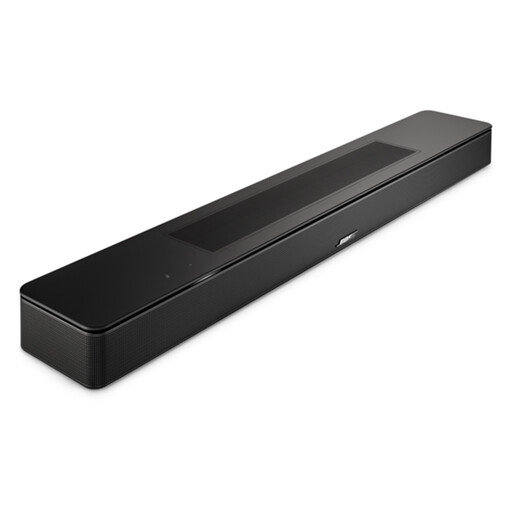
Consider adding this soundbar when TV audio, rather than the screen or app platform, is the concern. Check the intended TV’s audio output and how its controls will work with the soundbar.
The listing specifies HDMI eARC and optical inputs, an included HDMI cable and an A.I. Dialogue Mode. Subtitles and audio description must still be checked through the programmes and services you watch.
Check each service provider’s current supported-device guidance for the exact model, platform generation and software version. ITV Support, for example, excludes some models within otherwise supported TV categories and specifies minimum software requirements for certain devices.
No: a streaming stick cannot add 4K or HDR picture capability to a display that lacks it. Roku says its Streaming Stick 4K can still operate with an HDMI TV without those capabilities, so a player may refresh app access even when the picture format stays the same.
A TV Licence is required in the UK if you watch live TV on any service or use BBC iPlayer, whatever device displays it, according to TV Licensing. Watching only on-demand programmes on other services does not by itself require a licence; decide based on what the household intends to watch, not the type of screen.
Do not assume that it can. Netflix defines its Household around devices connected at the main place where Netflix is watched and says an account may not be shared outside it; check the current terms of each service you plan to use at another address.
Check both the programmes and services you use and how the intended device lets viewers find and control those features. Ofcom identifies subtitles, signing and audio description as access services, but choosing a particular TV, player or soundbar does not by itself establish their availability for every programme.