If your existing TV has a working HDMI input and its screen still suits you, start by considering a separate streaming player rather than replacing the TV. A connected Freeview Play route is worth considering if catch-up services alongside aerial-based live TV matter; replace the screen when its condition, inputs or capabilities are themselves the problem. Whichever route you choose, check the exact UK apps you need and the connection available where the TV sits.
Who each route suits
Owners of an HDMI TV with outdated apps
If the screen still works well, an HDMI streaming player lets you consider newer apps without replacing it. Check that an input is free and that the specific UK device carries your required services; Roku and Google describe HDMI-connected player setups.
Households combining catch-up with live TV
Freeview Play is relevant if you want public-service catch-up alongside conventional Freeview channels. Freeview says on-demand viewing needs an internet connection, while aerial-delivered live channels need a working aerial.
Rooms with unreliable Wi-Fi
If the wireless connection is weak where the TV sits, consider a player or box with an Ethernet port or a documented compatible accessory. Apple offers a Wi-Fi + Ethernet Apple TV 4K configuration, while Google documents Ethernet options for compatible devices.
What to check before buying
HDMI streaming player
Choose it when: Your existing screen suits you and has a free HDMI input, but its built-in apps do not meet your needs.
Bear in mind: The player needs its specified power connection, and 4K or HDR hardware cannot give an incompatible TV those display capabilities.
Connected Freeview Play device
Choose it when: Freeview's live-TV guide and UK catch-up services together are central to how you watch.
Bear in mind: Freeview says on-demand viewing needs internet access, while conventional aerial-delivered live channels need a working aerial.
New smart TV
Choose it when: You also need to replace an unsuitable screen or cannot use a standard HDMI player with your current TV.
Bear in mind: A smart-TV label does not establish which of your required UK apps the exact model supports.
| Concern | Buying checks | Who this matters to |
|---|
| UK apps and catch-up |
List your required services, then check their availability on the exact UK device. Freeview identifies BBC iPlayer, ITVX, Channel 4, 5 and UKTV Play for its connected Freeview Play platform. |
If I rely on particular catch-up and streaming services, I need to know I can open them on the device I choose; around 40% of consumers put required app access first. |
| TV and display compatibility |
Check for a free HDMI input and the device's power and cable requirements. If you want 4K or HDR, check the TV's matching capabilities too. |
Keeping my current screen only makes sense if the new player connects to it and provides the picture formats I expect; around 30% of consumers put TV compatibility first. |
| Connection at the TV |
Test Wi-Fi where the TV sits. If you need a cable connection, confirm Ethernet support for the exact model or accessory and a practical cable route. |
When Wi-Fi is inconsistent in the room, I care most about having a workable connection for streaming; roughly 30% of consumers put network reliability first. |
Buying mistakes to avoid
-
Assuming every connected TV has the same catch-up apps
Internet access alone does not establish support for a particular service. Freeview identifies a set of catch-up services on Freeview Play, but that does not establish the app selection on every other device.
Check your must-have services against the exact UK model before choosing a TV, stick or box.
-
Expecting a 4K player to upgrade an HD screen
Roku and Apple distinguish a player's 4K or HDR capability from the TV and content needed to view those formats.
Check your TV's resolution and HDR support if those formats are part of your reason for choosing the player.
-
Choosing an HDMI stick without checking the sockets
The Roku, Google and Apple player routes described here connect through HDMI. They are not a confirmed fit for a TV without a usable HDMI input.
Inspect the TV's rear and side inputs, and choose a route explicitly compatible with its connections.
-
Treating Wi-Fi specifications as a connection test
A device's wireless features do not tell you how well Wi-Fi reaches your TV. Amazon says the benefit of Wi-Fi 6 also requires a compatible router.
Test the connection at the TV, then check model-specific Ethernet options if you need a wired route.
A wired setup may also require a compatible adapter and a cable route to the TV.
Brands and platforms to consider
Roku
HDMI streaming players for adding online TV to an existing screen.
- Roku says its Streaming Stick 4K connects to a TV's HDMI port and that its 4K players can work with HDMI televisions.
- A compatible display is still needed to view 4K or HDR; check required UK apps on the particular player.
Amazon Fire TV
HDMI streaming sticks, including models with specified Wi-Fi 6 capabilities.
- Amazon states that its Fire TV Stick 4K Max works with HD and 4K UHD televisions.
- Viewing 4K needs a 4K TV and suitable content. Check router and Ethernet-adapter compatibility against the exact Fire TV model.
Apple
Apple TV 4K set-top boxes for households considering Apple-device integration.
- Apple specifies a Wi-Fi + Ethernet configuration with Gigabit Ethernet.
- Apple specifies a compatible 4K and HDR TV for those viewing formats and says an HDMI cable is sold separately.
Google
HDMI-connected Chromecast and Google TV Streamer routes for households considering casting and Google Home setup.
- Google documents HDMI connection and Ethernet options for compatible setups.
- Google limits 4K content support to specified models; check the product generation and TV capability.
Freeview Play
A connected-TV platform, rather than a single hardware manufacturer, for combining catch-up with Freeview live-TV functions.
- Freeview identifies BBC iPlayer, ITVX, Channel 4, 5 and UKTV Play alongside live television in its connected guide.
- On-demand viewing needs internet access, while conventional aerial-delivered Freeview channels need a working aerial. Connections and functions depend on the device.
Joybuy products for streaming or replacing a TV
These products cover two choices: Roku sticks for adding streaming to an existing HDMI TV, and Haier smart TVs for replacing the screen while adding connected viewing. Check required UK apps on the exact model before deciding.
 No image available
Haier H50S80GUF 50″ 4K QLED Smart TV with Freely and Fire TV
Consider this model if replacing the screen is part of your plan, rather than simply adding a player. Its stated features include a 50″ 4K QLED display, HDR10+, Freely and Fire TV.
Check that the Freely channels and streaming apps you need are available on this exact model; streaming requires internet access.
Joybuy
 No image available
Roku Streaming Stick 4K
Consider this stick for adding streaming to a TV with an available HDMI input. Roku says its 4K players work with HDMI televisions, although viewing 4K or HDR needs a compatible display and content.
Check the required UK apps for this exact stick before choosing it.
Joybuy
 No image available
Haier H50K85GUF 50″ 4K LED Smart TV with Freely and Fire TV
This is a screen-replacement option with built-in connected-viewing platforms. Its stated features include a 50″ 4K LED display, HDR10, Freely and Fire TV.
Confirm the required Freely channels and UK apps on this exact model; streaming requires internet access.
Joybuy
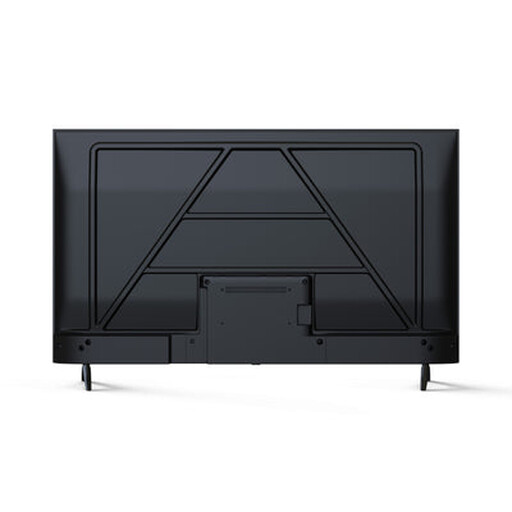 No image available
Haier H43K85GUF 43″ 4K LED Smart TV with Freely and Fire TV
Consider this screen-replacement option if a 43″ display fits the space you have in mind. Its stated features include 4K LED, HDR10, Freely and Fire TV.
Check the required Freely channels and UK apps for this exact model; streaming requires internet access.
Joybuy
 No image available
Roku Streaming Stick 4KPlus
Consider this add-on player if you want to keep an HDMI-equipped TV rather than replace its screen. The product is identified as a 4K streaming stick; Roku says viewing 4K or HDR still depends on a compatible TV and content.
Confirm its connection requirements and the UK apps you need on this exact model.
Joybuy
Questions about streaming on your TV
Will a 4K streaming stick make my HD TV show 4K?
No. Roku says its 4K players can work with HDMI TVs, but viewing 4K needs a compatible 4K television; HDR likewise needs a compatible display. Apple also specifies a 4K and HDR TV for viewing those formats through Apple TV 4K.
Do I need an aerial for Freeview Play?
You need a working aerial for conventional aerial-delivered Freeview live channels, according to Freeview's setup guidance. Freeview says on-demand content instead requires an internet connection; check the connections and functions of the particular TV or box.
Would an Ethernet adapter help with streaming?
Consider Ethernet if Wi-Fi is unreliable where your TV sits and the exact device supports a wired connection or compatible adapter. Amazon lists model-specific compatibility for its Fire TV Ethernet Adapter; Apple offers a separate Apple TV 4K Wi-Fi + Ethernet configuration.
Do I need a TV Licence to use a streaming stick or smart TV?
The device itself does not determine whether you need one. TV Licensing says you need to be covered by a TV Licence to watch live TV on any channel or streaming service, or to use BBC iPlayer. Watching only on-demand programmes on other services does not, by itself, trigger that requirement.


