Dark-room theatre enthusiasts
If you usually watch with the lights controlled, dark stage backgrounds, spotlights, costume detail and a picture that respects the recording’s framing are likely to guide your choice.


For theatre recordings in a mostly dark home cinema, start with an OLED TV; if daylight and reflections regularly interfere, compare Mini LED LCD models with documented glare-handling features. Neither display type settles the choice on its own: match picture modes and HDR formats to the recordings you watch, and check HDMI eARC and the rest of the audio setup if clear dialogue and music call for external speakers.
If you usually watch with the lights controlled, dark stage backgrounds, spotlights, costume detail and a picture that respects the recording’s framing are likely to guide your choice.
If performances are on during the day as well as in the evening, consider where windows and lamps reflect in the screen before settling on a display type.
If spoken lines, singing and orchestral passages matter most, assess the TV’s sound and whether you want a compatible soundbar or AV receiver.
Consider it when: You mainly watch in a controlled, dark room and want to assess how a TV renders spotlit performers against dark scenery.
Check before choosing: An OLED panel alone does not tell you how reflections will look in your room; compare the exact model under your usual lighting.
Consider it when: Daytime viewing or reflections are a recurring obstacle. Samsung describes glare handling and adaptive brightness on its QN900F, but those are model-specific manufacturer claims.
Check before choosing: Compare the candidate model’s reflections, viewing angles and picture settings rather than assuming every Mini LED TV behaves alike.
| Concern | What to check | Who this matters to |
|---|---|---|
| Stage contrast and picture fidelity | Look for a cinema-oriented picture mode and check how the exact TV presents a dark stage scene. Match its HDR formats to your recordings. | When performers move between spotlights and dark scenery, I want to follow the action without losing shadow detail or the intended framing. Around 31% of consumers would put picture fidelity first. |
| Glare and daytime viewing | Assess windows, lamps and seating positions; check any anti-reflection or adaptive-brightness feature on the exact model. | Daytime reflections can pull my attention away from a performance, so the picture needs to remain comfortable to watch in my living room. Roughly 25% of consumers would make room-light visibility their primary concern. |
| Dialogue and music | Listen to speech through the TV speakers; if using external audio, confirm the eARC port and equipment compatibility. | I want to hear spoken lines and singing clearly and may use a soundbar or AV receiver for the soundtrack. Clear dialogue and an external-audio path would come first for about 25% of consumers. |
| Recording and service compatibility | Check your titles, apps and playback devices for resolution, HDR and audio formats. For Netflix UHD/4K, Netflix recommends a stable connection of at least 15 Mbps. | If most of my recordings use different formats from those advertised for a TV, I want to know before choosing it. Around 19% of consumers would prioritise matching the TV to their playback sources. |
The available picture and sound formats depend on the recording and playback setup; a TV cannot add detail that the source does not contain.
Check the resolution, HDR label and sound format of the productions you watch most, including what your service and device can play.
Reflections and daylight affect viewing, while a display label alone does not establish how a particular screen handles them. Samsung’s glare-handling claims, for example, concern its specified QN900F model.
Note where windows, lamps and seats sit, then assess candidate screens under lighting similar to your own.
An eARC connection does not mean every theatre recording will play in Dolby Atmos. Netflix says Atmos also depends on compatible equipment, a qualifying plan, suitable streaming quality and availability for the title and language.
Check the TV port, soundbar or receiver, player or app, plan and recordings as one playback chain.
External audio also requires space for the equipment and a workable cable route.
Energy Saving Trust notes that larger appliances often use more energy even when they have the same efficiency rating.
Choose a size that suits your seating and room, then compare energy labels and model-specific energy information among similarly sized TVs.
Sony’s BRAVIA OLED range is relevant if you are considering a 4K display alongside external audio.
LG is relevant if an OLED TV with a specified Filmmaker Mode is on your shortlist.
Samsung’s Neo QLED range is relevant to viewers assessing room-light handling.
These OLED and Mini LED TVs offer different screen sizes for a theatre-recording setup. Check room fit, your recordings’ formats and external-audio connections on the exact model before choosing.
 No image available
Consider this large-screen option for a home-cinema room where the 83-inch size suits the seating and installation space.
Check its picture modes and HDR formats against your recordings, and confirm the audio connections if you plan to use a soundbar or AV receiver.
 No image available
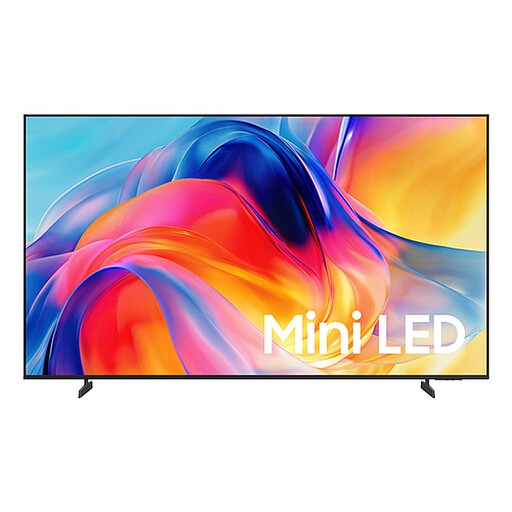
A 65-inch Mini LED option to assess if you also watch theatre recordings with the room lights on.
Confirm that the TU65M70H model offered matches the M70H identifier used in its description before relying on model-specific features. Assess reflections in your room rather than assuming a particular result from the Mini LED name.
 No image available
The 42-inch size is worth considering where a larger screen would not suit the seating or installation space.
The title lists Dolby Vision; check whether your recordings provide it. If external audio is important, confirm the exact HDMI audio-return connection before choosing.
 No image available
Consider the 65-inch size for a controlled-light viewing space if it fits your seating arrangement.
Dolby Vision is named in the title; compare that format with your theatre recordings. Confirm the model’s audio-return port if a soundbar or AV receiver is part of your setup.
 No image available
This 55-inch Mini LED model is an option to assess where room light affects viewing.
Compare its screen under your usual lighting, check the formats of your recordings and confirm the HDMI audio-return connection if you intend to add external speakers.
It is a useful starting point if the exact TV includes it and you want to avoid added motion smoothing. The UHD Alliance says Filmmaker Mode is designed to preserve the source’s aspect ratio, colours and frame rate while disabling post-processing; adjust the picture as needed for your room.
Prioritise eARC if you want to send sound from TV apps or connected sources to compatible external audio equipment through that connection. Confirm the TV port, the soundbar or receiver and the recording’s audio format; eARC alone does not guarantee Dolby Atmos playback.
No: the recording and playback service must provide the relevant quality and format. Check the title, plan and device; for Netflix UHD/4K streaming, Netflix recommends a stable connection of at least 15 Mbps.
Compare model-specific energy information alongside screen size, preferably among TVs of a similar size. Energy Saving Trust notes that larger appliances often use more energy even when they have the same efficiency rating.