What should you check before buying?
Replace the TV
Choose this when: The existing screen or its connection layout no longer meets your viewing and device needs.
Keep in mind: Apps and port capabilities vary by exact model, and app support can change over time.
Keep the screen and add streaming
Choose this when: The display still suits you, but its built-in platform lacks a service you use.
Keep in mind: The add-on needs a suitable HDMI connection and its own setup; confirm support for each required app.
Map your existing devices and services first, then check the connections and features that matter to your setup.
| Priority |
What to check |
Your needs |
| HDMI connections |
Count retained sources and identify the capability of each intended input. For PS5 gaming at 120 Hz, PlayStation says the TV and game must both support 120 Hz; check other required HDR or VRR modes along the full connection path. |
I want to keep my console, set-top box or disc player connected without giving up a video mode I use. |
| Streaming apps |
Check each service against the exact TV or streaming-device model and software version. ITVX says some models within otherwise supported platforms are excluded; Channel 4 ended app support for specified older devices in April and May 2026. |
The broadcaster and streaming apps I use need to work on the device I choose, not merely appear in a brand’s general app list. |
| Keeping the display |
Confirm that the existing picture and HDMI connection still suit you. For 4K on Google streaming devices, Google specifies a 4K display, HDCP 2.2 and an internet connection of at least 20 Mbps. Freeview says Freeview Play can be added to an existing TV with a compatible recorder. |
If only the smart platform is holding me back, I would rather assess an add-on device before changing a screen that still meets my needs. |
| External audio |
Find the TV port labelled eARC or ARC and check the audio device’s matching connection, cable and settings. HDMI.org notes that eARC is not defined as universally backwards-compatible with ARC. |
I want sound from my TV and connected sources to reach a soundbar or AVR without disrupting the other connections. |
Brand and platform references
These examples illustrate model-specific checks; a brand name alone does not establish the ports or services on a TV you are considering.
LG
A reference point for a replacement TV in a setup with several connected devices.
- LG UK states that all four HDMI ports on its OLED G5 support 48 Gbps HDMI 2.1 bandwidth.
- That is a claim for the specified G5 model, not every LG TV. Check the full model and size variant, input specifications and required apps.
Samsung
A useful reference when planning how a replacement TV will connect to external audio.
- Samsung UK’s connection guidance pairs a TV HDMI IN (eARC) port with a compatible speaker’s HDMI OUT (TV-ARC/eARC) port.
- Check the labels and supported settings on the exact TV and audio device; the guidance does not mean every Samsung TV has eARC.
Google
Relevant when keeping a suitable display and adding a separate streaming platform.
- Google specifies HDCP 1.3 or higher for its streaming devices; its stated 4K requirements include HDCP 2.2, a 4K display and at least 20 Mbps internet.
- Check the particular device and services you intend to use, as well as the existing TV and network.
Manhattan
An example of a separate box for households considering a Freeview viewing route.
- Freeview lists BBC iPlayer, ITVX and Channel 4 among the services on the Manhattan T4.
- That listing applies to the T4, not every Manhattan box or every streaming app. Confirm current services and connection requirements for the exact product.
Joybuy options for different setups
These options include replacement TVs, a streaming stick for keeping a suitable screen, and a soundbar for addressing audio separately. Match each option to the connections and services your household uses.
 No image available
TCL 55P8K QLED 4K HDR PRO Smart TV, 55-inch
A replacement-TV option if the existing display no longer suits your viewing setup. Its title identifies a 55-inch 4K QLED model; check the exact HDMI input capabilities, required apps and supported gaming modes before connecting retained devices.
View on Joybuy
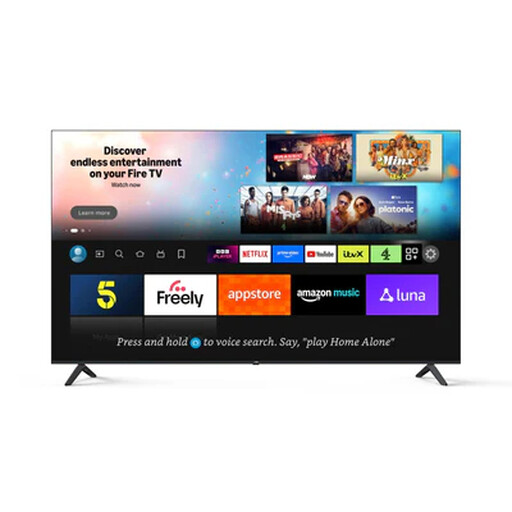 No image available
Haier H50S80GUF 50-inch 4K QLED Smart TV
Consider this 50-inch 4K QLED model when replacing the display. Before assigning a console, streaming device or soundbar to it, check the exact model’s HDMI ports, audio-return connection and current app support.
View on Joybuy
 No image available
Roku Streaming Stick 4K
An add-on option when the existing screen still meets your needs but its built-in apps do not. Confirm compatibility with your TV and check current support for each streaming service you use; the 4K name alone does not establish the output you will get from your setup.
View on Joybuy
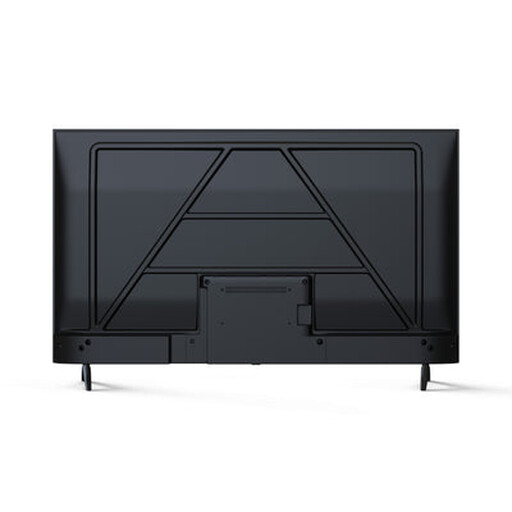 No image available
Haier H50K85GUF K85 50-inch 4K Smart TV
This 50-inch 4K Direct-LED model is another replacement-display option. Its title states 60 Hz and HDR10; check the capabilities of the inputs you plan to use, the labelled audio ports and support for your required apps.
View on Joybuy
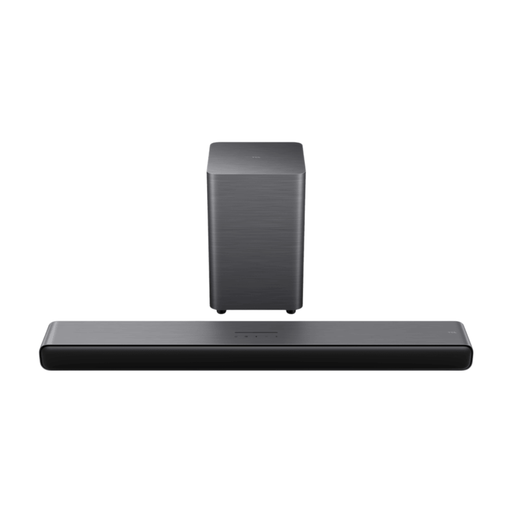 No image available
TCL S55H S Class 2.1-channel soundbar
An external-audio option when the screen and video sources can stay. Check how the soundbar connects to your exact TV, including the labelled eARC or ARC port and any required settings, before planning the rest of the HDMI layout.
View on Joybuy
Questions about TV connections and streaming
What should I list before replacing a TV?
Write down every device you intend to keep and how it connects, including a set-top box, disc player, console, streaming stick and soundbar. Identify any need for the TV’s labelled eARC or ARC port and the video modes your console uses; PlayStation says a PS5 can display connected-device resolution, VRR and HDR information in its video-output settings.
Can I add streaming apps without replacing an older TV?
Yes, if the TV and a suitable add-on device meet the connection requirements and support your chosen services. A streaming device uses a separate app platform; Freeview also says a compatible recorder can add Freeview Play to a TV without it. Check the exact device and existing display before buying.
Does a smart-TV brand guarantee ITVX and Channel 4 support?
No. Check the exact model, platform generation and current software against each service’s support information. ITVX identifies exceptions within some platforms, while Channel 4 ended app support for specified older devices in April and May 2026.
Do I need eARC to connect a soundbar?
Not necessarily: ARC or an optical connection may suit the TV, soundbar and audio formats you use. If you intend to use eARC, check both devices and connect through the specifically labelled ports. HDMI.org notes that eARC is not defined as universally backwards-compatible with ARC.
Will a 4K streaming device show 4K on any TV?
No. For Google streaming devices, Google specifies a 4K-capable display, HDCP 2.2 and an internet connection of at least 20 Mbps for 4K content. Check the requirements of the particular device and streaming service you plan to use.


