TVs and a streaming player on Joybuy
These choices cover replacing the shared-room TV and adding a streaming stick to a suitable existing HDMI display. Choose the route before comparing screen models or player controls.
 Image unavailable
TeeView TV70UUW 70-inch QLED 4K HDR TV
Consider this model if replacing the screen is the decision and a 70-inch display fits the shared room. Its product title identifies Web OS; confirm the household’s essential apps, stand or mounting fit, and accessibility controls for this exact TV.
View on Joybuy
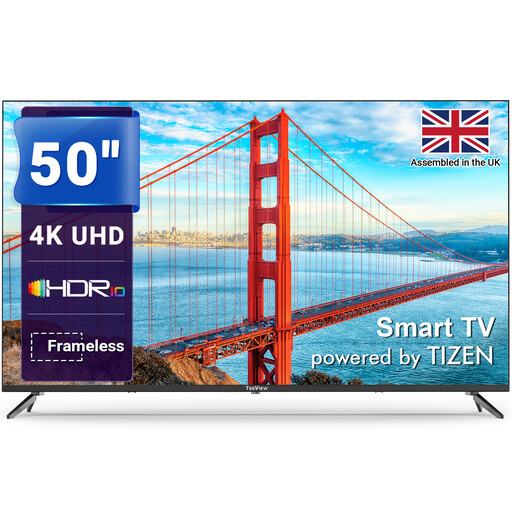 Image unavailable
TeeView TV50QUT 50-inch 4K HDR Tizen TV
This is a replacement-screen option if a 50-inch TV suits the room and household equipment. Check its installed dimensions, required UK apps and the controls different viewers will use before deciding on the Tizen interface.
View on Joybuy
 Image unavailable
TCL 43V6C 43-inch 4K HDR Google TV
Consider this 43-inch replacement TV if its size meets the shared-room brief and you want to assess Google TV controls. The named 120Hz Game Accelerator is marked FHD, not 4K at 120Hz; check required apps, connection ports and installation fit for this model.
View on Joybuy
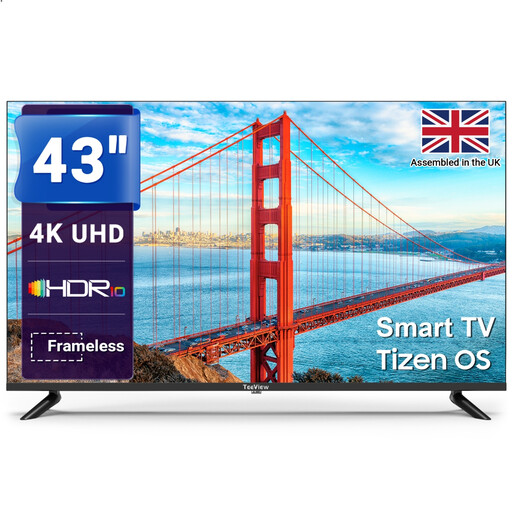 Image unavailable
TeeView TV43QUT-UK 43-inch 4K UHD Tizen TV
This is another 43-inch replacement-screen option rather than a way to retain the current panel. Check room fit, essential services on this exact Tizen model and any profile or accessibility controls the household needs.
View on Joybuy
 Image unavailable
Roku Streaming Stick 4KPlus
Consider a streaming stick if the household wants to keep a suitable TV and change how it accesses services. Confirm a working, free HDMI input, the exact UK apps required, and this model’s power and connection arrangements; a stick will not change the TV panel.
View on Joybuy
Common questions
When should we add a player instead of replacing the TV?
Add a player when the existing screen still suits the room, has a working free HDMI input and the main problem is its streaming interface or app support. Replace the TV if the screen, inputs or reliability are the limiting factor; a player cannot make an incompatible display show 4K/HDR, as Roku explains for its Streaming Stick 4K.
Will an app available on another TV work on ours?
Not necessarily. Check the service provider’s support information for the exact UK model and any subscription tier you use. Ofcom says connected-TV agreements influence access and discovery, and Netflix says support may end on some older devices.
Which accessibility features should we check?
Start with the controls each regular viewer needs, such as spoken navigation, captions, audio description, readable menus and profiles, then check them on the intended device and apps. Google documents TalkBack setup for relevant Google TV devices; Amazon cautions that Fire TV feature availability can vary by device and language.
Do we need an Ethernet connection?
Not if Wi-Fi is dependable at the TV position. If it is persistently unreliable and a wired route is practical, check the precise player variant: Google TV Streamer has direct Ethernet, Chromecast with Google TV needs an adapter, and Apple offers a separate Wi-Fi + Ethernet Apple TV 4K model.
What else does a streaming player need at setup?
Check for a free HDMI input, suitable power and any cable or adapter required by the exact model. Apple says an HDMI cable is sold separately for Apple TV 4K, while Roku recommends wall power for its Streaming Stick 4K because many TV USB ports may not supply enough power.


