Who is choosing a shared setup?
Start with the viewing route the household cannot afford to lose: live broadcast TV, particular streaming apps or both.
Households mixing live TV and streaming
These households want broadcaster programmes and online services in the same shared room. Ofcom’s Media Nations 2025 report says broadcaster content still accounts for the majority of viewing in UK homes, so an online-only setup should not be assumed to cover everyone’s needs.
Households keeping an existing TV
If the screen still suits the room and has a spare HDMI input, a separate player is worth considering for a different streaming interface. Google and Roku describe players that connect to an HDMI-equipped television; check the desired apps and network arrangement for the particular device.
Households prioritising broadcast TV
If live Freeview through the TV guide or recording is essential, check the aerial and receiver route before changing streaming equipment. Freeview says an aerial is needed for live TV through its TV guide, and Humax specifies one for live-TV access on its Aura recorder.
What should you check first?
Identify whether the problem is access to programmes, broadcast reception, the internet connection or sound. A new screen is not the only possible response to those different needs.
| Concern | What to check | Who this matters to |
|---|
| Broadcast and app access |
Check the exact TV or player’s UK app availability, spare HDMI inputs and the route used for each required broadcaster service. |
If we share one screen for catch-up, subscriptions and live programmes, we need access to all the services we actually use. About 30% of consumers put that combination of access routes first. |
| Freeview and recording |
Check the aerial or communal connection, predicted local channels and whether a compatible recorder is needed. Freeview requires an aerial for live TV through its TV guide. |
If live Freeview or recording is central to our viewing, adding a streaming app alone does not answer that requirement. Around 30% of consumers primarily need to retain that broadcast route. |
| Streaming connection |
Check Wi-Fi in the viewing room and whether the intended device and cable route support Ethernet. |
When online playback is unreliable, we want to address the connection before replacing a screen that otherwise works. About 20% of consumers make connection reliability their main concern. |
| Shared-room audio |
Check the TV and audio device’s connection labels; for a specific format, check compatible content and playback equipment too. |
If everyone can access the programmes but the room’s sound is the sticking point, we would assess audio separately from video access. Roughly 20% of consumers put shared-room audio first. |
Relevant brands to consider
These brands illustrate different equipment routes, not interchangeable solutions. Check a named model against the services and connections your household uses.
Samsung
A smart-TV route when replacing the screen and using apps on the television itself.
- Samsung says its Smart TVs include apps such as Netflix and YouTube.
- Its stated One UI Tizen upgrade support of up to seven years applies to eligible models; confirm both that policy and required UK apps for the exact TV.
Google
A separate-player route for an HDMI-equipped TV where the household wants Google TV and a wired-network option.
- Google specifies HDMI 2.1, Wi-Fi and Gigabit Ethernet for Google TV Streamer (4K).
- Google says a certified HDMI 2.1 cable is required separately; also check TV compatibility and desired UK apps.
Roku
A compact separate-player route for a working TV with an available HDMI input.
- Roku’s UK guidance says Streaming Stick 4K works with an HDMI-equipped TV.
- Its 4K or HDR output depends on a compatible TV; setup also needs internet access and adequate power.
Humax
A receiver and recorder route when aerial-fed live TV and recording matter alongside streaming features.
- Humax describes the Aura as a Freeview Play recorder with Android TV, Wi-Fi and Gigabit Ethernet.
- Humax requires an aerial for its live-TV services and says satellite connections are not compatible with the Aura.
Smart TVs for replacing a screen
These Joybuy selections are smart TVs to consider if the shared-viewing screen needs replacing. Before choosing one, confirm the exact UK apps and live-TV reception route your household requires.
 Image unavailable
TeeView TV70UUW 70-inch QLED 4K Smart TV
Consider this model when replacing a shared-room screen and a 70-inch television fits the space. Its name specifies HDR, Web OS, Dolby Audio and Freeview Play; confirm the required apps, aerial-fed reception and mounting fit for this exact model.
View on Joybuy
 Image unavailable
Toshiba 32WV2553DB 32-inch HD Ready Smart TV
Consider this 32-inch model where a smaller screen suits the room. The name specifies VIDAA OS, Freely and HDR10; check the current apps and whether its live-TV route matches the household’s aerial requirements.
View on Joybuy
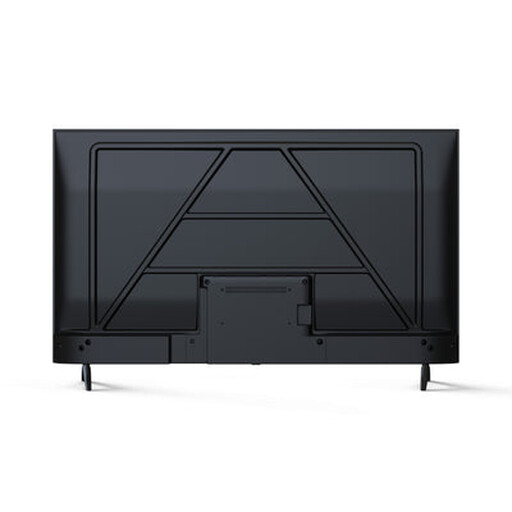 Image unavailable
Haier H50K85GUF K85 50-inch 4K Smart TV
This is a screen-replacement option if a 50-inch set fits the shared room. Its name specifies Direct-LED, 60 Hz, HDR10 and Wi-Fi; check the exact app platform, Freeview reception route and wired-network compatibility if those affect your choice.
View on Joybuy
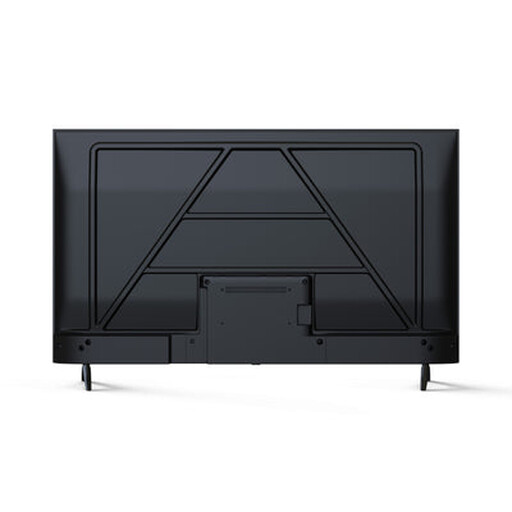 Image unavailable
Haier H43K85GUF 43-inch 4K Smart TV
Consider this model if a 43-inch replacement suits the viewing space. Its name specifies an LED display and Wi-Fi; confirm required UK apps, aerial-fed TV compatibility and Ethernet support if you plan to use a wired connection.
View on Joybuy
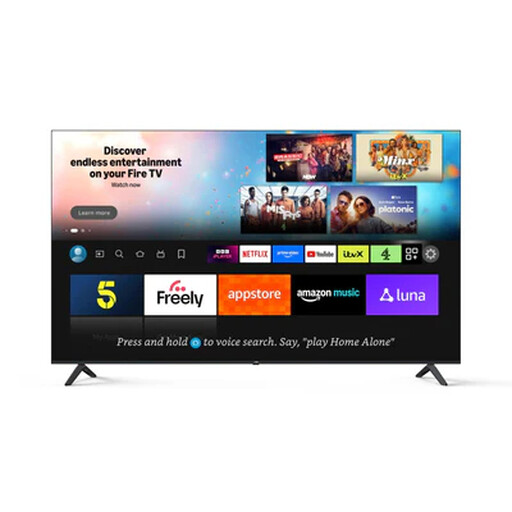 Image unavailable
Haier H50S80GUF 50-inch 4K QLED Smart TV
This is another 50-inch screen-replacement option where that size fits. Its name specifies QLED and Wi-Fi, but those terms do not establish which apps or broadcast services you can use; check both, along with wired-network compatibility if needed.
View on Joybuy
Common questions
Does live TV through a streaming app need a TV Licence?
Yes. TV Licensing says a licence is needed to watch live TV on a channel or streaming service, whatever device you use. It also says BBC iPlayer requires a licence for both live and on-demand viewing.
What if we only watch on-demand programmes?
TV Licensing says a licence is not needed solely for on-demand programmes on services other than BBC iPlayer, provided you do not watch live TV. BBC iPlayer’s live and on-demand programmes require a licence.
Does a smart TV remove the need for an aerial?
Not if you want aerial-fed Freeview live TV through the TV guide: Freeview says that route needs an aerial. Internet-connected viewing can provide some channels by another route, so decide which live-TV access the household expects.
What should we check before adding a streaming player?
Check a spare HDMI input, power, internet access and the apps you need. Roku specifies HDMI and internet setup for Streaming Stick 4K; Google says Google TV Streamer (4K) requires a certified HDMI 2.1 cable sold separately.
Will an ARC or eARC soundbar automatically play Dolby Atmos?
No. Dolby says Atmos needs compatible content, playback equipment and audio equipment; access to that content can also depend on the streaming-service tier. Check the full connection path rather than relying on the TV port label alone.


