For a wall-mounted room without an aerial or network cable, choose a specific Freely-enabled TV if you need a new screen, or a Freely-enabled HDMI device if your existing TV works and has an accessible HDMI input. Individual broadcaster apps may be enough if they provide the exact live and catch-up functions you need; check the channel list, app support and Wi-Fi reception at the screen before choosing. Freeview Play’s usual live TV guide needs an aerial, so it is not the same as Freely’s internet-delivered guide.
Who this setup suits
Live-guide viewers
If you want to move between live channels on a wall-mounted screen without an aerial, check for explicit Freely support and the Wi-Fi channel list for the exact device. Freely distinguishes channels available over Wi-Fi from those delivered via an aerial.
Existing-TV keepers
If your current screen still works, an HDMI streaming device may let you add a viewing platform without replacing the TV. Decide whether you need Freely’s integrated guide or whether the individual broadcaster apps provide the functions you want.
Rooms with a weak signal
If the TV’s position is fixed and Wi-Fi may be unreliable there, test the connection at that spot before choosing equipment or changing the network arrangement. Freely lists insufficient bandwidth and congestion among possible causes of buffering.
What to check before buying
For consumers planning a Wi-Fi-only TV setup in a UK room with no aerial or network cable at the screen, the main decision is which viewing functions matter and whether they will work at the mounting position.
| Concern |
What to check when buying |
Who this matters to |
| Live channels without an aerial |
Check the Wi-Fi channel list for the exact Freely device, or the broadcaster’s live-app guidance; do not count channels that require an aerial. |
If I want a live guide without adding an aerial, I need the channels I actually watch to be available over the internet. About 28% of consumers put a usable live guide first. |
| Catch-up apps and viewing functions |
Check support for the exact TV or streaming-device model, software version and required live or catch-up function. |
If I mainly catch up through particular broadcasters, I need their apps and the functions I use, not just an app icon. About 22% of consumers prioritise those apps and viewing functions. |
| Wi-Fi at the screen |
Test the connection where the TV will sit. Freely recommends an internet connection of at least 10 Mbps for its service; this does not guarantee reliable reception over Wi-Fi. |
If the router is some distance from the wall-mounted screen, I need streaming to work at that position before I settle on a device. About 22% of consumers put reception in the room first. |
| Mounting and connections |
For an HDMI device, check HDMI access, clearance and power. For a new TV, confirm the exact model’s mounting pattern, weight and required fixings against the bracket. |
If I want to keep a working TV or fit a replacement at the same wall position, I need to know what will physically fit and how it will connect. About 17% of consumers prioritise installation and reusing their screen. |
| Ongoing app support |
Check the manufacturer’s update instructions and each essential broadcaster’s current device requirements for the exact model and software. |
If I rely on a particular app, I want to check that the device can receive available updates and still meets the broadcaster’s requirements. About 11% of consumers put continuing app and software support first. |
Buying pitfalls
-
Assuming Freeview Play and Freely are interchangeable
Freeview’s usual live TV guide needs an aerial. Freely offers an internet-delivered live-guide route, but the channels available over Wi-Fi can differ from those delivered via an aerial.
Check that the exact TV or streaming device supports Freely if its integrated live guide is essential, then review the Wi-Fi channel list.
-
Treating an app icon as proof that every live programme is available
App support, live-TV functions and online rights for individual programmes are separate checks. ITV notes that some programmes may not be available online.
Check the broadcaster’s support information for the exact device and live function, and confirm the programme where it is essential.
-
Choosing by advertised Wi-Fi capability alone
A TV or streamer still depends on reception at the screen. Freely identifies factors such as insufficient bandwidth and network congestion as possible causes of buffering; an extender also needs a usable signal from the router.
Test streaming at the intended position before deciding whether a network change or suitably placed extender is needed.
-
Forgetting the physical needs of an HDMI device
An external streamer needs an accessible HDMI connection, space and power. A replacement TV also needs a suitable bracket and fixings for its exact model.
Check HDMI clearance, power arrangements and the exact TV mounting details before installation. Confirm which accessories are included and check the terms of any optional service.
Relevant brands to consider
These brands illustrate different ways to add internet-delivered live viewing or use broadcaster apps; check each exact model and its current service support.
Hisense
Freely lists the UK Hisense 43-inch A6QTUK as a Freely television.
- An integrated viewing-platform route may suit someone buying a new screen.
- The listing does not establish the suitability of every Hisense TV, the fit of a particular wall bracket or the availability of every aerial channel over Wi-Fi. Check the exact model and channel list.
TCL
TCL identifies Freely on its UK PF650K range, including a 43-inch size.
- A listed Freely implementation gives buyers of a new TV an integrated internet-viewing route to check.
- App features can depend on size and software version. Confirm the exact model’s mounting specifications rather than assuming an existing bracket will fit.
Manhattan
The Manhattan Aero is a Freely-enabled HDMI streamer for live and catch-up viewing over Wi-Fi.
- Manhattan says the Aero includes an HDMI cable and UK support with a two-year warranty.
- It needs an HDMI-capable screen, power and adequate Wi-Fi. Confirm support for any other apps you need; the stated warranty and included cable are manufacturer information, not independent performance findings.
Netgem
Netgem’s PLEIO combines Freely viewing over Wi-Fi with other entertainment features.
- Netgem says Freely access does not require a PLEIO subscription.
- Additional features have separate terms. Check that the specific apps you need work on the device rather than relying on general claims about app choice.
Joybuy products
These TV choices feature Freely for live and catch-up viewing over Wi-Fi without an aerial. Available channels can differ from those delivered via an aerial, so check the Wi-Fi list for the channels you need.
 No image available
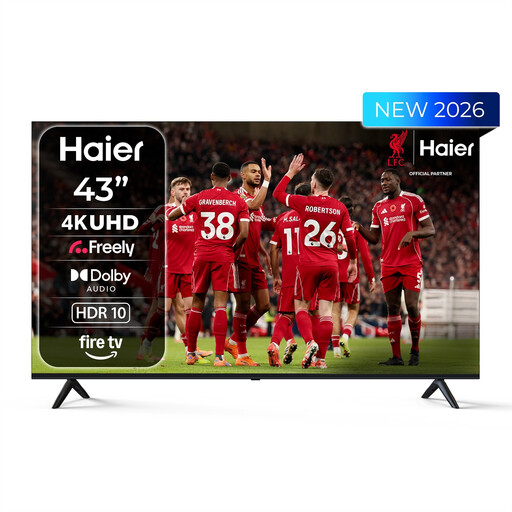
Haier H43K85GUF 43-inch 4K Ultra HD LED TV with Freely
For a wall-mounted room where you want a 43-inch screen and Freely over Wi-Fi without an aerial.
43-inch 4K Ultra HD LED TV; dual-band Wi-Fi; 200 × 100 mm VESA pattern.
Freely’s internet channel line-up can differ from aerial-delivered channels; check the channels you need.
Joybuy
 No image available
Haier H50S80GUF 50-inch 4K Ultra HD QLED TV with Freely
For a Wi-Fi-only setup where you want a 50-inch screen with Freely viewing built in.
50-inch 4K Ultra HD QLED TV; dual-band Wi-Fi; 100 × 200 mm VESA pattern.
Freely’s internet channel line-up can differ from aerial-delivered channels; check the channels you need.
Joybuy
 No image available
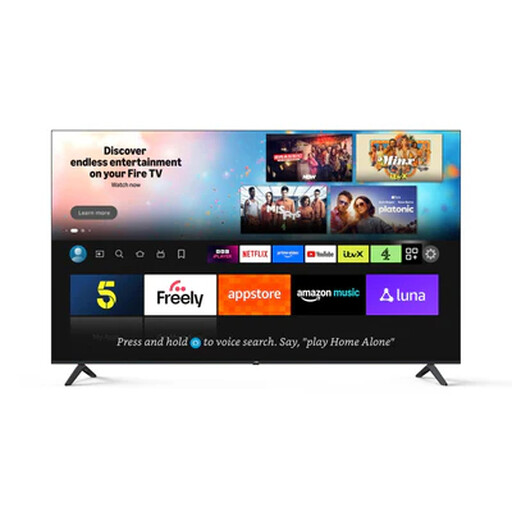
Haier H65S80GUF 65-inch 4K Ultra HD QLED TV with Freely
For a Wi-Fi-only setup where a 65-inch screen and integrated Freely viewing suit the room.
65-inch 4K Ultra HD QLED TV; dual-band Wi-Fi; 200 × 300 mm VESA pattern.
Freely’s internet channel line-up can differ from aerial-delivered channels; check the channels you need.
Joybuy
 No image available
Coocaa 40CTQH38ZUK 40-inch Full HD QLED TV with Freely
For a smaller room where you want a 40-inch TV with Freely live and on-demand viewing over Wi-Fi.
40-inch Full HD QLED TV; TiVo OS; WLAN; two HDMI ports.
Freely’s internet channel line-up can differ from aerial-delivered channels; check the channels you need.
Joybuy
 No image available
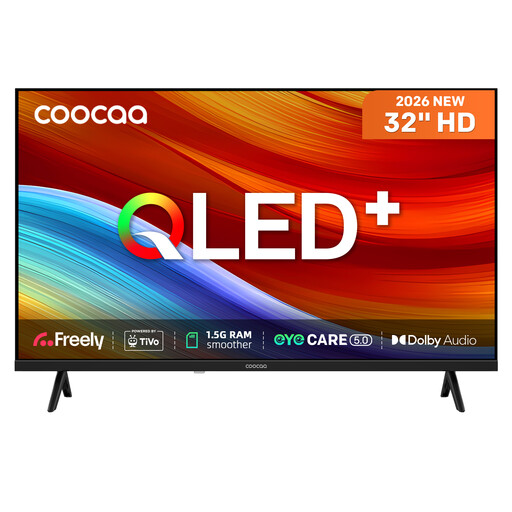
Coocaa 32CTQH38ZUK 32-inch HD QLED TV with Freely
For a smaller space where a 32-inch TV with Freely over Wi-Fi fits the viewing setup.
32-inch HD QLED TV; TiVo OS; Wi-Fi; two HDMI ports.
Freely’s internet channel line-up can differ from aerial-delivered channels; check the channels you need.
Joybuy
Frequently asked questions
Will Freeview Play show its normal live guide without an aerial?
No. Freeview says its TV-guide live channels need an aerial, although supported internet apps may provide their own live and catch-up streams. If you want an integrated internet-delivered guide, check for an explicitly Freely-enabled device.
How can I check whether a live channel or programme will work?
Check Freely’s channel list with aerial-delivered channels excluded, or consult the relevant broadcaster’s live-app and device guidance. A listed channel does not guarantee that every programme is available to stream; ITV and Channel 4 describe online-rights exceptions.
What should I test before mounting a TV or adding an HDMI streamer?
Test the connection at the intended screen position. Freely recommends an internet connection of at least 10 Mbps for its service, but this does not guarantee reliable Wi-Fi reception. Also check the exact TV’s bracket fit, or the streamer’s HDMI access, clearance and power arrangement.
Do Freely channels mean every feature on a streaming device is free?
No. Netgem says Freely access on PLEIO does not require a PLEIO subscription, while its additional features have separate terms. Check the terms of any non-Freely service you plan to use.


