What matters when choosing?
Start with the room lighting and seating layout, then assess motion using the cycling source you will actually watch. OLED and Mini LED/LCD offer different reasons to shortlist a TV, but neither display label settles every part of the decision.
OLED TV
Consider it when: You can keep the cinema room dark and put black levels and contrast ahead of brightness in a lit room; LG describes per-pixel black levels on its OLED C5.
Bear in mind: Check brightness and reflections on the exact model if you also watch daytime races. Keep its normal screen-protection settings enabled and follow its care guidance for persistent broadcast graphics.
Mini LED/LCD TV
Consider it when: Ambient light or a very large screen has greater weight in your room choice. Sony describes local dimming on BRAVIA 5, while Samsung lists Mini LED and motion branding on QN80H.
Bear in mind: Local dimming is not per-pixel OLED black control, and a high refresh-rate claim does not establish the frame rate or clarity of a cycling broadcast.
| Concern |
What to check |
Who this matters to |
| Motion clarity |
Look for motion controls on the exact model and assess them with your broadcaster or streaming device; do not equate a gaming refresh-rate figure with broadcast output. |
If fast pans make it hard to follow riders, I would put clear movement ahead of other picture preferences. Around 36% of consumers put motion clarity first. |
| Dark-room contrast |
Compare the exact OLED or locally dimmed Mini LED model in lighting like your room, including any daytime ambient light. |
When I watch in a dark room, I want shaded road scenes to retain depth. For around 29% of consumers, contrast is the primary concern. |
| Screen and seating fit |
Measure the seated viewing distance and the available mounting or stand space before choosing a diagonal size. |
Sharing a race with people seated across the room makes screen scale important to me, provided it remains comfortable to view. Around 21% of consumers put seating and size first. |
| Audio and ongoing use |
Check compatible HDMI ARC/eARC ports for your sound system; review the model's screen-care guidance and energy-label consumption. |
If I use a soundbar and watch long broadcasts, straightforward connections and day-to-day care matter most. These are the leading concerns for around 14% of consumers. |
Joybuy TV choices
These TVs cover large-screen Mini LED and Direct LED choices for cycling in a home cinema. Compare their stated features with your seating position and broadcast source; this selection does not settle the separate dark-room OLED choice.
 No image available
Samsung QE75QN80FAU 75-inch 4K TV
Consider this for a large-screen race setup once you have measured the seating position. The listed TV has a 190.5 cm (75-inch) 4K screen and Wi-Fi; Joybuy identifies this QN80F model as Mini LED. Check its motion settings with your cycling source rather than applying specifications from the different QN80H model.
View on Joybuy
 No image available
TCL 75Q6C 75-inch QD-Mini LED 4K TV
Consider its 75-inch format if the seating layout suits a large shared screen. The title lists 4K HDR, up to 512 dimming zones and a 144Hz native refresh rate; the zone figure is an upper limit, and refresh rate does not establish cycling-broadcast frame rate. Check motion behaviour with your source and confirm HDMI ARC/eARC if you plan to use a soundbar.
View on Joybuy
 No image available
TCL 75Q7C 75-inch QD-Mini LED 4K TV
Consider this 75-inch option where a large screen fits the seats and installation space. Its title lists 4K HDR, up to 2,048 local-dimming zones, 144Hz native refresh and Audio by Bang & Olufsen. Confirm the exact dimming configuration and assess race motion with your source rather than treating the refresh figure as a broadcast specification.
View on Joybuy
 No image available
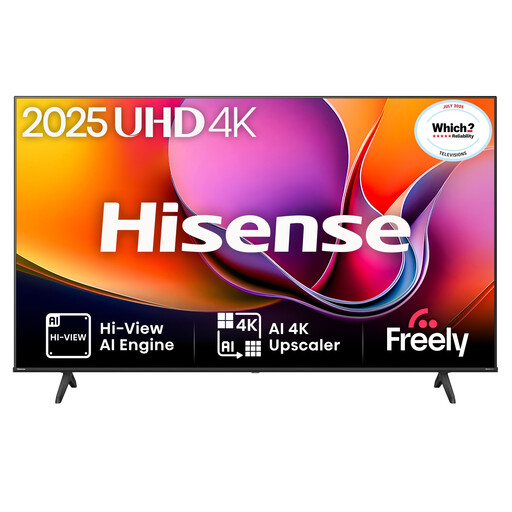
Hisense 75A6QTUK 75-inch Direct LED 4K TV
Consider this Direct LED option if a 75-inch screen fits your shared viewing position. Its title lists 4K HDR, VIDAA OS and AI Smooth Motion; assess the motion setting with your intended race feed. If local dimming is important to your dark-room choice, confirm that feature on the exact model before deciding.
View on Joybuy
 No image available
TCL 65Q7C 65-inch QD-Mini LED 4K TV
Consider the 65-inch variant if that size better fits the seats and mounting space. Its title lists 4K HDR, up to 2,048 local-dimming zones and 144Hz native refresh; confirm the exact zone configuration and check race motion with your source. Verify HDMI ARC/eARC on this variant before planning a soundbar connection.
View on Joybuy
Frequently asked questions
How large should a 4K TV be for watching cycling in a home cinema?
Choose a size after measuring your seated viewing distance and the installation space. Sony's UK guidance suggests a minimum 4K viewing distance of 1.5 times the screen's vertical height; use that as a starting point, then account for comfort and where everyone sits.
Does a 120Hz or 144Hz TV guarantee clearer cycling coverage?
No: the TV's refresh-rate claim does not establish the frame rate or appearance of the broadcast. Check the exact model's motion controls and assess them with your intended broadcaster or streaming device; Samsung's Motion Xcelerator 144Hz listing applies to the cited QN80H, not automatically to other models.
Should I choose OLED or Mini LED for a dark home cinema?
Consider OLED if controlling room light and getting deep blacks are your priorities; LG describes per-pixel black levels on its OLED C5. Mini LED/LCD remains worth considering if the room is sometimes bright or screen scale matters more. Compare exact models rather than treating either display type as a universal winner.
What should I check before connecting a soundbar?
Confirm compatible HDMI ARC/eARC ports and the audio formats you need on both exact devices. Samsung recommends connecting compatible soundbars through the corresponding ARC/eARC ports, so make that check before mounting the TV or planning cables.
How can I compare electricity use between TVs?
Compare the energy-label consumption figures for the exact models rather than assuming a fixed running cost from OLED or Mini LED alone. GOV.UK describes on-mode SDR consumption in kWh per 1,000 hours on television energy labels; relate that figure to your own viewing hours and electricity tariff.


