Choose a cricket TV by how clearly it handles fast action in your room, then check reflections and the picture from your usual seats. An OLED may suit evening viewing and a wide seating arrangement, while an LCD or Mini LED model may suit a bright daytime room; neither panel type settles the choice without checking the exact model.
Who is this for?
Daytime cricket viewers in bright rooms
If windows or lamps reflect on the screen during afternoon matches, compare brightness and reflection handling alongside motion. RTINGS and other review sources identify these as relevant checks for watching sport.
Households watching together
When friends or family sit across the room, check whether the picture remains clear from the side seats as well as from directly in front. Review sources highlight viewing angles as a consideration for sport.
Viewers focused on fast action
If following the ball and camera pans is your priority, look beyond a sports-mode label to the panel’s native refresh rate and available motion controls. Review sources identify smooth motion as a key sport-viewing consideration.
What matters when choosing?
Start with the light and seating in your usual match-day room, then compare motion handling on the exact TV size you intend to buy. Panel type is a useful starting point, not a substitute for model-level checks.
OLED TV
Consider it when: You mainly watch in controlled light or need the picture to work for seats spread across a wide sofa.
Check first: Bright-room visibility varies by model, so examine the screen finish and reflection handling before choosing one for daytime matches.
LCD or Mini LED TV
Consider it when: Daylight and reflections are your main obstacles, or you are choosing a larger screen.
Check first: Brightness, glare control and the picture from side seats depend on the particular model; a Mini LED label alone does not establish them.
| Concern |
What to check |
Who this matters to |
| Ball and camera motion |
Check the native panel refresh rate and whether motion processing can be adjusted. A native 120Hz panel or higher is suggested as a starting point for sport, not a guarantee of clear motion. |
When I follow a fast delivery or a camera pan, I want to keep track of the action without making the broadcast look unnatural. Roughly 40% of consumers put motion clarity first. |
| Daytime visibility |
Compare reflection handling and brightness for the exact model, taking account of windows near the intended screen position. |
Afternoon light can compete with the picture, so I need to see the pitch and score graphics from my usual seat. Glare and brightness are the primary concern for roughly 30% of consumers. |
| Group viewing |
Look for viewing-angle evidence and consider how far the side seats are from the centre of the screen. |
If we spread out to watch a match, I do not want the people at the ends of the sofa to get a noticeably different picture. Around 20% of consumers prioritise consistency across seats. |
| Screen size and fit |
Measure the viewing space and stand or wall area; compare motion and glare performance before choosing on size alone. |
I want a larger view of the field and on-screen details, but the TV still has to fit the room and installation space. Size and overall value come first for roughly 10% of consumers. |
Buying pitfalls
-
Taking a motion label for a native refresh rate
A branded motion figure does not, by itself, tell you the panel’s native refresh rate or how fast cricket footage will look.
Check the exact model’s panel specification and available motion controls. If possible, assess whether the settings preserve a broadcast look you like.
-
Choosing by OLED or Mini LED alone
Reflections, brightness and the view from off-centre seats can change the result in your room, regardless of the display label.
For sunny viewing, compare model-specific reflection handling; for a wide group, look for viewing-angle evidence as well.
-
Assuming a smart TV includes access to live cricket
Apps on a TV do not establish whether you can watch a particular match. TV Licensing states that watching a programme live through a streaming service requires TV Licence cover.
Before the match, check which broadcaster carries it, whether you have the necessary service access and whether your household needs TV Licence cover.
Access to the relevant pay-TV or streaming service may require a separate subscription.
-
Choosing a large screen before checking installation
A screen that suits your viewing plans still needs to pass through the delivery route and fit its intended stand or wall position.
Measure those spaces and check the exact TV’s stand or mounting requirements, along with delivery and optional installation terms, before ordering.
Brands to consider for cricket viewing
Samsung
Samsung has named OLED and Neo QLED Mini LED models worth comparing when motion and room lighting are central to the choice.
- Samsung UK lists Motion Xcelerator 144Hz for the 2026 QN80H and a Glare Free feature for the S95H OLED.
- These are specifications and feature names for particular models, not evidence that every Samsung TV or screen size handles motion or glare in the same way.
LG
LG’s OLED evo C6 line is relevant if you are considering an OLED for a controlled-light room or shared viewing.
- LG UK describes the C6 line with a refresh capability of up to 165Hz at 4K.
- Confirm the specification for your chosen size and assess reflections in your room; LG’s colour and contrast claims should not be treated as measured results for every LG TV.
Sony
The Sony BRAVIA 3 II 50-inch is a reference point for shoppers considering a 4K LCD with a specified high-refresh panel.
- Sony UK specifies a 120Hz panel and support for 4K 100/120Hz signals on the named model.
- Its specification lists frame dimming; the refresh figure alone does not establish glare control or a consistent picture from side seats.
TCL
TCL’s 75-inch C6K is relevant when comparing a larger QD-Mini LED screen for cricket.
- TCL UK specifies a 144Hz native refresh rate, a matte HVA panel and up to 512 dimming zones for the 75-inch C6K.
- Check the exact model and size: specifications within a series can differ, and a matte panel description alone does not establish how reflections will look in your room.
Joybuy TVs for cricket viewing
These TCL LCD and QD-Mini LED TVs offer different screen sizes and stated features to compare for cricket. Check each model’s motion specifications, room-light suitability and fit rather than treating the selection as a comparison with OLED TVs.
 No image available
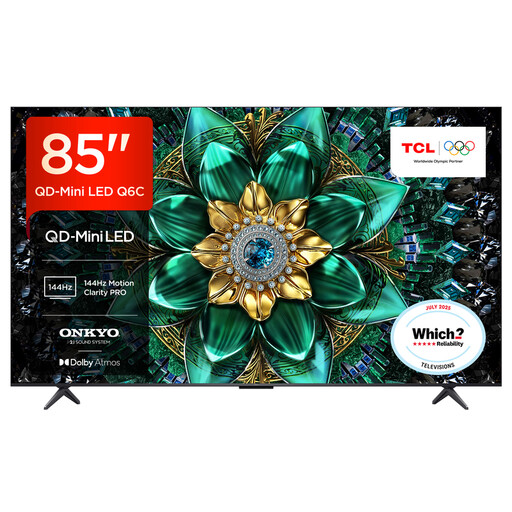
TCL 85Q6C 85-inch QD-Mini LED 4K Google TV
Consider this model if a large screen is central to your match-viewing setup. The product title specifies a matte HVA panel and up to 512 dimming zones; check how the screen handles light in your room. Its title describes 144Hz as native, while the detailed product information describes 120Hz with up to 144Hz variable refresh rate for gaming, so confirm the native rate before relying on that figure for cricket.
Joybuy
 No image available
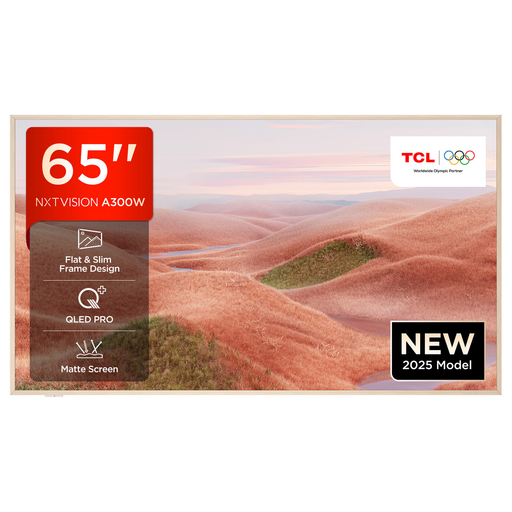
TCL 65A300W 65-inch QLED 4K Google TV
Consider this model if you want a 65-inch screen and are assessing reflections in a bright viewing space. Its product information describes a matte anti-glare screen, but check its appearance under your room lighting. Confirm the native panel refresh rate and supported conditions before using its qualified 144Hz description to judge cricket motion.
Joybuy
 No image available
TCL 75Q6C 75-inch QD-Mini LED 4K Google TV
Consider this model if you want a 75-inch screen and a stated native refresh rate for fast cricket action. The listing specifies 144Hz native refresh and up to 512 dimming zones. Check reflection handling for daytime matches and measure the delivery route and intended installation space.
Joybuy
 No image available
TCL 75Q7C 75-inch QD-Mini LED 4K Google TV
Consider this 75-inch model if a large screen and a stated high native refresh rate are priorities. Its product information specifies 144Hz native refresh and up to 2048 local-dimming zones; the zone count alone does not establish how it will look beside another TV. Check reflections and the picture from side seats for your room.
Joybuy
 No image available
TCL 65Q7C 65-inch QD-Mini LED 4K Google TV
Consider this model if a 65-inch screen better fits your cricket-viewing space. The product information specifies 144Hz native refresh and up to 2048 local-dimming zones. Assess reflection handling for daytime matches and the picture from off-centre seats if others will watch with you.
Joybuy
Common questions
Do I need a TV Licence just because I buy a TV for cricket?
Buying the TV itself is not the test; how you watch matters. TV Licensing says you need TV Licence cover to watch programmes live through a streaming service, and its guidance also covers live TV viewing and BBC iPlayer use. Check your household’s cover before watching a live match.
Should I choose 120Hz, 144Hz or 165Hz for cricket?
Start by checking for a clearly specified native panel refresh rate rather than choosing the largest advertised number. Native 120Hz or higher is suggested for sport, but motion controls, reflections and seating position still matter; confirm that the stated rate applies to the exact TV size you want.
Is OLED or Mini LED better for watching cricket?
Neither display type is automatically the better fit. Consider OLED for controlled-light viewing or a wide seating arrangement, and compare LCD or Mini LED models for a bright daytime room; in either case, check the exact model’s reflection handling and picture from your usual seats.


