What matters most when choosing a TV?
For a group rugby match, map the seats and room lighting before settling on a screen size. Then compare the exact model's picture and audio specifications against the broadcast device and sound setup you intend to use.
| Concern |
What to check |
Who this matters to |
| Picture from side seats |
Map the widest seating angle and check viewing-angle information for the exact model and size. |
If guests sit well to the side, I want them to follow play without relying on the central seats. Around 33% of consumers put side-seat visibility first. |
| Daylight and reflections |
Identify windows and lights facing the screen; check the exact model's panel finish and reflection-management features. |
For daytime fixtures, I need a screen that works with the light in my room. Keeping reflections under control comes first for roughly 42% of consumers. |
| Action and group audio |
Compare native panel refresh-rate wording and audio connections; check eARC compatibility if adding a soundbar. |
When play moves quickly and the room is busy, I want to assess both the picture specifications and how everyone will hear commentary. About 25% of consumers make motion and audio setup their primary concern. |
Joybuy TVs for group rugby viewing
These 65-inch and 75-inch Mini LED TVs offer different screen sizes and stated features to compare for a group match. Check each exact model against your seating positions, room light, audio plans and installation space.
 No image available
Hisense U7Q Pro 65U7QTUK Pro 65-inch Mini LED 4K TV
Consider this 65-inch model if you want a shared screen without moving to a 75-inch TV.
The product name identifies a Mini LED 4K TV with VIDAA OS and a built-in subwoofer. Confirm viewing from your side seats, reflection handling and the connections needed for your audio setup; its stated game mode does not establish a rugby broadcast's frame rate.
View on Joybuy
 No image available
TCL 75Q6C 75-inch QD-Mini LED 4K TV
Consider the 75-inch screen if your seating arrangement calls for a larger shared picture and you have space for it.
The product name lists a 144Hz native refresh rate and Google TV. Assess reflections and the picture from your planned seats, and check soundbar connections and installation dimensions for this model.
View on Joybuy
 No image available
Samsung QE75QN80FAU 75-inch 4K Ultra HD TV
This 75-inch model is worth comparing if a larger screen is central to your group setup.
Check the exact model's viewing-angle and reflection features rather than applying Samsung's range-level claims automatically. Measure for furniture or mounting, and confirm the audio connections you need before choosing it.
View on Joybuy
 No image available
TCL 75Q7C 75-inch QD-Mini LED 4K TV
This 75-inch option may appeal if you are comparing larger Mini LED screens for a roomful of viewers.
The product name states up to 2048 local dimming zones, a 144Hz native refresh rate and audio by Bang & Olufsen. Check side-seat viewing, reflections, audio connections and mounting details for the exact model; the panel rate does not determine the match feed's frame rate.
View on Joybuy
 No image available
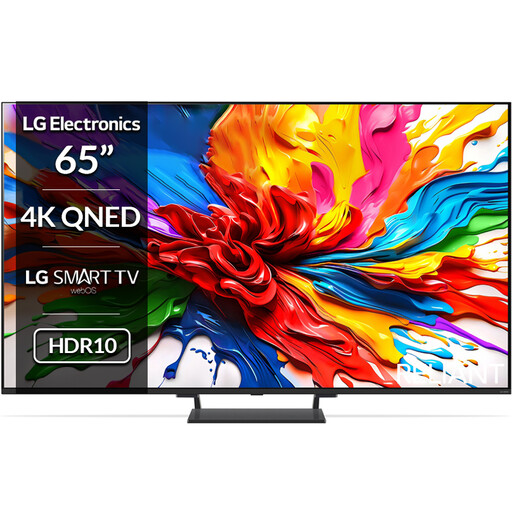
LG 65QNED93A6A 65-inch QNED Evo MiniLED 4K TV
Consider this 65-inch MiniLED model if that size fits your planned viewing and installation space.
Check its viewing-angle and reflection features against the seats and lighting in your room. Confirm the exact model's audio connections and mounting details if you plan to use a soundbar or wall mount.
View on Joybuy
Questions about group match viewing
Do I need a TV Licence to stream a live rugby match in the UK?
Yes. TV Licensing says you need a TV Licence to watch live TV or live events through a channel or streaming service, and to use BBC iPlayer. Using an app or paying for a subscription does not, by itself, remove the live-viewing requirement.
Should I compare energy labels when moving to a larger TV?
Yes. Compare the energy label and product information sheet for the exact screen size and variant you are considering, rather than assuming another size in the range has the same energy information.
Will a 120Hz or 144Hz TV make every rugby stream smoother?
No panel specification can guarantee that result for every stream. A native refresh rate describes the TV's panel, not the frame rate delivered by a broadcaster; also check the service, source device and TV motion settings you will use.
What should I check before wall-mounting a large TV?
Check the exact TV's dimensions, weight without the stand and VESA mounting pattern against the wall and mount's suitability and load rating. Sony's K-65XR70 specifications illustrate why these measurements need to be checked model by model.


