Regular side-seat viewers
If your normal chair is well to one side, check whether materials, sky tones and dark interiors still look convincing from that position. RTINGS identifies viewing angle as important for wide seating arrangements.


Start with the exact TV’s viewing-angle performance if your usual seat is off-centre: an OLED is a useful route to consider when consistent colour and dark-scene detail matter most. In a bright room, a Mini LED TV with both a stated wide-viewing-angle feature and reflection control may suit the space better, but check those features for the precise model and size. A screen that can be aimed towards your seat offers another option, provided the stand or mount fits your room.
If your normal chair is well to one side, check whether materials, sky tones and dark interiors still look convincing from that position. RTINGS identifies viewing angle as important for wide seating arrangements.
If windows or lamps reflect in the screen, assess glare as well as the side view. Samsung specifies both an Anti-Reflection Screen and Ultra Viewing Angle for its 65-inch QN90D; those features should not be assumed for other models.
If furniture cannot move, check whether the TV can face your usual seat and whether its stand or a suitable mount fits the space. Mounting dimensions are model-specific: Sony lists a 300 × 300 mm VESA pattern for the 65-inch BRAVIA 8 II K-65XR8M2.
Choose the screen for the seat and lighting you use most often, then check whether its size and installation work in the room.
Consider it when: The side seat is your regular viewing position and colour and dark interior detail matter most; LG describes its OLED technology as offering wide viewing angles.
Trade-off: Check reflection handling for the exact model in your room rather than assuming all OLED screens behave alike.
Consider it when: Daylight or lamp reflections are a major concern and the precise TV and size specify both features, as Samsung does for its 65-inch QN90D.
Trade-off: A Mini LED or QLED name alone does not establish how the picture looks from your seat.
Consider it when: The layout allows a compatible stand or mount to turn the screen towards your usual chair.
Trade-off: Repositioning does not establish the panel’s off-axis performance when other people watch from elsewhere.
| Concern | What to check when buying | Who this matters to |
|---|---|---|
| Side-view picture | Look for viewing-angle results for the exact model and size, including changes in colour and dark scenes. | If I normally sit well off-centre, I want façades and shadowed interiors to remain convincing from my chair. Around 46% of consumers put side-view picture consistency first. |
| Reflections | Check the exact model’s anti-reflection features and assess the screen under your usual daylight or lamp conditions. | When light falls across the screen, I need to see drawings and surface detail without reflections getting in the way. Glare control comes first for around 27% of consumers. |
| Room fit and installation | Measure the stand space; if mounting, confirm the TV’s dimensions, weight and VESA pattern. Compare its displayed energy information. | I need a screen that fits the room and can face my seat without an unsuitable installation. Around 27% of consumers prioritise layout and practical fit. |
LCD viewing-angle behaviour varies, and Samsung states its Ultra Viewing Angle feature for a named QN90D model, not for every QLED or Mini LED TV.
Check the full model number and screen size, then look for independent off-axis results where available. RTINGS explains why viewing-angle measurements matter for widely spaced seats.
A bright picture does not establish how colour and contrast look from the side, while reflections can still obscure architectural detail.
Assess your usual seating angle and the room’s light together. For an LCD option, confirm that both viewing-angle and reflection-control features apply to the precise variant.
Turning the screen towards a side seat only helps if the mount suits the TV and the installation space.
Check the exact model’s VESA pattern, dimensions and weight before choosing a mount, and confirm that the wall and installation are suitable.
A different mount or changes to the planned installation may be needed.
TV Licensing says you must be covered by a TV Licence to download or watch BBC iPlayer, regardless of the device you use.
Confirm that the relevant premises are covered before watching architecture programmes through BBC iPlayer.
LG’s OLED range is relevant when the regular viewing position is off-centre; its UK range includes the 65-inch OLED evo AI C6.
The 65-inch QN90D is a named Neo QLED option to examine for a bright room.
Sony’s 65-inch BRAVIA 8 II K-65XR8M2 is an OLED model with installation specifications worth checking if mounting is part of the plan.
These OLED listings are options to examine if you regularly watch from a side seat. Compare each exact TV’s viewing-angle behaviour, reflections and room fit before deciding; an OLED label does not settle those checks.
 No image available
Consider this OLED model if an 83-inch screen suits your seating distance and available space. The listing states 4K Ultra HD and smart-TV capability; check its picture from your usual side seat and its reflection handling before choosing it.
 No image available
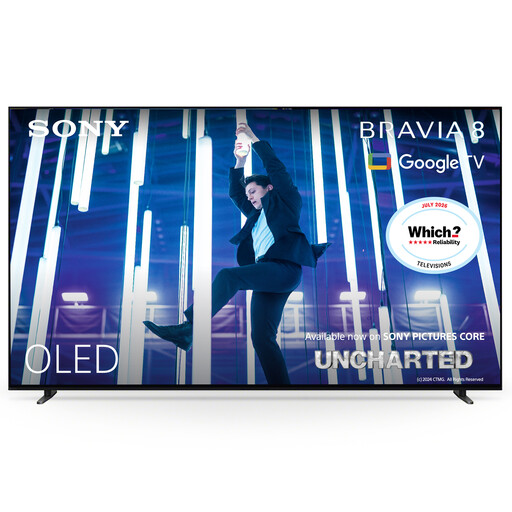
This 65-inch OLED is an option if that size fits your room. Its listing identifies a 4K Google TV; check side-view performance and reflections for this exact model, plus its dimensions and mounting pattern if you plan to use a wall mount.
 No image available
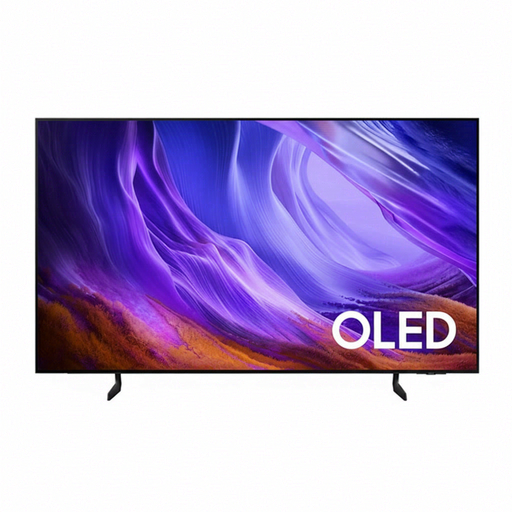
Consider this 55-inch OLED where that screen size suits the room. The listing identifies a 4K Google TV; assess the view from your usual chair and check the exact dimensions and mounting pattern before planning its position.
 No image available
This OLED listing is relevant to a side-seat search, but identify the exact model and screen size before judging whether it fits your room. Check its viewing angle, reflection handling and required connections for your setup.
Check viewing-angle performance for the exact TV and screen size. RTINGS identifies wide viewing angles as important for widely spaced seating because colour, brightness and dark areas can change off-centre; a manufacturer’s wide-angle feature name is a useful lead, not a substitute for assessing the model.
Consider OLED when the side view is your main priority, but weigh reflection handling carefully if daylight or lamps face the screen. A Mini LED model is another option when its precise size specifies both wide-angle and anti-reflection features; Samsung lists that combination for the 65-inch QN90D, not for every Mini LED TV.
A suitable mount can let you aim the TV towards your usual seat, but confirm that the TV, mount and wall installation are compatible. Check the exact model’s weight, dimensions and VESA pattern; Sony specifies 300 × 300 mm for the 65-inch BRAVIA 8 II K-65XR8M2, which does not establish the pattern for other BRAVIA models.
Yes, if you download or watch them on BBC iPlayer in the UK. TV Licensing says you must be covered by a TV Licence to use BBC iPlayer on any device.
Compare the displayed energy label for the exact TVs you are considering rather than assuming models from one brand use the same amount. GOV.UK guidance from the Department for Energy Security and Net Zero and the Office for Product Safety and Standards says products within the UK energy-labelling rules must display an energy label at the point of sale, including on a website.