What matters when choosing?
For a room without an aerial connection, decide whether you want one live-TV interface, need to keep an existing screen or can use separate apps. Then check the connection where the TV will actually sit.
Freely-enabled TV
Choose when: You are replacing the screen and want Freely built into the new TV.
Bear in mind: Freely support is model-specific, and the Wi-Fi-only channel range differs from a setup with an aerial.
Freely streaming device
Choose when: Your existing TV has HDMI and you would rather add internet-delivered live TV than replace the screen.
Bear in mind: This adds a separate device, power connection and interface.
Individual broadcaster apps
Choose when: The services you use work on your exact TV or streaming device and a unified guide is not important to you.
Bear in mind: You may need to move between apps, and live streams and device support vary by service.
| Concern |
What to check |
Who this matters to |
| Live and catch-up viewing |
Confirm Freely support on the exact device and check the Wi-Fi-only channel list for your postcode. Freely states a minimum broadband speed of 10Mbps for live internet channels and on-demand shows. |
If I want live channels and catch-up programmes in one place, opening separate apps is less appealing; around 42% of consumers would put an integrated aerial-free viewing route first. |
| Keeping the current screen |
Check for an available HDMI input and confirm that a prospective streaming device supports the services you use. |
When my current TV still suits the room, I would rather add the missing viewing option than replace the display; roughly 33% of consumers would make keeping their TV the main priority. |
| Connection at the TV |
Test playback at the intended position. If a wired connection is practical, check whether the chosen device supports Ethernet. |
A weak signal at the viewing position could interrupt what I am watching, even if broadband works elsewhere at home; about 25% of consumers would prioritise dependable playback. |
Freely TVs for an aerial-free room
These Haier TVs are options for replacing the screen with a Freely-equipped model. Choose a size and display type that suit the room, then check the Wi-Fi-only channels and individual apps you need; keeping an existing TV with a separate device remains another route.
 No image available
Haier H50K85GUF 50-inch 4K LED TV with Freely and Fire TV
Consider this 50-inch model if you are replacing a TV and want Freely built in for an aerial-free room.
The listed variant has a 4K LED display and HDR10. Check the channels available over Wi-Fi for your postcode and confirm support for each broadcaster app you use.
View on Joybuy
 No image available
Haier H43S80GUF 43-inch 4K QLED TV with Freely and Fire TV
This 43-inch Freely model is worth considering when a smaller screen fits the intended viewing position.
Its listed variant has a 4K QLED display and HDR10+. Confirm your required apps and postcode-specific Wi-Fi-only channels before purchase.
View on Joybuy
 No image available
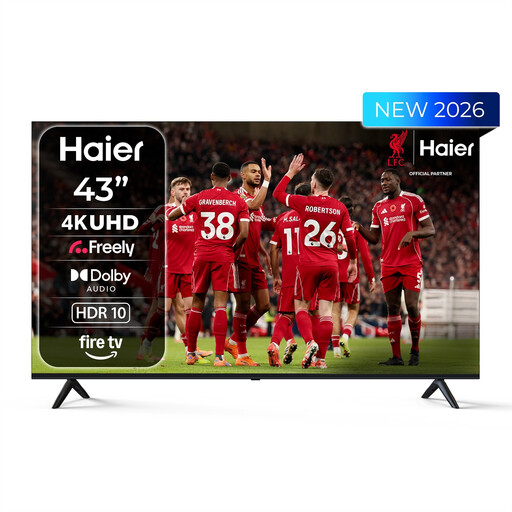
Haier H43K85GUF 43-inch 4K LED TV with Freely and Fire TV
Choose this route if you want to replace the screen with a 43-inch TV that lists Freely for internet-delivered viewing.
This variant lists a 4K LED display and HDR10. Check app support on this exact model and test the internet connection at the planned TV position.
View on Joybuy
 No image available
Haier H50S80GUF 50-inch 4K QLED TV with Freely and Fire TV
This is a 50-inch screen-replacement option with Freely built in, rather than an add-on for a TV you already own.
The listed variant has a 4K QLED display and HDR10+. Check that its apps and the Wi-Fi-only channel list cover what you watch.
View on Joybuy
 No image available
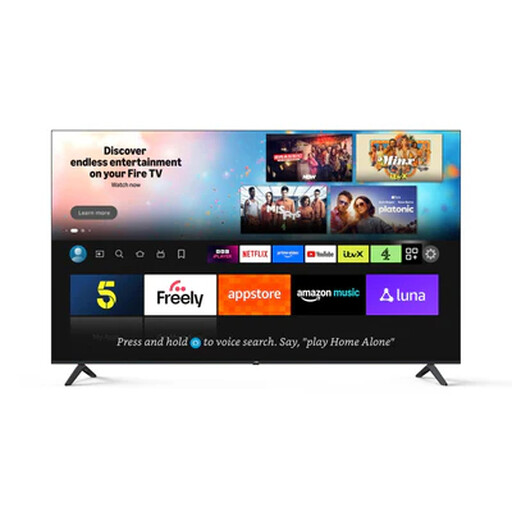
Haier H65S80GUF 65-inch 4K QLED TV with Freely and Fire TV
Consider the 65-inch variant if that screen size suits your room and you want Freely in the replacement TV.
It lists a 4K QLED display and HDR10+. Measure the intended space, test connectivity there and confirm any essential Wi-Fi-only channels or apps.
View on Joybuy
Frequently asked questions
Can I watch live TV in a room without an aerial socket?
Yes, with suitable internet-connected hardware and a supported service. Freely says compatible TVs and streaming devices can deliver live channels over Wi-Fi; some broadcaster apps also offer live streams, but you should confirm availability on your exact device.
Will Freeview Play give me its normal live-TV guide without an aerial?
No. Freeview says its live-TV guide needs an aerial. Without one, supported player apps can still offer on-demand viewing and some in-app live streams, which is not the same as receiving live TV through the Freeview guide.
How do I check whether my smart TV supports the apps I need?
Check each app against the TV’s exact model, platform and software version. ITVX notes that some otherwise supported platform families exclude particular models, and Channel 4 identifies older devices on which its app is unavailable.
Is Wi-Fi enough, or should I use Ethernet?
Wi-Fi can be suitable if playback is stable at the TV’s position; use Ethernet where it is practical and the device supports it if the wireless signal is weak. Freely recommends a wired connection when available and states a 10Mbps minimum broadband speed for its live internet channels and on-demand shows.
Does Wi-Fi-only Freely carry the same channels as Freely with an aerial?
No. Freely says its Wi-Fi-only lineup has over 24 channels, including BBC, ITV, Channel 4 and Channel 5 live streams, while connecting an aerial adds a wider range. Check the postcode-specific lineup if a regional or particular channel matters to you.


