Joybuy USB-C docking and display options
These Joybuy listings cover USB-C hubs, docking products and a single-display adapter for display and peripheral connections. Check the host’s video support and each model’s monitor limits before treating any option as a two-screen solution.
 No image available
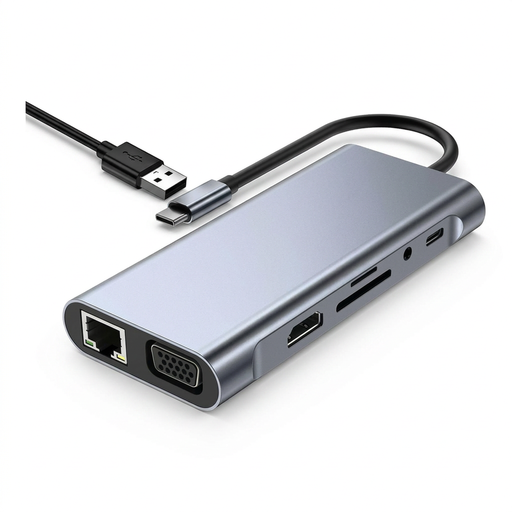
USB-C Hub Docking Station TW11A, 11-in-1
For a USB-C host needing display and peripheral connections; the listed outputs do not by themselves confirm support for two extended screens.
The product description lists HDMI up to 4K at 60 Hz, two USB-A ports, a USB-C data port, RJ45 Ethernet and up to 100 W PD pass-through.
Joybuy
 No image available
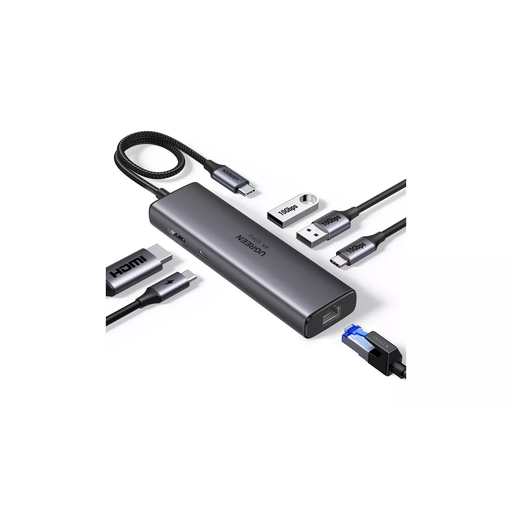
UGREEN USB-C multi-function docking station
For a USB-C setup needing display, peripheral and wired-network connections; check the host and monitor arrangement before relying on it for two extended displays.
The product description lists HDMI up to 4K at 30 Hz, VGA at 1920 × 1080 and 60 Hz, USB ports, card readers and Ethernet. It says to power the hub through its Type-C PD port for optimal performance when using the displays.
Joybuy
 No image available
Targus USB-C Universal Dual HDMI 4K Docking Station
For a USB-C Alt Mode host where two HDMI display connections are needed, subject to the laptop’s display limits and supported configuration.
The description specifies two HDMI 2.0 ports supporting two 4K UHD displays, USB-A connections, Gigabit Ethernet and up to 100 W PD pass-through. It requires an external 100 W or higher adapter for the dock.
Joybuy
 No image available
V7 V7UC-U3CRJ45HDVG-BLK USB-C Adapter
For a USB-C Alt Mode laptop needing peripheral expansion and one display connection; it is specified for a single display, not a two-monitor setup.
The description lists HDMI, VGA, USB-A, Ethernet and USB-C PD connections.
Joybuy
Frequently asked questions
Does a USB-A-to-USB-C adapter let an older laptop use any USB-C dock’s video outputs?
No: changing the connector does not establish video compatibility. Check whether the dock explicitly supports the USB-A host and its display arrangement, or requires a video-capable USB-C or Thunderbolt connection. Lenovo specifies an included USB-A adapter for its particular ThinkPad Hybrid USB-C with USB-A Dock.
How can I check whether two screens will be extended rather than mirrored?
Start with the laptop model’s supported external-display count, then check the dock and monitor configuration. On Windows, Microsoft Support directs users to Settings > System > Display to identify, detect and arrange connected screens. Apple’s display guidance is model-specific, and some Mac and dock combinations have additional MST limitations.
What should I arrange before using DisplayLink on a work laptop?
Confirm the exact dock’s operating-system support and whether your organisation permits its driver to be installed. DisplayLink documents managed Windows deployment, while its macOS Manager requires Screen Recording permission. These checks do not mean every employer prohibits DisplayLink.
Will a dual-monitor dock also charge either laptop?
Not necessarily; check the dock’s power specification against each laptop’s requirements. Plugable states that its UD-3900 does not charge the host, while Dell lists up to 100 W for Dell systems and 96 W for non-Dell systems for its WD25 dock.


