What matters when choosing two screens?
Choose the physical layout you want, then establish how your computer will connect to it. A single tall panel offers a different layout, but not two independently positioned screens.
Two matching monitors
Choose when: You want a symmetrical desk, with code on one screen and the browser, DevTools or documentation on the other.
Allow for: Two stands or mounts take desk space, and a hub-equipped monitor will simplify connections only if the computer and cables support the intended arrangement.
Tall primary screen and conventional second screen
Choose when: You want more vertical room for source files or documentation while keeping browser tools on a separate display; BenQ specifies a 3:2 panel for its RD280U.
Allow for: A mixed layout needs deliberate positioning. The RD280U's USB-C-out MST feature does not establish that your particular computer can use a daisy chain.
One vertical-format display
Consider when: Desk width matters more than having two separately positioned physical screens.
Allow for: It does not meet a strict two-monitor requirement. LG UK lists its DualUp 28MQ780-B, an example of this format, as discontinued.
| Concern |
Buying checks |
Who this matters to |
| Visible workspace |
Plan where code, browser preview and DevTools will sit; compare screen dimensions and whether you need portrait adjustment. |
I want to see the extension's code and its behaviour in the browser without continually covering one window with another. Around 36% of consumers put that visible workspace first. |
| Two-display connectivity |
Check the exact computer's external-display limit, ports and intended dock or cable path. |
If I work from a laptop, both screens need independent signals from the connections I actually have. For around 29% of consumers, making that connection work is the primary concern. |
| Desk fit and positioning |
Measure desk width and depth; check stand adjustment or compatible mounting before choosing panel sizes. |
My desk must leave room to centre the main screen and place the second where I can comfortably use it. That fit takes priority for around 21% of consumers. |
| Reading during long sessions |
Compare the exact model's resolution, finish and adjustment range; plan suitable display scaling and placement. |
When I spend hours reading code and console text, I need a layout I can adjust and text I can read comfortably. Around 14% of consumers make that their primary concern. |
Joybuy monitors for a two-screen desk
Each monitor below is one possible screen for a two-display browser extension workstation, not a two-monitor bundle. Choose the layout and check your computer's two-display connections before deciding which screen or pair fits it.
 No image available
BenQ MA270UP 27-inch 4K USB-C monitor
Consider this as an adjustable screen for code or browser tools in a two-monitor layout.
The product name specifies a 27-inch 4K IPS display, USB-C and a height-adjustable stand. Check that your computer and cable support the USB-C functions you intend to use.
View on Joybuy
 No image available
LG 27UP650K 27-inch 4K IPS monitor
This can serve as one independently positioned display for code, a browser preview or DevTools.
The product name specifies a 27-inch 4K IPS display with HDMI and DisplayPort. Confirm the exact port arrangement if it determines how you will connect both screens.
View on Joybuy
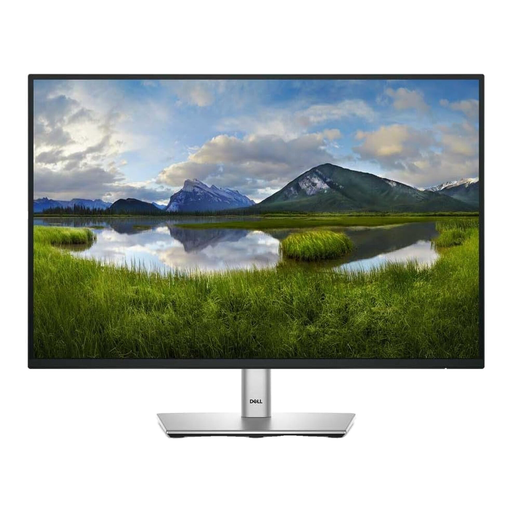 No image available
Dell P2425 24-inch monitor
Consider a 24-inch screen if your desk plan calls for a smaller individual panel beside a second display.
Check the exact ports and refresh rate against your intended connection path before buying.
View on Joybuy
 No image available
MSI MAG 275UPD E14 27-inch 4K monitor
Its 4K display makes this one screen to consider where you want room for detailed code or browser content.
The product name describes separate UHD 144Hz and FHD 288Hz modes; those refresh rates apply at different resolutions. Check which mode your intended connection supports.
View on Joybuy
 No image available
LG UltraGear 27G810A-B 27-inch 4K monitor
This is another individual 4K screen to consider for a two-display desk, rather than a complete two-screen setup.
The product name specifies a 27-inch IPS display and dual-mode operation. If you want one screen in portrait, confirm that this model's stand supports the positioning you need.
View on Joybuy
Common questions
Can a laptop with one display output run two external monitors?
It may be possible with a compatible dock, adapter or supported daisy chain, but one socket does not establish that the laptop can drive two independent external displays. Check the exact laptop model, operating system and complete connection path before choosing monitors.
How do I arrange two monitors in Windows?
Once both displays are connected, use Windows display settings to identify them and arrange their on-screen positions to match the desk. Microsoft Support advises checking the result by moving the pointer between the screens.
Do the two monitors need to be identical?
No. A matching pair can make a symmetrical layout easier to plan, while a taller primary display and a conventional second screen may suit code on one side and browser tools on the other. In either case, check desk positioning and the connections for both displays.
What should I consider for a home workstation used for employment?
Plan the workstation as well as the monitors: the Health and Safety Executive says display screen equipment guidance applies to workers who use it daily, including home workers. Its posture guidance places the top of the screen around eye level and the screen about an arm's length away; discuss a work-related workstation assessment with your employer where applicable.


