What to check before buying
Check the laptop’s display support first, then consider desk fit, any legacy connection needs and how much daily cable reconnection you want to avoid.
| Concern |
What to check when buying |
Who this matters to |
| Two independent displays |
Check the exact laptop’s supported external-display count and video outputs; match the dock and monitor modes. |
If I need two separate extended screens, I want to confirm the laptop can drive both before choosing a connection route; around 33% of consumers put display compatibility first. |
| Viewing position and desk space |
Check desk depth, screen adjustment and room for a separate keyboard and mouse. |
If I work at a screen for long periods, I need a layout that fits the desk and lets me position the displays and input devices comfortably; around 27% of consumers put workstation fit first. |
| Older or display-limited laptops |
Check the host connection, operating-system support, software requirements and number of supported outputs. |
If my laptop’s native display connections are insufficient, I need a compatible alternative and must check whether its software can be installed; around 20% of consumers prioritise an older-laptop connection route. |
| Daily reconnection and peripherals |
Check the dock’s peripheral connections and laptop charging support; compare these with direct cables or a smaller adapter. |
If I reconnect monitors and desk peripherals each day, I want the connections I actually use in one workable setup; around 20% of consumers prioritise simpler reconnection. |
Joybuy products for a two-screen desk
These listings cover laptop connection hubs and adapters as well as stands for arranging two screens on a home-working desk. Check your laptop’s supported display modes separately; a hub or adapter’s listed connections do not by themselves confirm two independent extended displays.
 No image available
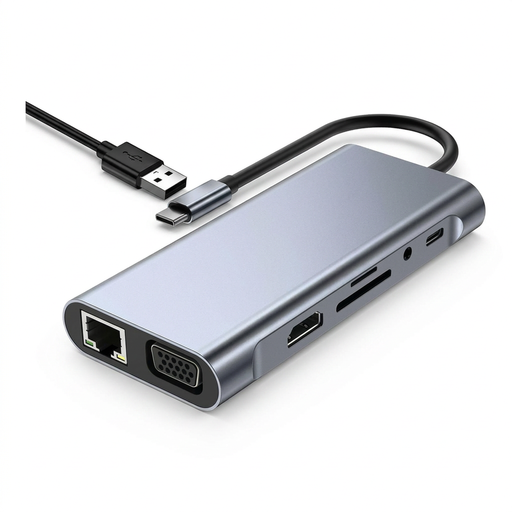
TW11A 11-in-1 USB-C Hub Docking Station
For a desk setup needing video and peripheral connections, the product name lists HDMI and VGA outputs; check whether your laptop and monitors support the two independent displays you need.
The product name also lists 4K HDMI, USB 3.0, USB-C PD, RJ45 Ethernet, SD and TF card readers, and a 3.5 mm AUX connection.
Shop on Joybuy
 No image available
Targus USB-C Universal Dual HDMI 4K Docking Station, 100W Power Delivery Pass-Through
For a laptop with compatible USB-C Alt Mode video, this dock is listed with dual HDMI outputs; confirm the host’s display limit and supported modes before relying on both outputs.
The product name specifies 4K HDMI and up to 100 W power-delivery pass-through. Check charging compatibility with your laptop separately.
Shop on Joybuy
 No image available
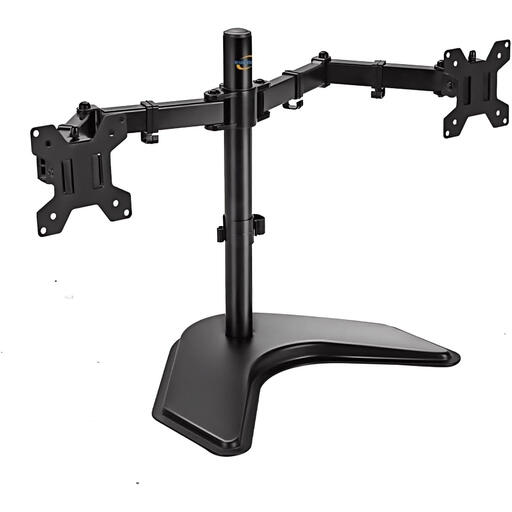
Multibao Freestanding Dual Monitor Stand, 13–27-inch
For arranging two screens at a shared desk, this is a freestanding monitor stand, not a laptop video connection device.
The product name lists support for 13–27-inch screens and VESA 75 × 75 mm and 100 × 100 mm mounting patterns. Check your monitors’ fit and mounting points.
Shop on Joybuy
 No image available
Dell Pro Dual Monitor Stand MDS19
For arranging two monitors on one desk, this is a dual-monitor stand rather than a laptop display connection device.
Check that your monitors are compatible with the stand before choosing it.
Shop on Joybuy
 No image available
V7 V7UC-U3CRJ45HDVG-BLK USB-C Adapter
For adding one display connection to a compatible USB-C Alt Mode laptop, this adapter is specified for single-display operation; confirm a separate connection route for the second external monitor.
The product name lists 4K HDMI, VGA, Gigabit Ethernet, 100 W power delivery and dual USB 3.0 ports.
Shop on Joybuy
Frequently asked questions
Does a USB-C port mean my laptop can extend to two external monitors?
No. Check whether that specific port carries video, how many external displays the laptop supports, and the dock’s connection method and output modes. Plugable Technologies’ connection guidance notes that a compatible Windows MST setup and a macOS MST setup can behave differently.
Can an older USB-A laptop use two external monitors?
It may be possible with a compatible DisplayLink dock or a combination of confirmed connections. Check the exact laptop, operating system and software requirements; a single-output USB-A adapter alone provides only one additional display connection.
What should I consider for long periods of laptop work?
Consider screen position and separate keyboard and mouse use as part of the whole workstation. HSE guidance describes positioning the screen with its top around eye level and using separate input devices for prolonged laptop work; it does not make buying two monitors a general requirement.
Who is responsible for a home-working DSE assessment?
In Great Britain, HSE says employers must assess a workstation when a worker uses display screen equipment daily as part of normal work, continuously for an hour or more; hybrid workers’ home and office setups should be considered. HSE also says workers cannot be charged for equipment an assessment indicates the employer needs to provide. Northern Ireland has separate HSENI guidance, so check the rules applicable to your location and work pattern.
What if an online purchase is unsuitable or faulty?
For applicable online goods purchases, GOV.UK says a customer can notify the seller of cancellation within 14 days of receiving the item and then has another 14 days to return it; exceptions apply. Faulty or misdescribed goods have separate statutory remedies. Check the terms that apply to your purchase without treating a voluntary warranty as a replacement for statutory rights.


