Dual-workspace prototype builders
Keep a level editor alongside a browser, assets, documentation or a console? Two work areas that you can position comfortably may matter more than extra detail on either screen.


For a two-screen platform-level prototyping desk, choose matching QHD monitors if your main need is two aligned work areas; consider matching 4K monitors when inspecting fine interface details and assets is central to the work. Before choosing either pair, confirm that your computer and complete connection path can drive two independent displays at the resolutions and refresh rates you want. USB-C charging or Thunderbolt connectivity may simplify a laptop desk, but neither replaces that check.
Keep a level editor alongside a browser, assets, documentation or a console? Two work areas that you can position comfortably may matter more than extra detail on either screen.
If you regularly inspect small interface elements, typography, screenshots or colour-sensitive assets, consider native resolution and the declared colour-space coverage relevant to your work, as well as screen size.
A repeatable connection for a laptop and two external screens can make desk setup simpler. Check the exact laptop's external-display limit before planning around a dock, daisy chain or USB-C charging.
Decide whether aligned workspace or fine-detail review is the stronger reason for your second screen, then check how both displays will connect. USB-C or Thunderbolt is a connection consideration, not an alternative screen resolution.
| Concern | What to check | Who this matters to |
|---|---|---|
| Aligned workspace | Compare native size and resolution across the pair, then check stand adjustment and desk fit. | If I keep an editor and references open together, I need screens I can align without awkward positioning. Around 42% of consumers put this workspace need first. |
| Visual detail | Compare QHD with 4K at the intended size, and check declared colour coverage against your review workflow. | Small UI elements and assets need closer inspection in my prototype work; around 33% of consumers prioritise this kind of detail or colour-aware review. |
| Laptop connectivity | Check the computer's two-display limit and the dock and cable path at the intended resolution and refresh rate. | I want to connect my laptop without discovering that the second screen can only mirror the first. Reliable connectivity is the primary concern for around 25% of consumers. |
USB-C describes the connector, not the computer's video output or external-display limit. A monitor that charges a laptop does not establish that the laptop can extend its desktop across two monitors.
Check the exact computer specification, then confirm the dock, cables and monitors support two independent displays at your intended settings.
A different dock, adapter or cable arrangement may be needed if the planned connection path does not support those settings.
Two poorly aligned screens can make routine work involve repeated turning. The Health and Safety Executive advises placing the main screen directly in front of you, with its top around eye level and the screen about an arm's length away.
Check stand adjustment or a compatible mount, and measure your desk before committing to a pair.
Getting both screens into position may require a separate arm, riser or desk mount.
DisplayPort explains that Multi-Stream Transport can carry multiple displays from one compatible source connection. That does not mean every computer, hub and monitor chain supports your chosen two-screen settings.
Confirm support across the source, operating system, dock and monitor connection path before relying on a daisy chain.
A 4K panel provides more native pixels than QHD, but its usefulness for prototyping depends on what you inspect, your preferred interface scaling and whether the computer can drive the intended pair.
Choose the resolution around your actual review work, then verify two-display support rather than assuming that one supported 4K screen means two will work.
Dell UK specifies the 27-inch U2724D as a 2560 × 1440, 120 Hz IPS Black monitor; the U2724DE is a separate 27-inch QHD Thunderbolt 4 hub model.
LG UK specifies the 27UP850K-W as a 27-inch 3840 × 2160 IPS model with USB-C display, data transfer and charging up to 90 W.
BenQ specifies the 27-inch PD2705U as a 3840 × 2160 IPS model with 99% sRGB and 99% Rec.709 coverage, an adjustable stand and USB-C power delivery rated at 65 W.
These Joybuy choices include QHD and 4K monitors for prototyping desks, with different screen sizes and connection features. Choose the screen format for your work and space, then check your computer's support for the complete two-monitor setup.
 No image available
Consider this model when fine-detail review and a USB-C laptop connection are both part of the plan.
The product name specifies a 27-inch 4K IPS screen and a height-adjustable stand. Confirm that your computer and connection path can run both intended displays, and check whether the monitor's charging capability meets your laptop's needs.
 No image available
Consider a matching pair if two QHD work areas are more important to you than a 4K detail-review setup.
The product name specifies an IPS panel and 100 Hz refresh rate. Verify the computer's two-display output at your intended settings; if laptop charging through a monitor matters, check the required power-delivery rating before ordering.
 No image available
This is a 4K option for inspecting detailed interface elements and assets when your computer can drive the intended pair.
The product name specifies HDMI and DisplayPort connections and 95% DCI-P3 coverage. Check your computer or dock's output for two screens at your chosen settings; if you need USB-C video or charging, confirm how the desk will provide it.
 No image available
Consider this model if a smaller QHD layout better suits your desk than the 27-inch options; compare its dimensions with the other screen if you plan to mix models.
The product name specifies a QHD IPS display. If laptop charging is part of the setup, check the connection and power requirements alongside support for two independent displays.
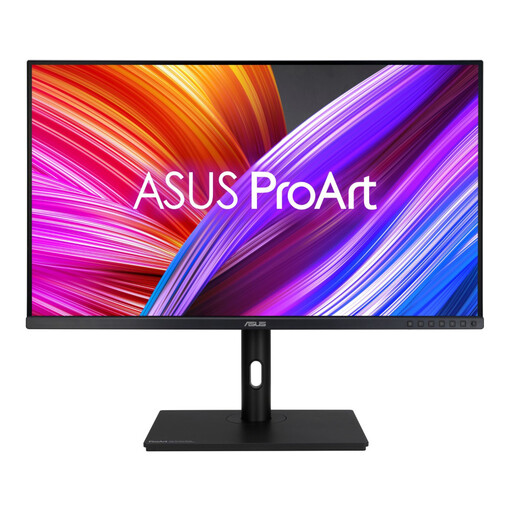 No image available
Consider this larger-screen QHD option if you want room for windows and can accommodate the planned pair on your desk.
The product name specifies a WQHD IPS display. Measure the space for two screens and verify the computer's display outputs; check any required USB-C video or charging connection separately.
It can in a compatible setup, but a USB-C connector alone does not guarantee two independent displays. Check the exact computer's external-display limit and whether the dock and monitor path support the required video mode and settings. DisplayPort describes Multi-Stream Transport as a way for compatible equipment to carry multiple display streams from one source connection.
Matching size and resolution makes a consistent two-screen layout easier to plan. Different screens can still make sense if one has a distinct job, such as detailed asset review while the other holds an editor or references; check how their physical heights and interface scaling will work together.
Put the screen you use most directly in front of you and arrange the other to limit routine twisting. The Health and Safety Executive advises setting the top of the main screen around eye level and keeping it about an arm's length away; check that the stands or mounts let you achieve a comfortable arrangement on your desk.
No. Two 4K screens are worth considering when fine UI details or assets need close review and the computer supports the intended pair. If your priority is two aligned work areas, matching QHD screens may meet that need; compare your preferred interface scaling and verify the output capability before choosing.