Who each setup suits

Mobile dual-display extension builder

If code, DevTools and a test page need to stay visible as you move between locations, a laptop with two built-in displays is the route to examine. ASUS and Lenovo document dual-display models, but the keyboard and stand arrangements depend on the model.

Desk-based cross-browser tester

If most work happens at one desk, a separate monitor gives you a second screen without requiring two built-in panels. Mozilla MDN Web Docs notes substantial compatibility between Firefox and Chromium extensions in many cases, though you still need to test each target browser.

Safari-targeting extension developer

If you need to package, test or distribute a Safari web extension, plan for the macOS and Xcode workflow documented by Apple Developer. You can assess the second-screen arrangement separately, including whether the exact Mac supports the external display you intend to use.

What matters when choosing

Integrated dual-screen Windows laptop

Choose when: You need two active displays wherever you build and inspect an extension.

Trade-off: The specialist layout makes the keyboard, stand and carrying arrangement part of the decision.

Laptop with an external monitor

Choose when: Your second display normally stays at a desk and you want to select the monitor separately.

Trade-off: The laptop, connection and monitor must work together; a dock adds another component to check.

Mac with an external display

Choose when: Safari extension work requires Apple’s Xcode workflow.

Trade-off: This is not a two-display laptop on its own, and external-display support varies by exact Mac model and chip.

Concern What to check Who this matters to
Two screens on the move Confirm that both displays are built in, then check their layout, keyboard arrangement and carrying weight. I need code and a test browser visible when I work away from my desk, without setting up a separate monitor. Around 33% of consumers put that portable two-display workspace first.
A second screen at a desk Match the laptop’s video-output port with the dock or cable and the monitor’s input. My second screen can stay at my desk, so I care most about getting a workable monitor connection. For around 27% of consumers, that desk setup is the primary need.
Target browsers List the browsers you must support; if Safari is included, account for macOS and Xcode. I need to test the browsers in my release plan, and Safari may change which operating system I need access to. Browser-workflow fit comes first for around 20% of consumers.
Exact configuration and kit Compare the specific SKU’s memory, storage and included keyboard, stand or charger. I do not want to choose a laptop range and then discover that the supplied configuration or accessories differ from what I expected. Around 20% of consumers make that exact-match check their main concern.

Buying pitfalls

  • Assuming any USB-C port will run your second display

    A docked setup depends on the laptop, dock and monitor together. Microsoft Learn highlights DisplayPort over USB-C in its docking guidance; the connector shape alone does not establish video-output support.

    Check the exact laptop port, dock output and monitor input against the display arrangement you want.

    If those components do not connect as intended, you may need a different cable, adapter or dock.

  • Choosing a dual-screen range without checking the SKU

    Configurations and supplied accessories vary. Lenovo lists a keyboard, mouse, pen and folio stand with the examined Yoga Book 9i configuration, while ASUS documents different memory configurations for its Zenbook DUO line.

    Before checkout, confirm the selected SKU’s memory, storage, keyboard, stand, charger and warranty details.

  • Treating every browser extension as the same workflow

    Mozilla MDN Web Docs describes substantial Firefox and Chromium extension compatibility in many cases, but that does not replace browser-specific testing. Apple Developer documents an additional Xcode workflow for Safari web extensions.

    Decide which browsers you must release to before choosing an operating system, and allow for testing in each one.

Relevant brands for reference

ASUS

The Zenbook DUO UX8407 is a reference point for an integrated dual-screen Windows setup.

  • ASUS lists two 14-inch 3K OLED displays, 16GB or 32GB memory configurations, a 1TB SSD and two Thunderbolt 4 ports with display and power-delivery support for the UX8407 line.
  • Check the precise configuration and charger inclusion for the model and region you are buying; these UX8407 specifications must not be assumed for other Zenbook DUO models.

Lenovo

The Yoga Book 9i Gen 10 is another integrated dual-screen form factor to consider for mobile work.

  • Lenovo lists two 14-inch 2.8K OLED touch displays and, for the examined UK configuration, a Bluetooth keyboard, mouse, pen and folio stand.
  • Check the contents and specifications of the exact configuration rather than assuming every Yoga Book 9i bundle is identical.

Apple

A MacBook Pro is relevant when Safari extension work makes Apple’s macOS and Xcode workflow necessary; its second screen would be external.

  • Apple Developer documents Xcode for packaging Safari web extensions for testing and distribution.
  • Check external-display support for the exact Mac model and chip; the MacBook Pro family name does not establish one shared display limit.

Joybuy product choices

These choices cover a laptop with built-in dual displays and two MacBook Pro configurations for a setup using an external second screen. Choose between those arrangements based on where you work and whether Safari is a target browser.

ASUS Zenbook DUO UX8406CA-QL135W dual-screen laptop

ASUS Zenbook DUO UX8406CA-QL135W Dual OLED Touch Laptop

Consider this configuration if two built-in displays matter more to your workflow than leaving a monitor at a desk.

The product name specifies an Intel Core Ultra 7 255H, 16 GB LPDDR5X memory and a 1 TB SSD. Confirm the supplied display resolution before buying, as the listed description and detailed specifications differ.

For Safari packaging and testing, you would also need access to Apple’s macOS and Xcode workflow.

View on Joybuy
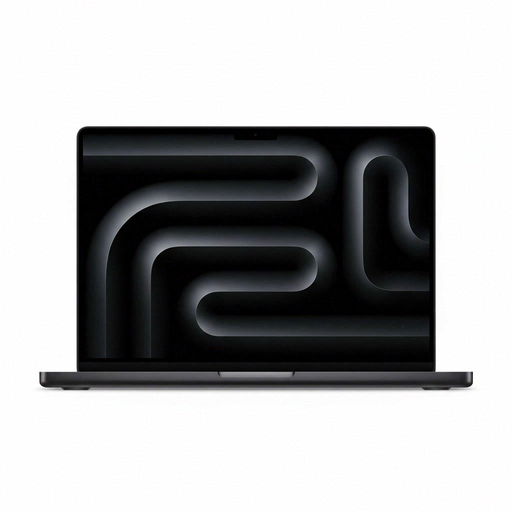
Apple MacBook Pro 14.2-inch M5 Pro, 24GB memory and 2TB storage, Space Black

Apple MacBook Pro 14.2-inch M5 Pro, 15-core CPU/16-core GPU, 24GB/2TB, Space Black

Consider this MacBook Pro if Safari extension work is part of your plan and your second screen will be an external monitor.

The product name specifies an M5 Pro with a 15-core CPU, 16-core GPU, 24GB memory and 2TB storage. Check the exact model’s display connections and the monitor and cable arrangement you intend to use.

View on Joybuy
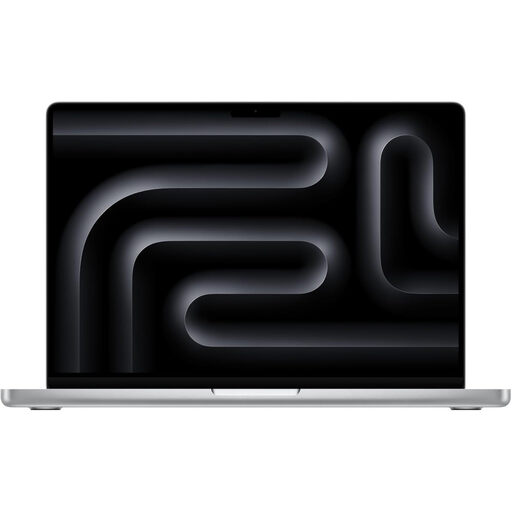
Apple MacBook Pro 14.2-inch M5 Pro, 24GB memory and 2TB storage, Silver

Apple MacBook Pro 14.2-inch M5 Pro, 18-core CPU/20-core GPU, 24GB/2TB, Silver

This is another MacBook Pro configuration to assess if you need Apple’s Safari extension workflow and plan to connect a separate display.

Its product name distinguishes an 18-core CPU and 20-core GPU from the other listed M5 Pro model; it also specifies 24GB memory and 2TB storage. Check display connections against your intended monitor setup rather than assuming the two configurations are interchangeable.

View on Joybuy

Frequently asked questions

Do I need a high-end laptop just to build a Chrome extension?

No particular high-end specification follows from the extension format alone: Chrome for Developers says Chrome extensions use HTML, CSS and JavaScript. Choose memory, storage and processing capacity around the local tools and browser sessions you actually expect to run.

How can a conventional laptop provide two screens?

You can use its built-in display alongside an external monitor, either through a suitable direct connection or a compatible dock. Check the exact laptop’s video-output capability and the dock, cable and monitor specifications together; a USB-C port by itself is not enough to establish the result.

Do I need a Mac to develop a browser extension?

Not for every browser target, but you need access to Apple’s macOS and Xcode workflow if you must package, test or distribute a Safari web extension. Apple Developer documents that workflow; for Chromium and Firefox targets, test the extension in each browser rather than assuming identical behaviour.

What should I check before ordering a dual-screen laptop?

Check the exact SKU’s displays, memory, storage and supplied keyboard, stand and charger. A product-line name may cover different configurations or bundles, so compare the selected listing with the workspace you intend to set up.