Fixed-desk household budgeter
If you review bills, transactions and charts at one desk, dependable extended-display connections and a straightforward cable routine may matter more than carrying the setup around.


Choose how you will use two screens before choosing a laptop: a desk setup needs documented support for the intended independent displays, either directly or through a compatible dock, while a dual-screen laptop provides a portable alternative. Check the exact ports, monitor connections and software fit rather than assuming that a USB-C socket or HDMI splitter will extend the desktop.
If you review bills, transactions and charts at one desk, dependable extended-display connections and a straightforward cable routine may matter more than carrying the setup around.
If you move between rooms or use a compact desk, two built-in screens offer a way to keep a spreadsheet and chart visible without maintaining two separate monitors.
If you prefer macOS and want two external displays, the M5 MacBook Air is an option to consider after checking your spreadsheet software, monitor cables and peripherals.
For household-spending spreadsheets and charts, decide whether the second screen must travel with the laptop or will stay at a desk. Then check display connections and software against the exact configuration you plan to buy.
| Concern | What to check | Who this matters to |
|---|---|---|
| Independent displays | Confirm the exact laptop and any dock support the intended number of extended displays; match video-capable ports to the monitors. | I want my spreadsheet and charts visible at once, not the same picture duplicated on both screens. Around 42% of consumers put independent display connections first. |
| Portable second screen | Check whether the second display is built in and how the keyboard and stand work in the intended layout. | When I move between rooms, I need a second workspace that moves with me rather than a permanent monitor desk. For around 33% of consumers, portability is the primary concern. |
| Software and everyday configuration | Check the operating system and spreadsheet-app compatibility, then compare memory and storage in the exact configuration. | I need my usual budget files and charting app to work on the laptop I choose, without paying for a screen arrangement I will rarely use. Software fit and everyday configuration come first for around 25% of consumers. |
A USB-C-to-DisplayPort cable works only when that laptop port supports DisplayPort video output, as the product information explains.
Check the exact model’s port specification and the monitor’s input before choosing a cable.
An incompatible connection can mean changing the cable, adapter or dock.
The product information distinguishes a splitter that duplicates an image from an arrangement that extends the desktop. Mirroring will not put a spreadsheet on one display and a different chart on the other.
Specify that you need two independent work areas, then check the laptop and dock’s supported display arrangement.
Dell specifies dual 4K displays at 60 Hz for its Pro Thunderbolt 4 Smart Dock SD25TB4, but that dock specification does not establish what every connected laptop can output.
Check the dock’s host-connection requirements against the exact laptop configuration and your monitors.
Microsoft states that Windows 10 support ended on 14 October 2025. An older machine’s operating-system version therefore matters alongside its display connections.
Check the installed Windows version and the device’s update eligibility before buying.
The ThinkPad T14 Gen 5 is a conventional 14-inch Windows-laptop route for a desk-based display setup.
The ProBook 440 G11 offers a conventional 14-inch Windows-laptop format for a home desk that may use external monitors.
The Zenbook DUO line addresses the need for two built-in screens away from a fixed monitor desk.
The M5 MacBook Air is a macOS option for a desk setup using two external displays.
These choices cover a laptop with two built-in screens and M5 MacBook Air configurations for a setup with external displays. Decide which arrangement fits your workspace before comparing the configurations.
 No image available
Consider this built-in dual-screen format if your spreadsheet and charts need to travel together rather than stay at a monitor desk.
This configuration lists an Intel Core Ultra 7 255H, 16 GB LPDDR5X RAM and a 1 TB SSD. Check the exact panel resolution and whether the keyboard-and-stand arrangement suits your workspace.
 No image available
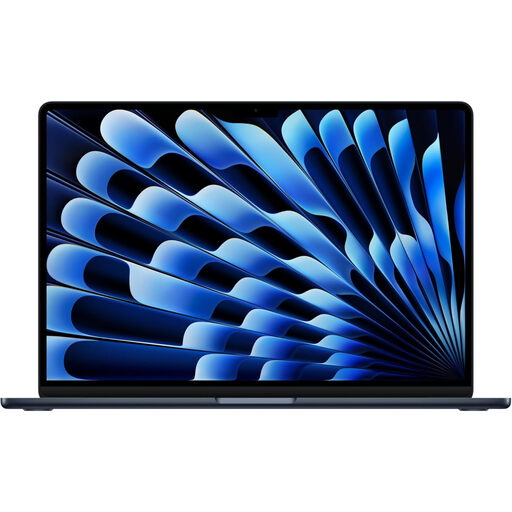
This macOS configuration suits a desk setup if your spreadsheet software and monitor connections are compatible. Apple states that the M5 MacBook Air supports up to two external displays.
The listed variant has a 13-inch built-in display. Confirm that your monitors, cables and peripherals suit the intended arrangement.
 No image available
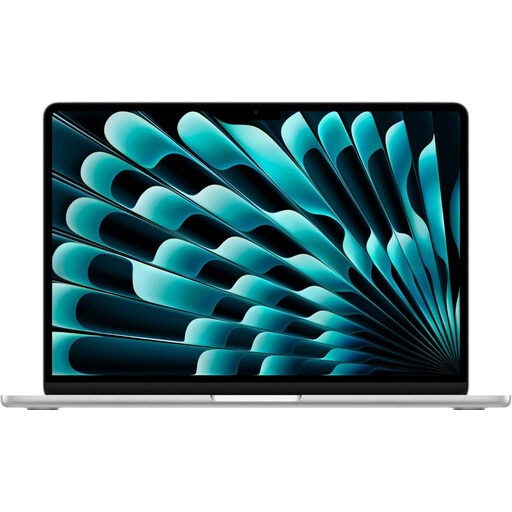
Consider the larger built-in screen if you also use the laptop away from your external-monitor desk. Apple states that the M5 MacBook Air supports up to two external displays.
Check your monitors, cables and macOS software before choosing this configuration, and confirm its built-in display resolution if that affects your choice.
No. As the product information explains, a direct USB-C-to-DisplayPort connection requires a laptop port that supports DisplayPort video output. Check the exact port specification and monitor input, not just the connector shape.
An HDMI splitter that duplicates the picture will not provide two independent work areas. Check that the laptop and any dock support extended displays, rather than relying on a splitter alone.
Use Windows display settings to arrange the detected screens and choose the intended extended layout; Microsoft Support explains that settings can be adjusted for each connected display. These settings cannot replace an unsupported laptop, dock or cable connection.
Yes, according to Apple’s March 2026 announcement, the M5 MacBook Air supports up to two external displays through its Thunderbolt 4 ports. Check your monitors, connections and macOS software; the statement should not be applied to every older MacBook Air.
For a qualifying UK distance sales contract, regulation 30 of the Consumer Contracts Regulations 2013 generally ends the cancellation period 14 days after the day the consumer, or their nominated recipient other than the carrier, takes physical possession of the goods. Exceptions may apply; this change-of-mind period is distinct from remedies for goods that are faulty, damaged or misdescribed.