For a desk where one screen holds agendas or decision logs and the other shows the meeting, start with two monitors that can be positioned comfortably; 27-inch QHD models are a practical option for text-heavy work. Prioritise USB-C docking only after confirming the laptop can drive both displays, and choose built-in conferencing hardware only if it suits the actual recording setup. Assess the complete workstation, not just the screens.
Who this setup suits
Committee clerks handling documents and live meetings
If you keep agenda papers, minutes or a decision log open while following the meeting, consider the space available for text on each screen and whether both displays can be positioned comfortably.
Laptop-based meeting operators
If you move between rooms or use a shared desk, check how the laptop will connect to two displays, charging, networking and peripherals. A monitor’s USB-C socket alone does not establish that the laptop can run the intended setup.
Small hybrid-meeting coordinators
If the operator also joins by video, a monitor with a webcam, microphone and speakers may serve as a personal endpoint. Check camera framing and audio coverage separately before relying on it to record the room.
What to check before buying
Decide what each screen must show, then check the computer’s connections and the room’s capture equipment. Screen position matters across the whole desk.
| Concern |
What to check |
Who this matters to |
| Document workspace |
Compare the space needed for agendas and decision logs with the resolution of each screen; check stand adjustment for the planned layout. |
I need to read papers while keeping the meeting and recording controls in view, without continually changing windows. Around 36% of consumers put that simultaneous workspace first. |
| Laptop connectivity |
Confirm the laptop’s external-display capability and the monitor’s USB-C video or daisy-chain requirements. |
Moving a laptop between desks, I want a repeatable connection to both screens with fewer cables. For around 29% of consumers, that connection is the primary concern. |
| Conferencing hardware |
Check whether a built-in webcam, microphone and speakers suit the operator position or whether the room needs separate capture equipment. |
At a compact hybrid-meeting desk, I want the operator to join by video without adding personal call devices. Around 21% of consumers prioritise integrated conferencing hardware. |
| Simple second display |
Check the required input connection and whether the second screen needs to show detailed text or mainly a meeting view. |
If my main screen carries the decision record, I may only need another display for the meeting or reference material. A straightforward second screen comes first for around 14% of consumers. |
Common buying mistakes
-
Assuming USB-C guarantees two monitors
A USB-C connection does not establish that a laptop supports the monitor’s method of driving a second display. BenQ says its GW2786TC supports MST daisy-chaining, while Mac devices require a Thunderbolt dock or another suitable device for daisy-chaining.
Check the computer’s supported external-display count, USB-C or Thunderbolt capabilities, and the ports and cables required by both monitors.
A suitable dock, additional cable or adapter may be needed for the chosen connection arrangement.
-
Treating a webcam monitor as a complete recording system
A built-in webcam and microphone may serve an individual participant without providing the camera framing or audio coverage needed for a committee room. They do not determine where recordings are stored or who can access them.
Plan the camera position, participant audio, recording destination, access controls and retention process before deciding which equipment belongs in the monitor.
The room may still need a separate camera, microphone, recording service or secure storage.
-
Relying on adjustable stands instead of assessing the desk
Monitor adjustment is only one part of a usable workstation. The Health and Safety Executive says employers must assess workstations for staff who use display screen equipment daily as part of normal work, continuously for an hour or more.
Assess screen position alongside desk depth, seating, keyboard and mouse placement, lighting and the need to turn between displays.
-
Assuming every committee meeting can be recorded in the same way
England’s Openness of Local Government Bodies Regulations 2014 provide for reporting while applicable meetings are open to the public; that does not settle arrangements for every committee session or how a recording may be handled.
Confirm the meeting’s status and the relevant body’s recording arrangements. The Information Commissioner’s Office says organisations must identify and document a lawful basis under the UK GDPR when processing personal data.
Relevant brands to consider
Dell
Dell’s P2725DE is a 27-inch QHD business-monitor option for a document-and-meeting desk.
- Dell lists USB-C power delivery, Ethernet and height, pivot, tilt and swivel adjustment for the P2725DE.
- If the monitor must also capture video or audio, check the separate equipment required for your setup.
BenQ
BenQ’s GW2786TC is relevant when a compatible laptop will connect to a two-monitor desk.
- BenQ specifies USB-C power delivery, MST daisy-chaining, a microphone, speakers and an adjustable stand for this model.
- BenQ says Mac daisy-chaining requires a Thunderbolt dock or another suitable device; confirm the host arrangement before purchase.
LG
LG’s 27BA850-B brings personal conferencing hardware into the operator’s monitor.
- LG specifies a built-in Full HD webcam, microphone, speakers, USB-C power delivery and Ethernet for this model.
- Its Full HD panel offers fewer pixels than the QHD models discussed here; assess room-wide capture separately.
ViewSonic
ViewSonic’s VG2709U-2K is a QHD docking-monitor option for a compatible dual-display connection.
- ViewSonic specifies DisplayPort output for daisy-chaining, Ethernet, USB-C charging and ergonomic adjustment.
- Check the connected computer’s USB-C specifications against the functions needed at the desk.
Monitors to consider on Joybuy
These individual monitors offer different ways to furnish the document or meeting-view side of a two-screen desk. Select the second display and connection method around the computer and workstation; a monitor alone does not establish a working two-screen recording system.
 No image available
MSI MD272UPSW 27-inch 4K UHD Smart Monitor with Google TV
Consider this 4K UHD display for the document side of a desk where detailed papers need to remain visible.
Its product name specifies IPS, USB-C with 65W power delivery and Google TV. Check the computer’s video connection and two-display capability before planning the pair.
View on Joybuy
 No image available
ASUS ProArt PA278CV IPS WQHD Monitor
Consider the WQHD display for keeping agendas or a decision log open beside the meeting view.
Check the stand position, required cables and computer outputs for the intended two-screen layout.
View on Joybuy
 No image available
LG UltraGear 27G810A-B 27-inch IPS 4K UHD Dual Mode Monitor
Its 4K UHD display is an option for a screen dedicated to detailed committee papers.
Check how this monitor will connect alongside the second display, and assess its position as part of the complete desk.
View on Joybuy
 No image available
HKC G27H2DPro 27-inch QHD Fast IPS 220Hz Monitor
Consider this QHD screen where one display needs to hold detailed papers while another shows the meeting.
The product name specifies 2560 × 1440 resolution. Check the stand’s adjustment range if the assessed desk position requires more than tilt.
View on Joybuy
 No image available
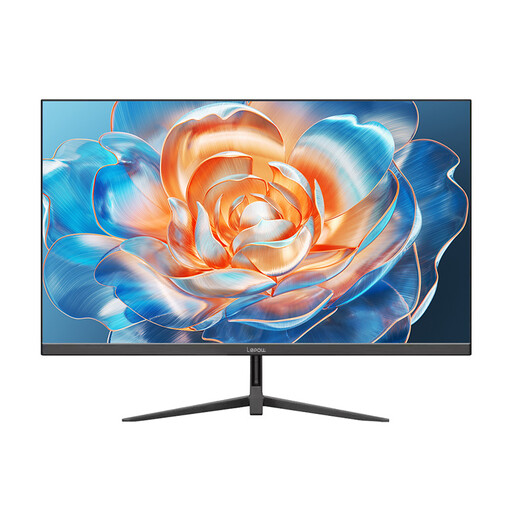
Lepow HC-27Z2 27-inch 100Hz Monitor
Consider this as a second display when the main screen holds the decision record and the other carries the meeting view.
Check its connections and stand adjustment against the computer and planned desk position.
View on Joybuy
Frequently asked questions
Do both monitors need to be identical?
No: one screen can serve the text-heavy decision record while a different second screen carries the meeting view. Matching size and adjustment can make it easier to align the displays, but choose each screen for what it must show and assess their positions together.
Will a USB-C monitor run two screens from my laptop?
Not automatically. Confirm the laptop’s external-display support and the monitor’s output method before buying; BenQ says its GW2786TC supports MST daisy-chaining, while Mac devices need a Thunderbolt dock or another suitable device for daisy-chaining.
How should the screens be positioned for regular use?
Position both screens as part of a workstation assessment, with the documents and meeting view arranged to limit repeated twisting. The Health and Safety Executive advises placing the top of a screen at eye level and about an arm’s length away; employers must assess workstations for staff who use display screen equipment daily as part of normal work, continuously for an hour or more.
Does a webcam monitor make committee recording permissible?
No: the monitor supplies hardware, not permission or a recording policy. England’s Openness of Local Government Bodies Regulations 2014 address reporting at applicable meetings while they are open to the public; confirm the particular meeting’s status and the body’s arrangements. The organisation must also address its data-protection responsibilities, including a lawful basis for processing personal data.


