What matters when choosing?
Set out the screens you intend to use before comparing laptop configurations. Once you know whether the desk needs one or two external monitors, consider the photo workload and whether you will review images on the laptop’s own display.
| Concern |
What to check |
Who this matters to |
| Screen layout |
Check the exact configuration’s external-display limit and the supported resolution and refresh rate for each intended connection. |
I need a gallery on one screen and room to work on the other, without finding that the displays can only mirror each other. Around 36% of consumers put confirmed display capability first. |
| Photo-workload headroom |
Compare the laptop’s RAM and SSD with the requirements of your photo software and the size of your local library. |
If I edit RAW files or work with a large catalogue, I want capacity for that work as well as the screens. Around 29% of consumers prioritise photo-workload headroom. |
| Image viewing |
Check the exact laptop panel specification, including whether a colour-calibrated option is fitted rather than merely offered in the range. |
When I review images away from my desk, the laptop’s own screen matters to my decisions. Around 21% of consumers place image viewing first. |
| Docked use |
Match the laptop’s display and charging capabilities to the dock, its host connection and the monitors’ inputs. |
I take my laptop away from the desk and want a straightforward way to reconnect the workspace when I return. Around 14% of consumers prioritise portable, docked use. |
Relevant brands to consider
These product lines illustrate different configuration and desk-setup choices. Compare the exact model or accessory specification rather than treating a feature of the range as a feature of every laptop.
Apple
MacBook Pro is a macOS option when the selected chip’s documented display support matches the planned photo-gallery workspace.
- Apple states that the M5 Pro MacBook Pro supports up to two high-resolution external displays and the M5 Max up to four.
- Those limits are chip-specific; check the intended monitors and connections rather than applying either figure to every MacBook Pro.
Lenovo
The ThinkPad P16v line offers configurable workstation options for buyers considering a Windows photo workflow.
- Lenovo lists factory-colour-calibrated display options for this line.
- Confirm the panel and other required specifications on the selected configuration; an option listed for the family may not be fitted.
HP
HP positions selected ZBook mobile workstations for photography and other creative work.
- The range offers a route to comparing workstation configurations for more demanding photo work.
- Memory, graphics, ports and monitor support need checking on the specific ZBook model and configuration.
Dell
Dell is relevant when planning the dock as well as the laptop for a fixed desk setup.
- Dell documents a dual-4K-at-60-Hz mode for its Pro Thunderbolt 4 Smart Dock.
- That dock specification does not establish what an attached laptop can drive; display and charging compatibility depend on the host system.
Joybuy product choices
These laptops offer two different starting points for photo-gallery work: an M5 Max MacBook Pro configuration with a published external-display limit, and an HP 2-in-1 for which you should confirm the intended external-monitor arrangement before ordering.
 No image available
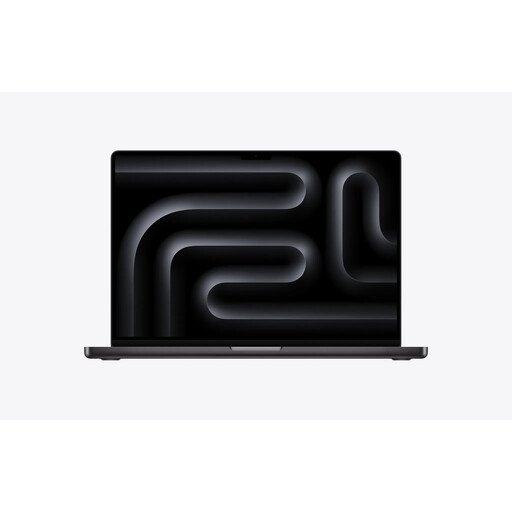
Apple MacBook Pro 16.2-inch M5 Max, 48GB/2TB, Space Black
Consider this configuration if you want macOS and need to assess two external monitors for photo work. Apple states that the M5 Max MacBook Pro can drive up to four high-resolution external displays; confirm your monitors’ resolution, refresh rate and connection arrangement.
This variant is identified with an 18-core CPU, 40-core GPU, 48GB unified memory and a 2TB SSD.
View on Joybuy
 No image available
HP OmniBook Ultra Flip 14-fh0006na 2-in-1, 16GB/1TB
This 2-in-1 is a laptop option to assess for a photo-gallery workspace, but confirm that the exact configuration can drive your intended external monitors at the required resolution and refresh rate before choosing it for a two-screen desk.
The named variant has 16GB RAM, a 1TB SSD and Windows 11 Home.
View on Joybuy
Questions about the setup
How do I make two screens separate workspaces in Windows?
After connecting compatible displays, use Settings > System > Display to identify and arrange them and choose the layout you want. Microsoft Support also describes using Detect when a connected monitor does not appear; these settings cannot add display capacity that the laptop hardware lacks.
Will a Thunderbolt dock guarantee two external monitors?
No. Even if a dock lists a dual-monitor mode, the exact laptop must support the display arrangement through its graphics hardware and host connection. Check the monitors’ inputs, cables and required resolution and refresh rate as part of the same setup.
What should I check for Lightroom Classic alongside gallery work?
Compare the exact laptop configuration with Adobe’s current Lightroom Classic requirements and consider the size of your catalogue and the features you use. Adobe notes that more RAM and a faster processor can improve performance, so meeting a minimum requirement alone may not settle the choice for substantial editing work.
Can I cancel an online laptop order in the UK?
For a qualifying online purchase, GOV.UK says you must tell the seller you want to cancel within 14 days of receiving the item. Check the applicable conditions before ordering; cancellation after a change of mind is separate from remedies for a laptop that is faulty or misdescribed.


